![NEW_PlanHub_Logo_Navy.png]](https://knowledgebase.planhub.com/hs-fs/hubfs/Design/PH%20Logos/NEW%202024%20PH%20Logos/NEW_PlanHub_Logo_Navy.png?height=40&name=NEW_PlanHub_Logo_Navy.png)
Step 1: Understand What a Bid Document Is
A bid document is a file or a set of files uploaded when submitting pricing and proposal information for a project. It serves as the formal bid and provides the general contractor or project owner with everything they need to review your offer.
Step 2: Know What’s Included in a Bid Document
Typical bid documents may include:
- Proposal letter
- Detailed cost breakdowns
- Scope inclusions and exclusions
- Labor and material pricing
- Alternates or unit pricing
- Insurance and licensing paperwork
- Any other supporting attachments requested by a General Contractor
Step 3: See How Bid Documents Attach to Projects
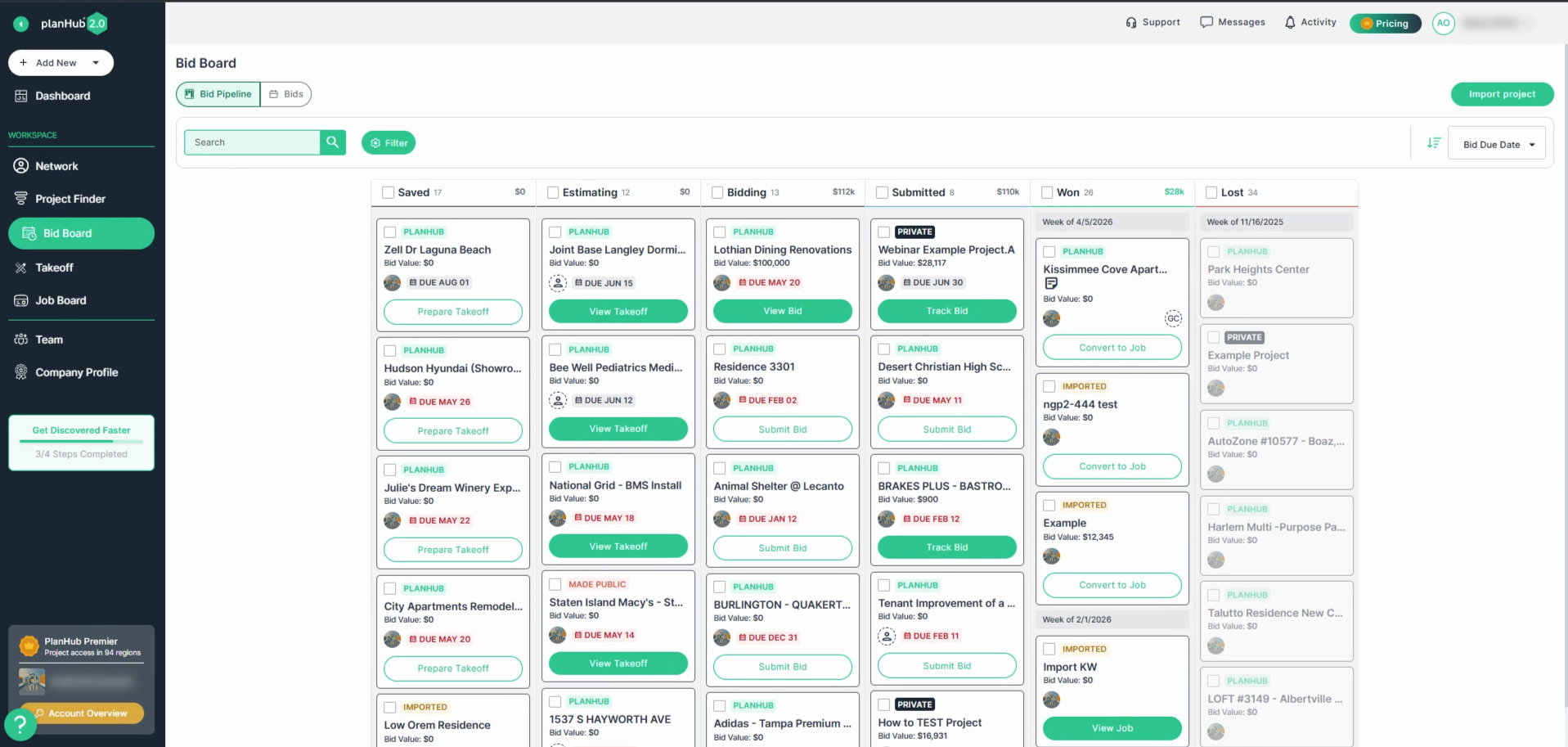
In planHub, bid documents connect directly to a specific project’s bid submission option. This keeps all relevant files organized for easy access by the general contractor.
Step 4: Recognize the Purpose of Submitting a Bid
A bid is your company’s opportunity to compete for a project, secure the contract, and present yourself as the ideal trade partner or vendor.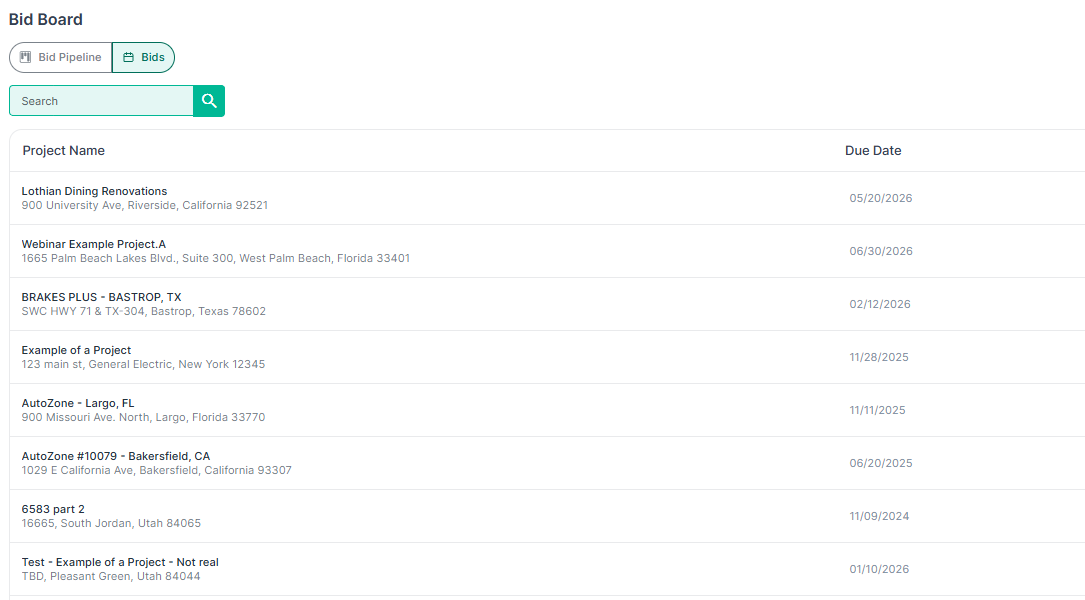
Step 5: Explore Additional Resources
Level up your bidding skills with extra resources:
- Check out planHub’s blog for tips: Subcontractor & Contractor Proposal Template for Winning Projects
- Visit the Knowledge Base for a step-by-step guide on: How To Place A Bid
- Watch the recorded webinar for best practices: How to Win More Bids | PlanHub Webinar for Subcontractors
Step 6: Submitting Your Bid from Project Finder
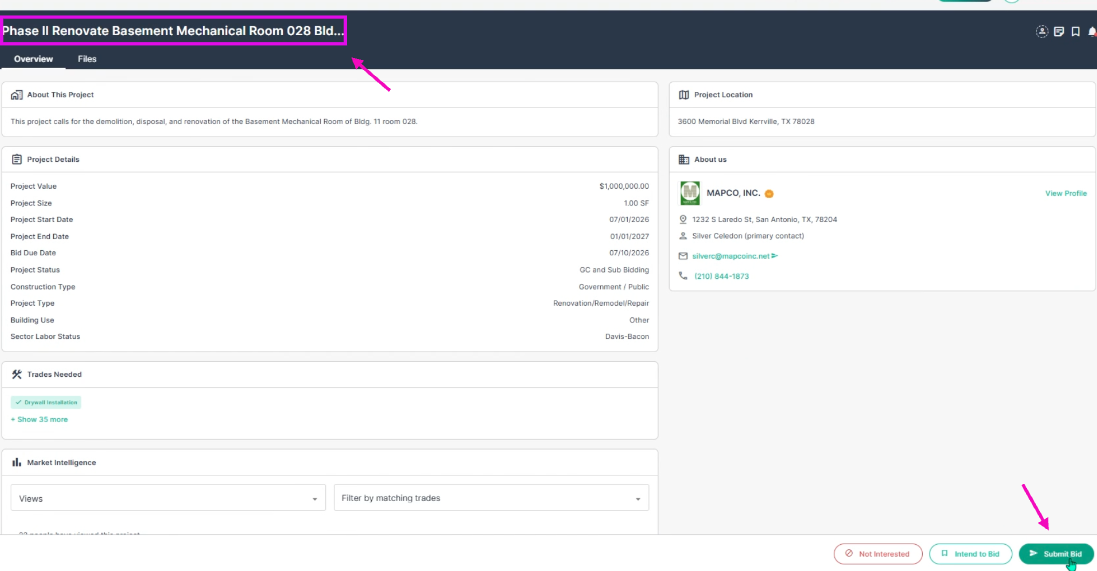
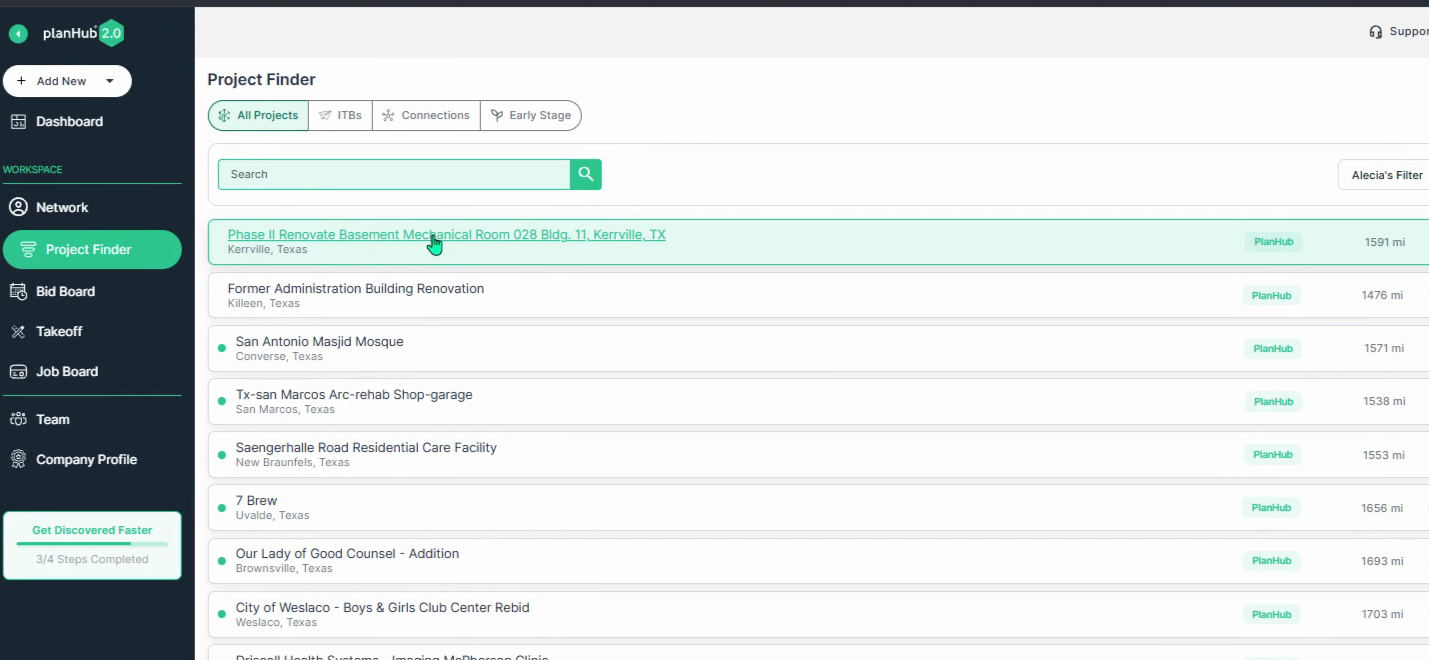
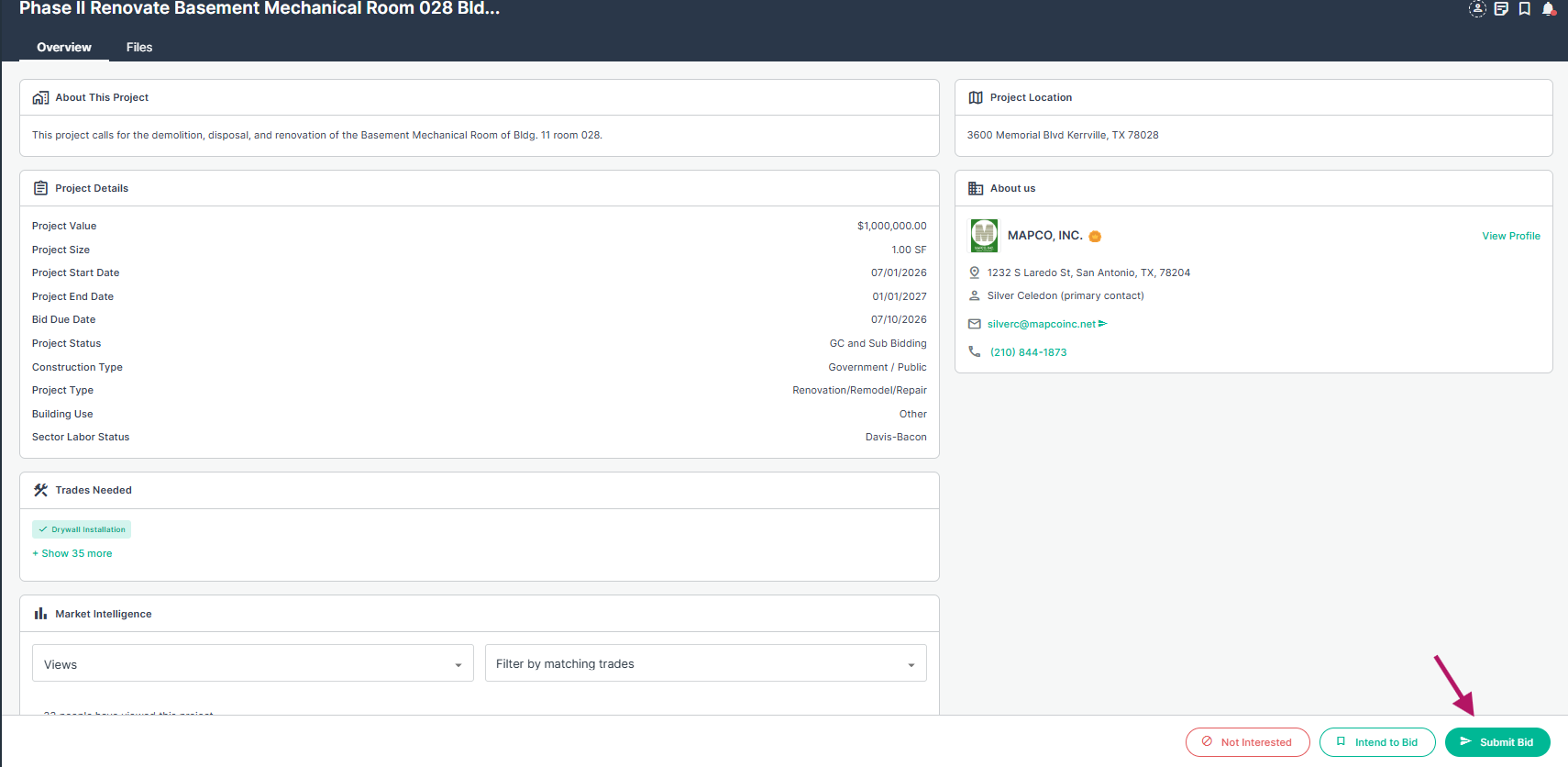
Find your project within Project Finder, then, click on the project you want to bid. Next, click Submit Bid in the bottom right corner of the project page.
Step 7: Submitting Your Bid from the Bid Board
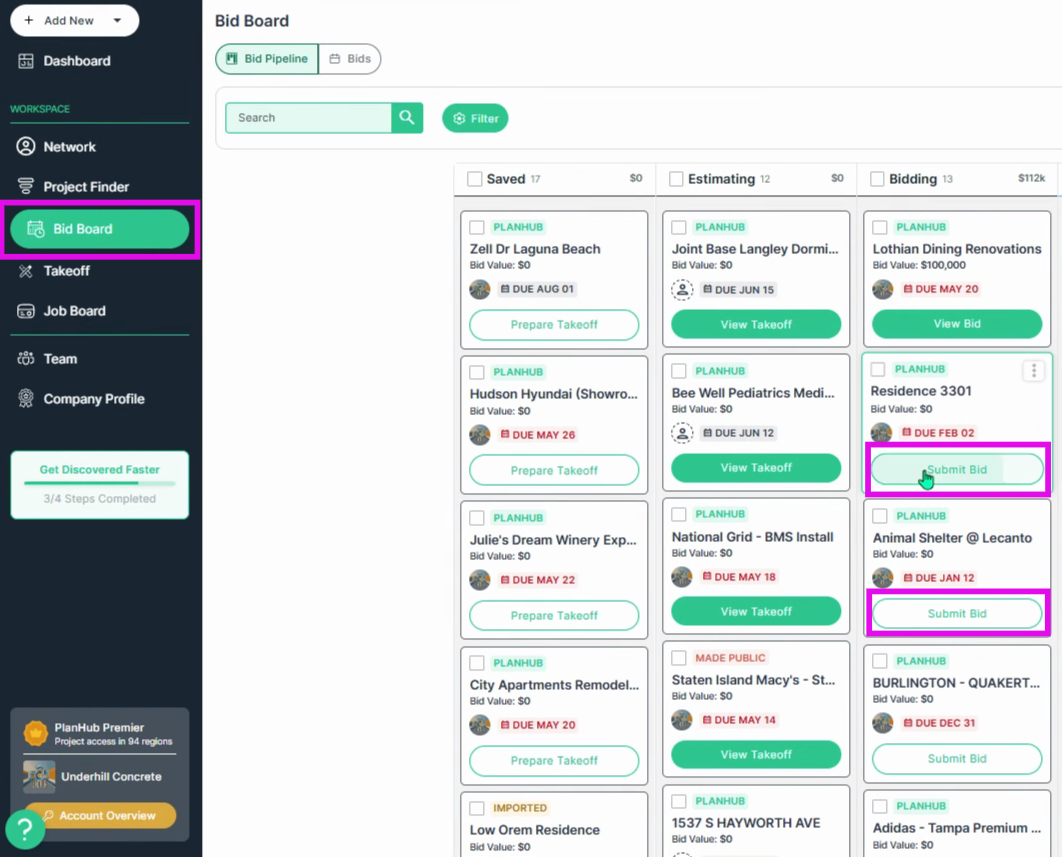
Alternatively, you can submit bids from the Bid Board. Use the Submit Bid quick access link on the project cards in the Bid Board to quickly send your bid.
Step 8: Review Submitted Bid Documents
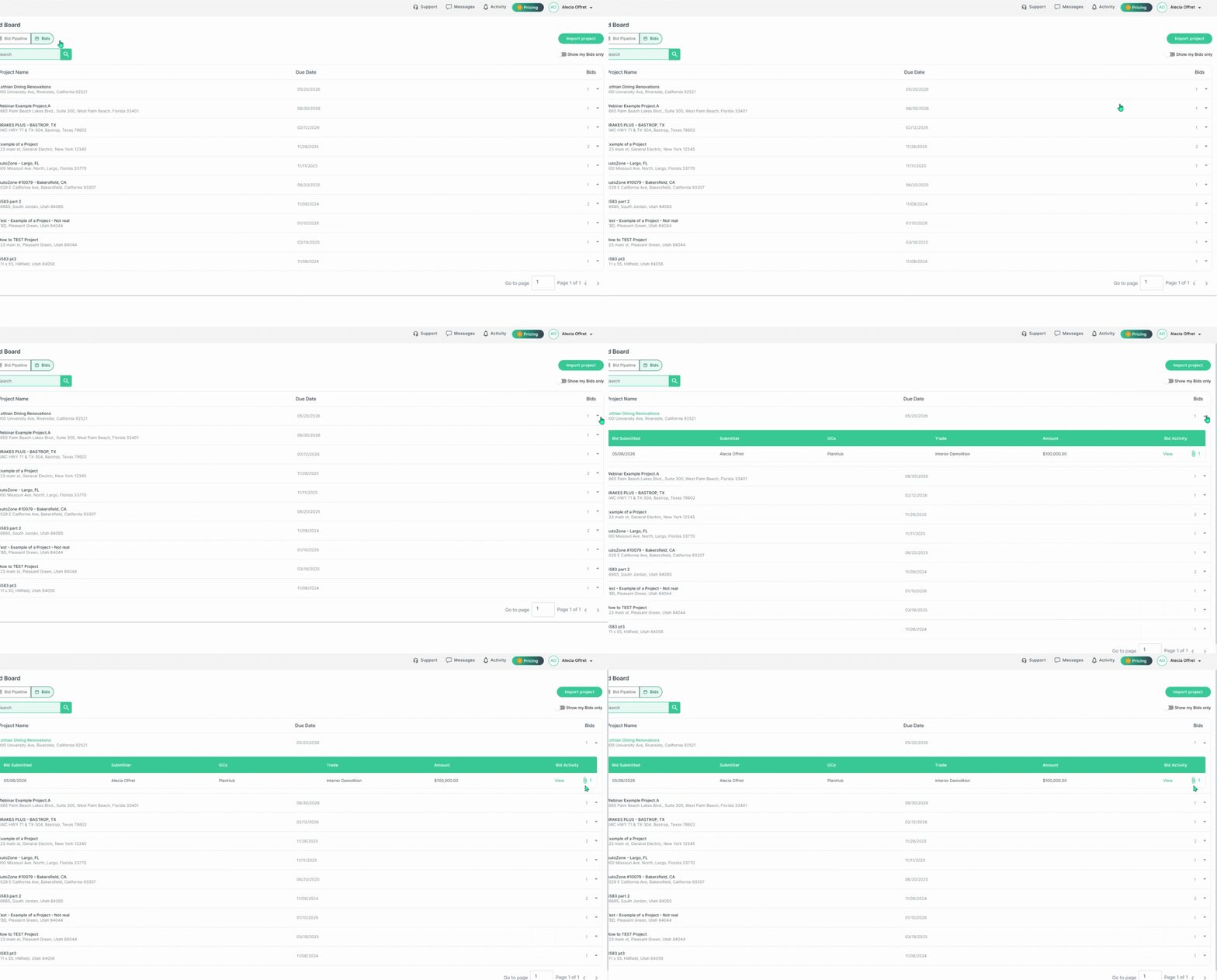
After submitting your bid, navigate to the Bid Board. Click the Bids tab at the top of the page. Here, you can review or download your sent bid documents by clicking the icon at the end of each row.
By understanding bid documents, you can create more organized, professional, and competitive bid submissions that strengthen your position and improve your chances of winning projects.
Troubleshooting
Contact us if you need assistance or to report an issue:
- PlanHub Contact Page: https://planhub.com/contact/
- Customer Facing Support Ticket Link: https://knowledgebase.planhub.com/knowledge/kb-tickets/new
- Customer Success Team: CustomerSuccess@planhub.com