![NEW_PlanHub_Logo_Navy.png]](https://knowledgebase.planhub.com/hs-fs/hubfs/Design/PH%20Logos/NEW%202024%20PH%20Logos/NEW_PlanHub_Logo_Navy.png?height=40&name=NEW_PlanHub_Logo_Navy.png)
Prerequisites: You need a subscription or trial that includes Takeoff to measure plans, export a plan into TakeOff, and set the scale. Then you can begin measuring.
How to Begin a Takeoff In PlanHub
Introduction
You can use PlanHub's Document search and Takeoff to find and perform a takeoff for windows and doors.
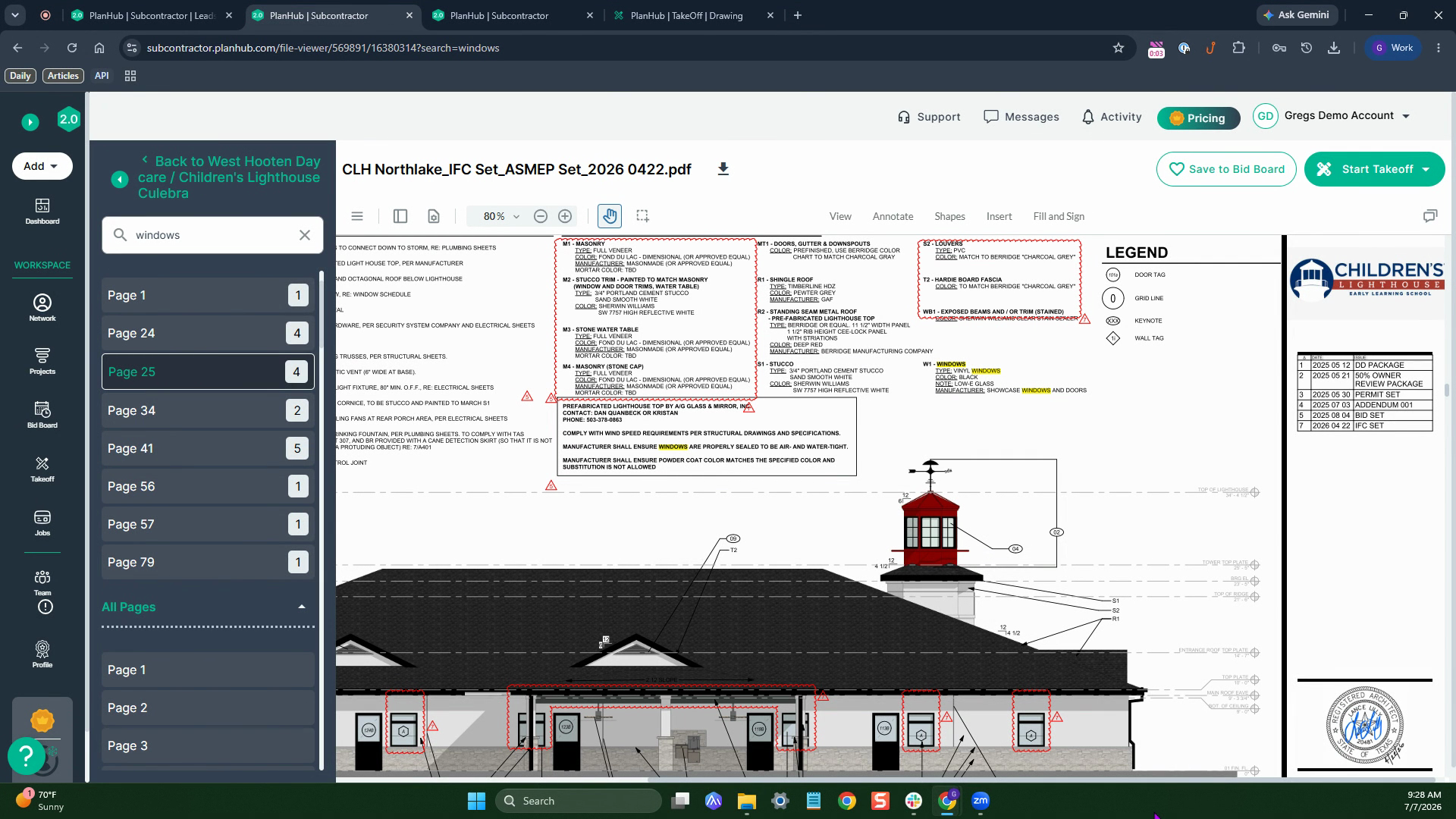
Step 1: Open your document within a project, use the search to locate pages that reference windows.
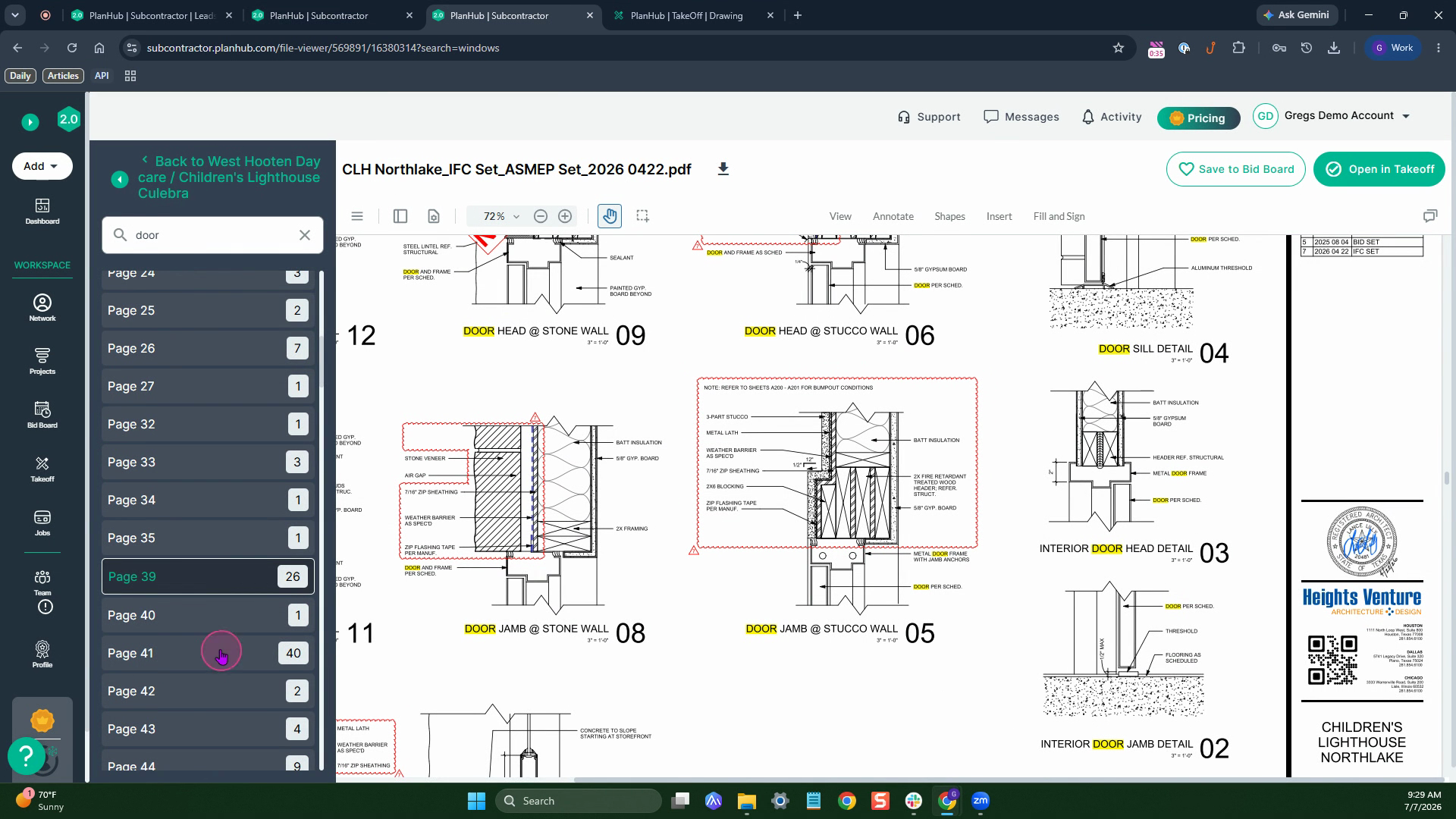
Step 2: Do the same to locate Doors.
The search highlights your search term, and shows the number of occurrences on each page.
Measuring Door and Window Sizes
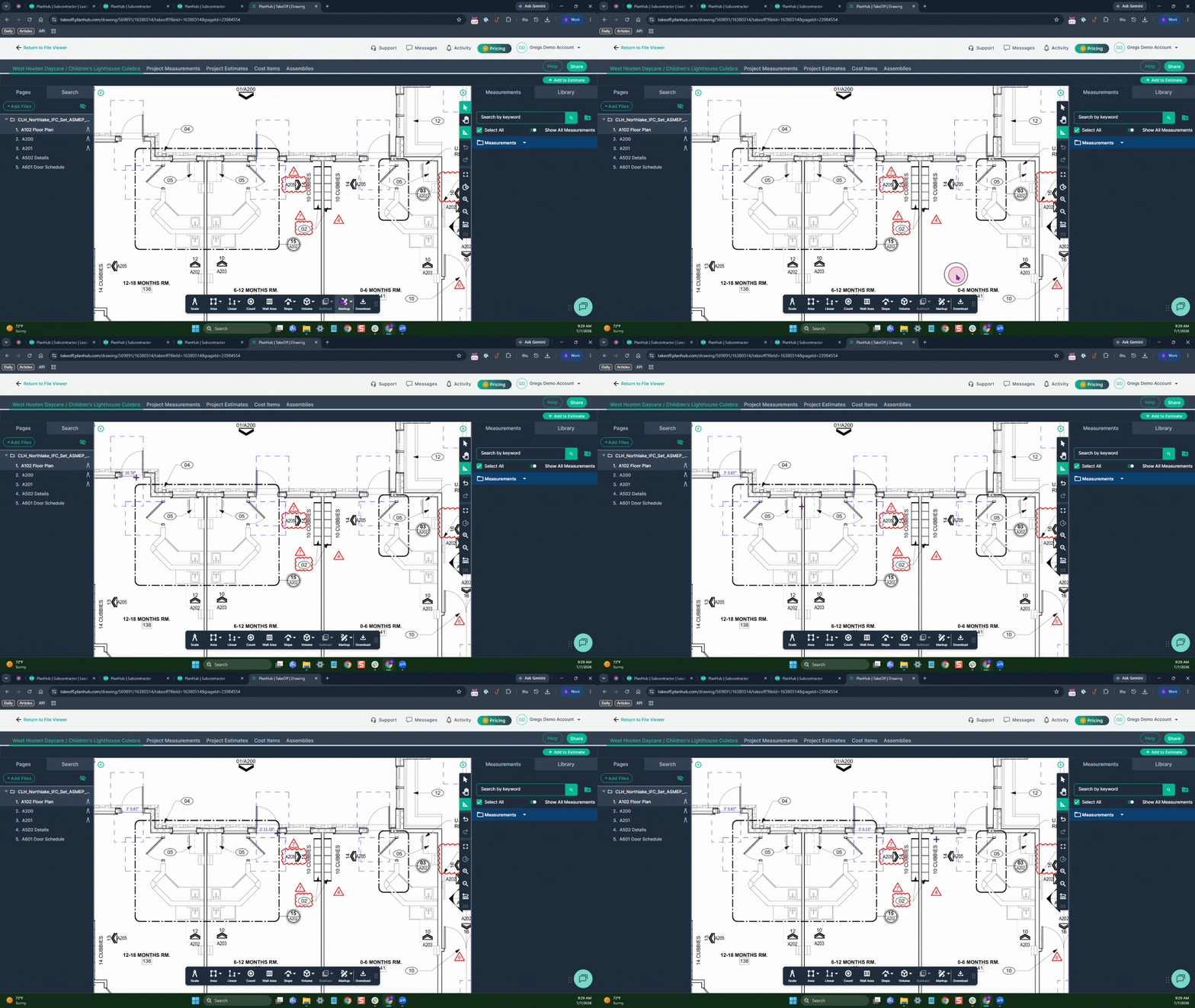
Step 1: Select the Ruler tool to measure objects visually.
Step 2: Click Mark Up, choose Ruler, then click at the start and end of the door (or window) to measure its size.
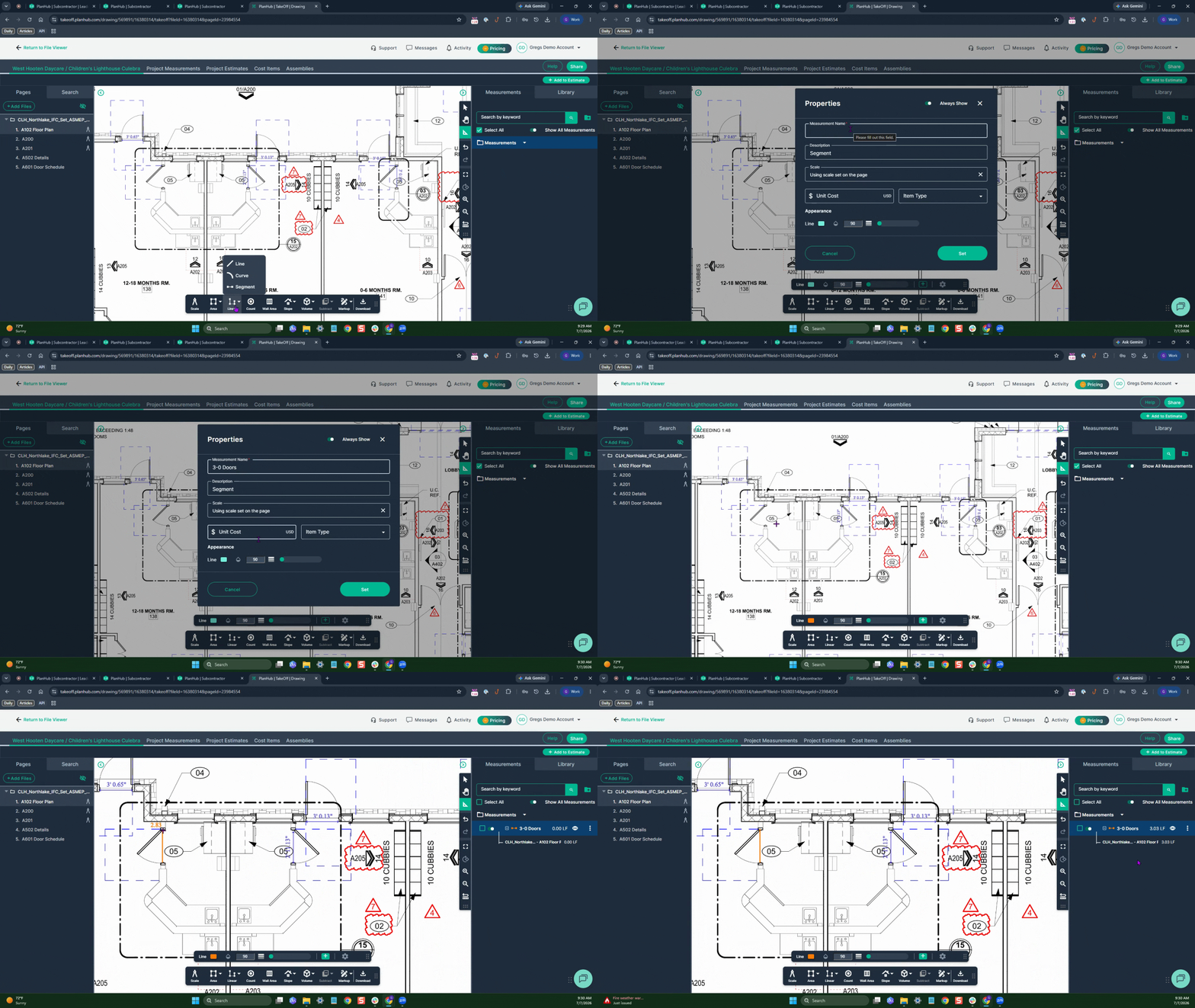
TO record the measurements in the measurements panel in the Takeoff, Use the Segment tool
Step 4: Click Linear, then Segment. Name the takeoff (for example, “3/0 Doors”) and set your color preference, then click set.
Left Click to start and left click to end.
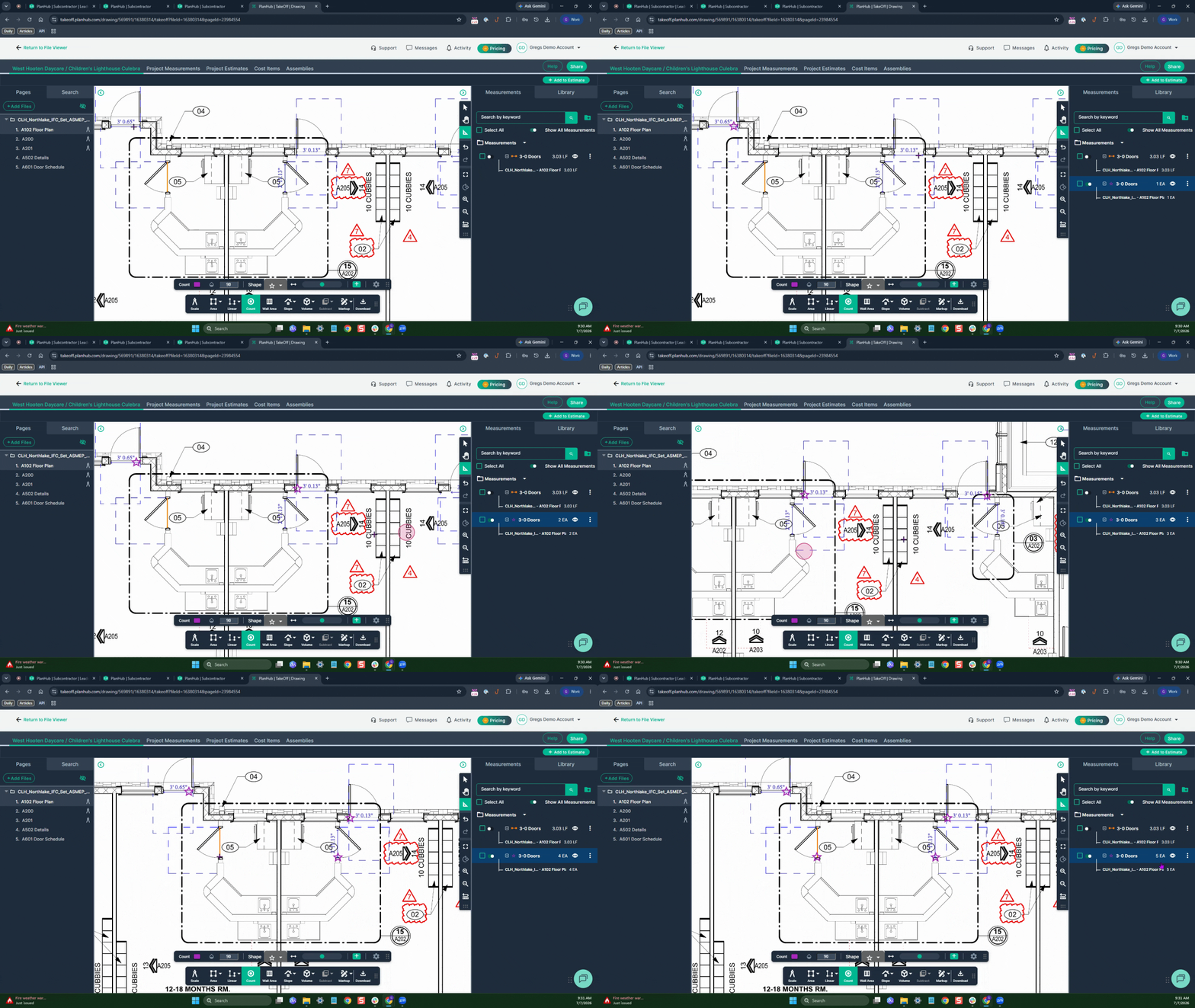
The result is recorded in the measurements panel on the right side of the page.
Counting and Tallying
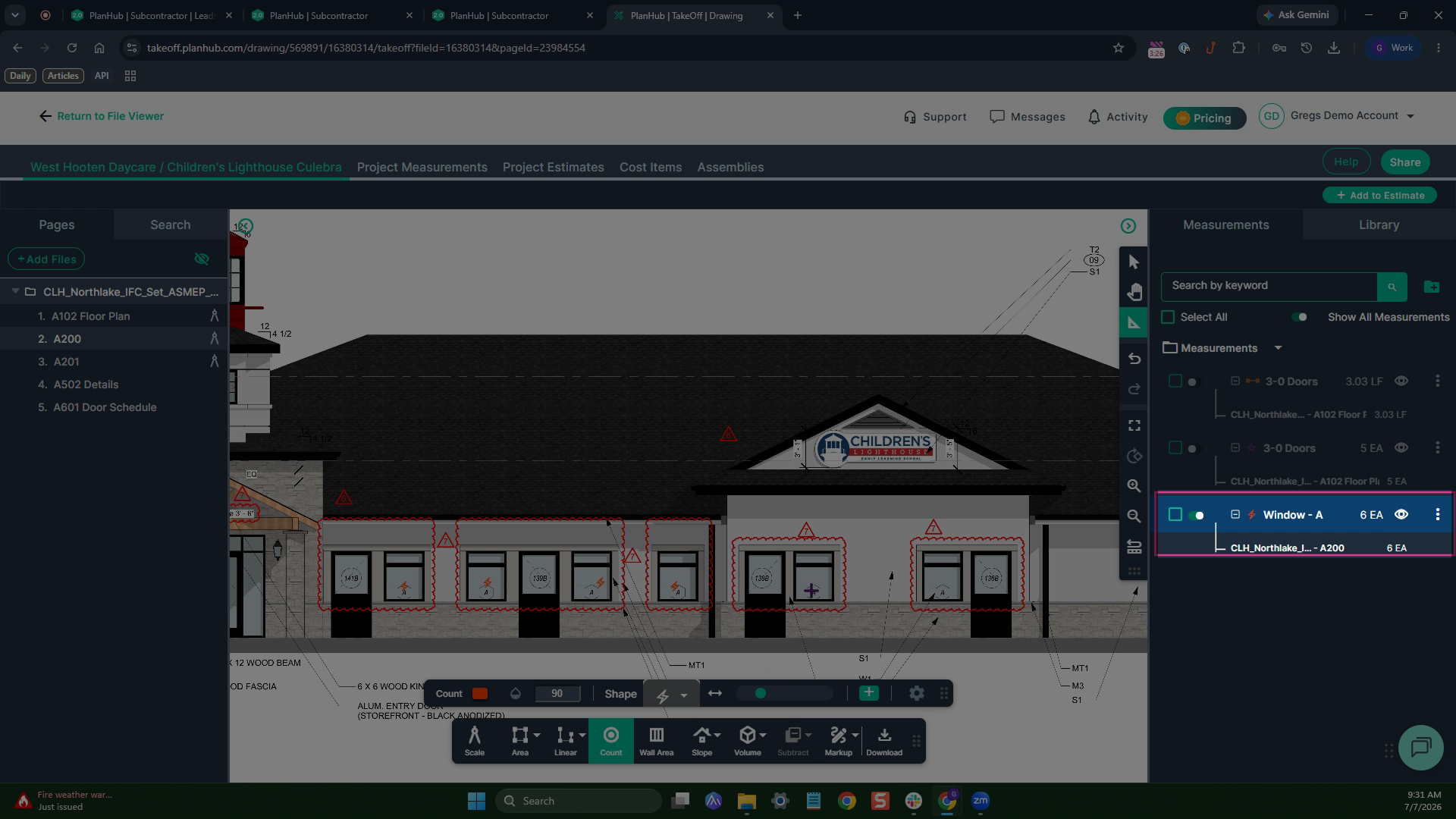
Step 1: Click Count on the toolbar to start tallying doors or windows, enter a name, select the color and symbol, then click set.
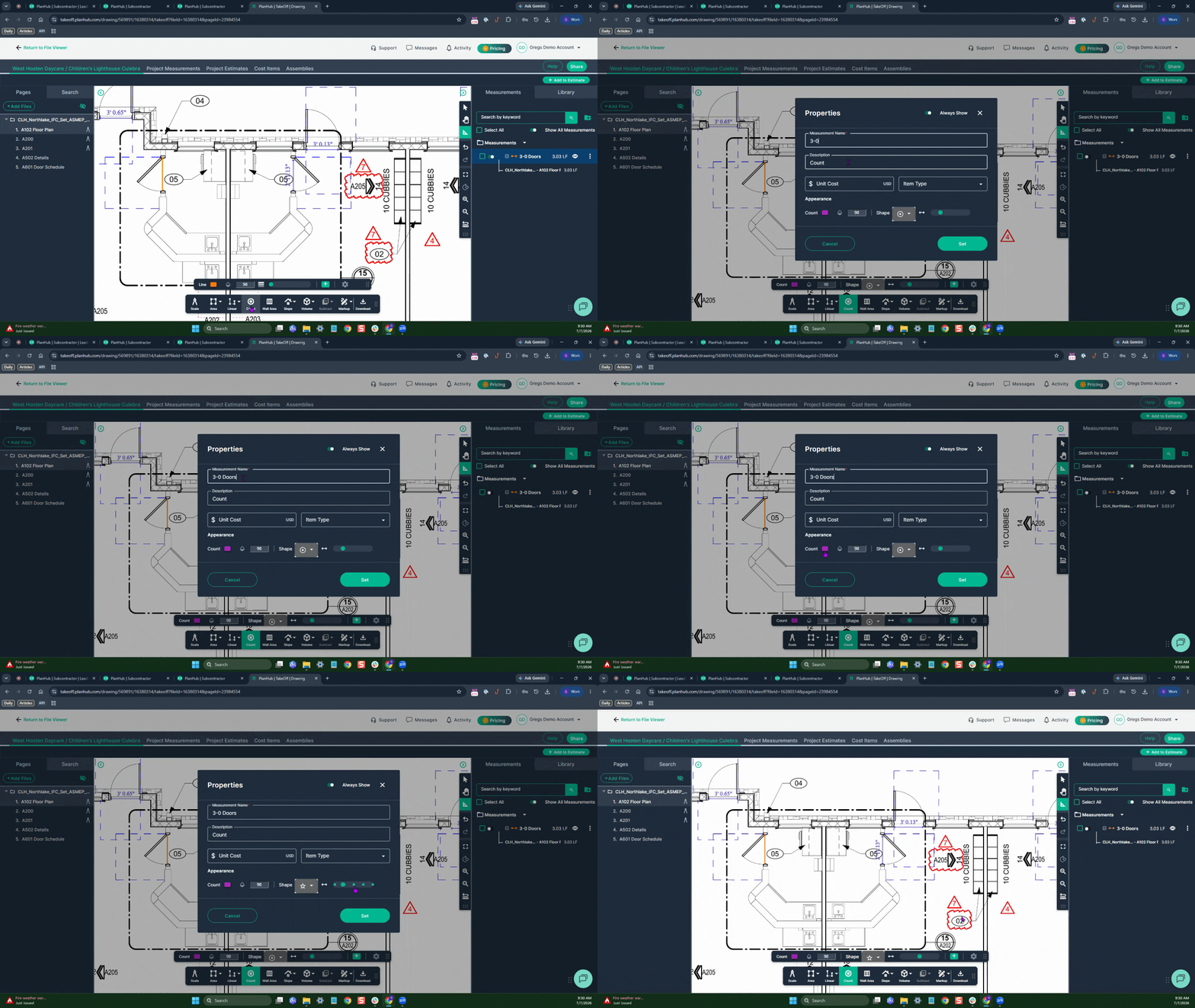
Step 2: Click on each door threshold to place your stamp and tally. Every click adds a symbol—and updates the count in the measurement panel.
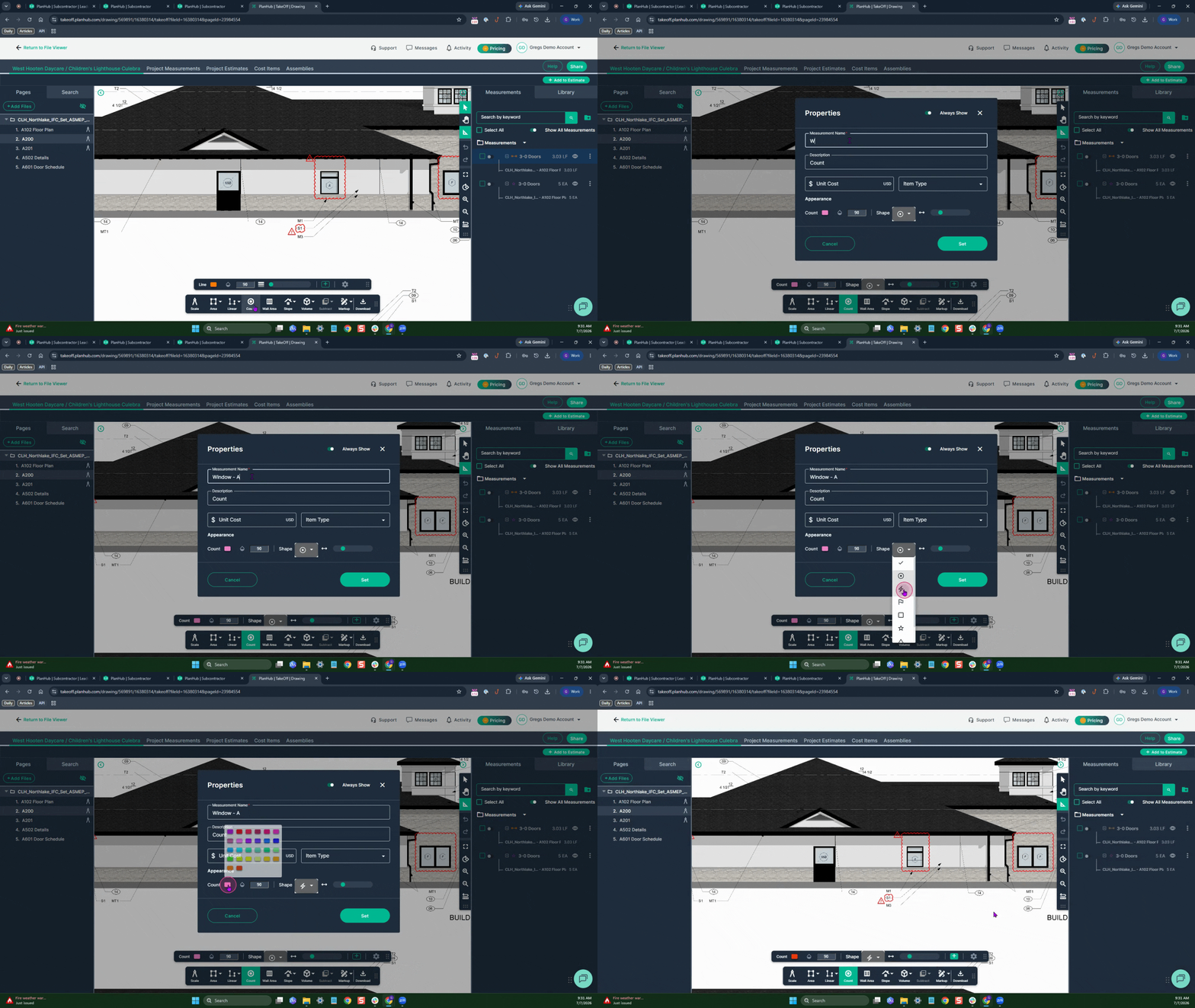
Repeat the process for windows on an elevation page.
Step 2: Click "Count" Name the measurement, select a color and symbol, then click set.
Step 3: Click on each window to tally.
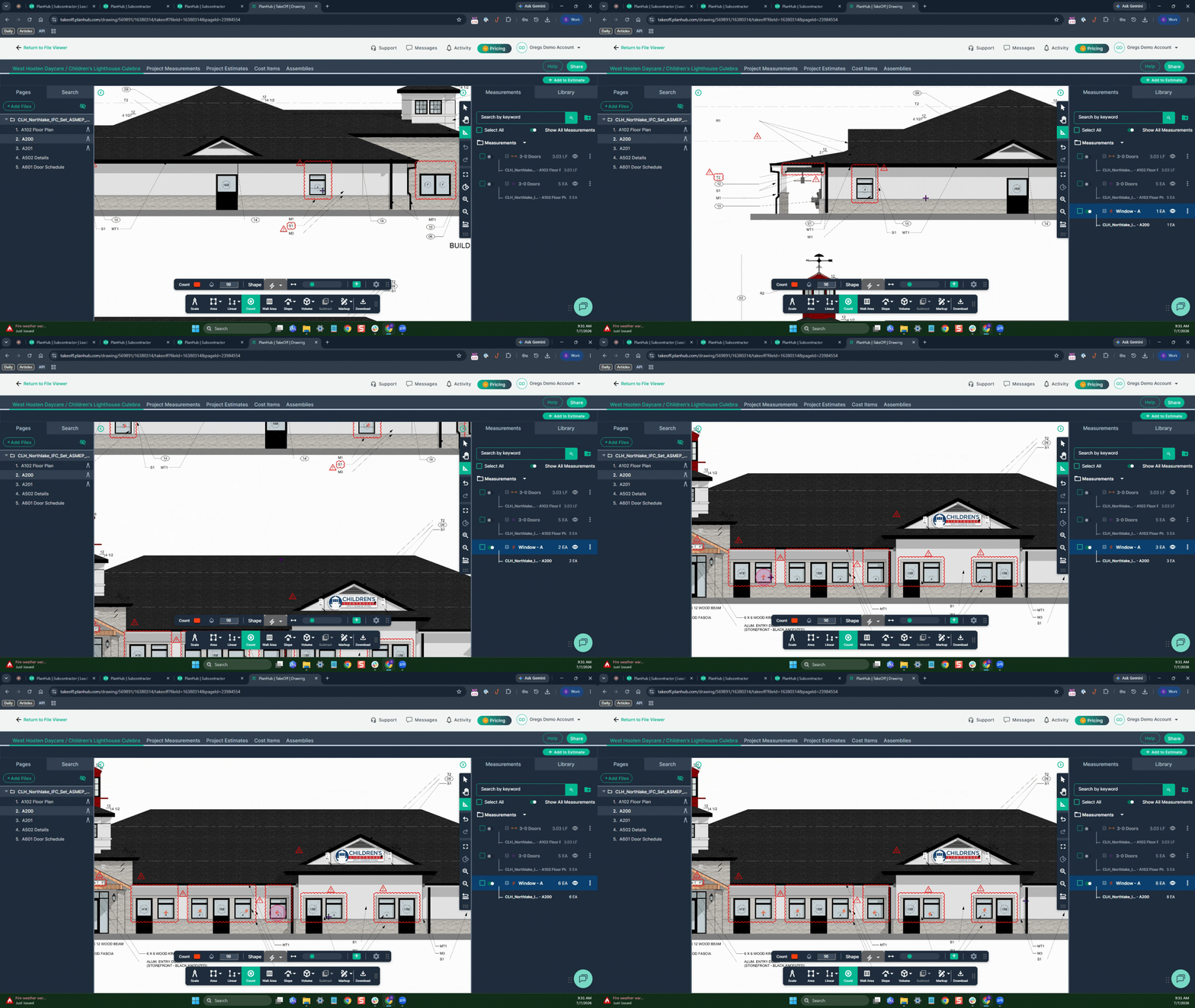
Step 7: Check the measurement panel on the right for a running total of doors and windows as you go.
Conclusion
Plan Hubs document viewer and TakeOff helps you search, measure, and count doors and windows efficiently—ensuring your takeoffs are accurate and organized. Try it on your next project for faster, more reliable estimates.
Troubleshooting
Contact us if you need assistance or to report an issue:
- PlanHub Contact Page: https://planhub.com/contact/
- Customer Facing Support Ticket Link: https://knowledgebase.planhub.com/knowledge/kb-tickets/new
- Schedule a Free 1-on-1 Takeoff Training: https://meetings.hubspot.com/zac-low/takeoff-and-estimation