![NEW_PlanHub_Logo_Navy.png]](https://knowledgebase.planhub.com/hs-fs/hubfs/Design/PH%20Logos/NEW%202024%20PH%20Logos/NEW_PlanHub_Logo_Navy.png?height=40&name=NEW_PlanHub_Logo_Navy.png)
Bidding Status Definitions
-
Awarded: The owner has selected and awarded one general contractor (or design-build contractor) to lead the project. At this stage, submit your bid to just that one contractor; responses are often faster.
-
Bidding: The owner has provided project plans to their group of invited general contractors, who then post the project for subcontractors to help with their bids. You might be able to bid to multiple general contractors. This status is the most common.
-
Prospective: Research flagged this general contractor as a likely bidder, usually because they were invited or attended the initial bid meeting. Watch for status updates, as they might switch to Bidding or Withdrawn.
-
Withdrawn: This is an update status indicating the general contractor considered bidding but chose not to proceed. Don’t submit bids to withdrawn contractors; still, it could be worth connecting for future opportunities.
-
Not Awarded: This general contractor bid but wasn’t selected by the owner.
Staying current with general contractors’ bidding statuses helps you focus your efforts and bids where it matters most.
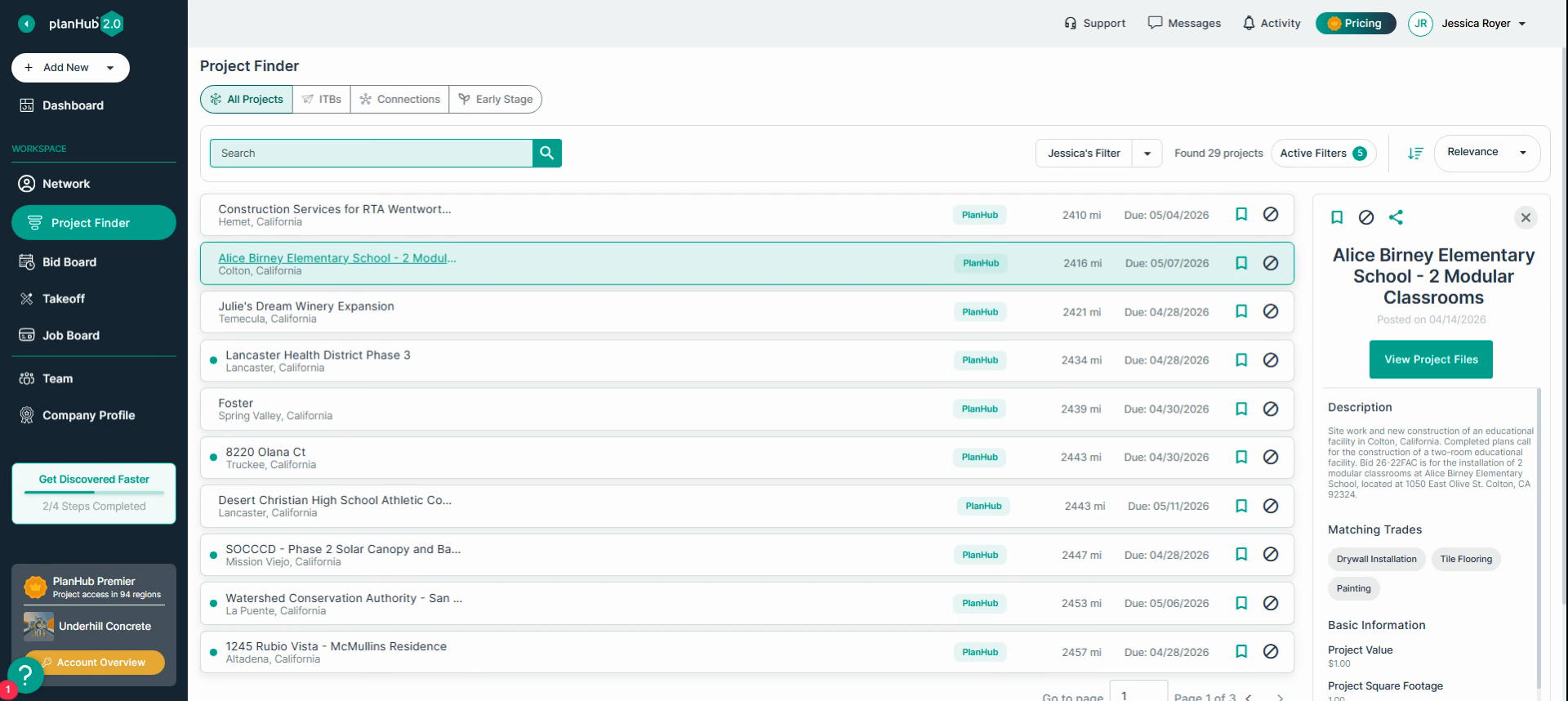
Step 1: Go to the project’s details page
Open PlanHub and find the project you’re interested in. Click on the project’s name to open the details page.
Step 2: Find the General Contractor section
On the Overview tab, scroll to the General Contractor area. Here you'll see a list of general contractors involved with the project. Each general contractor has a bidding status next to their name.
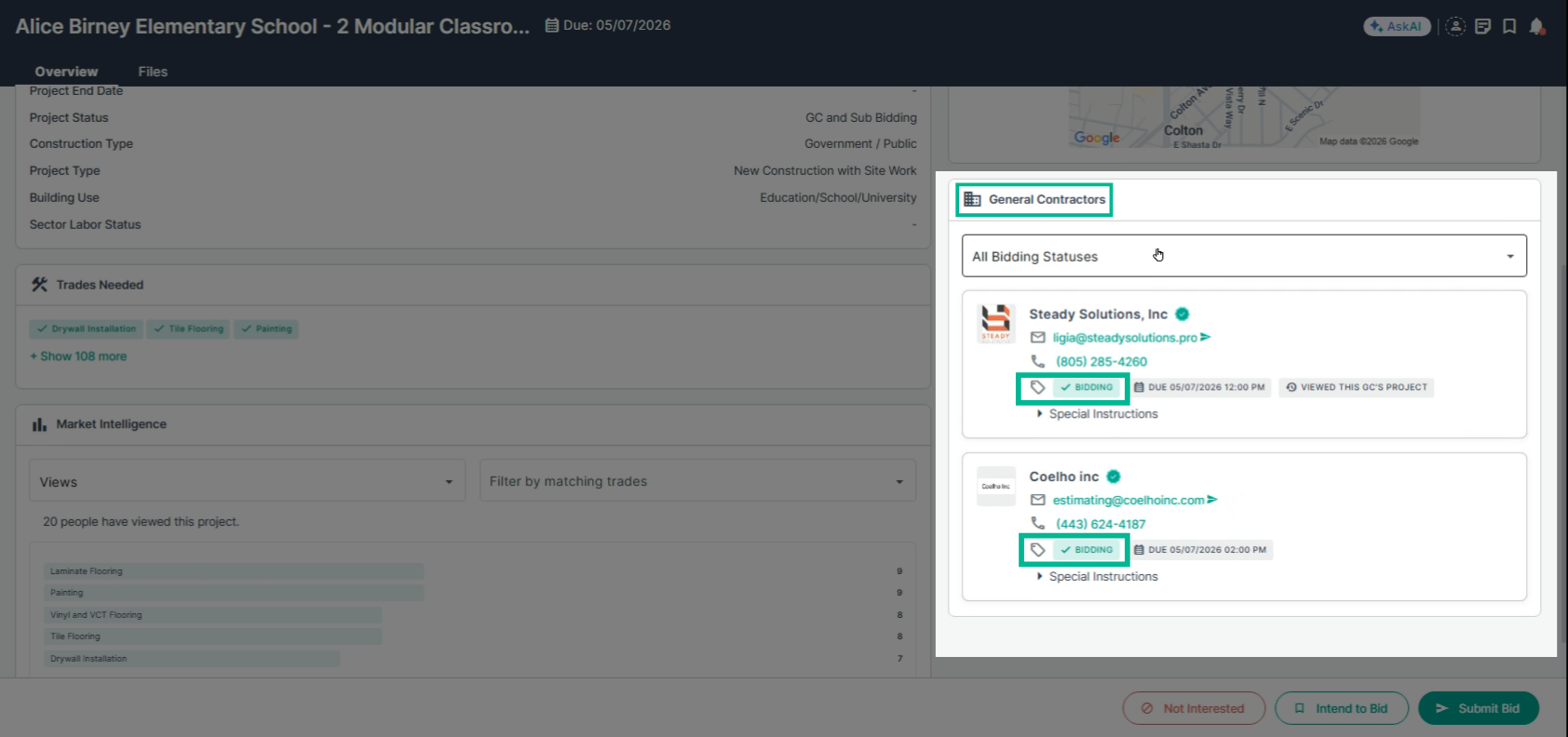
Step 3: Monitor bidding status updates
Keep an eye on each general contractor’s bidding status. If anything changes, you’ll get an email notification for saved projects.
If you have questions about the General Contractor's bidding status, please connect with the general contractor directly.
Troubleshooting
Contact us if you need assistance or to report an issue:
- PlanHub Contact Page: https://planhub.com/contact/
- Customer Facing Support Ticket Link: https://knowledgebase.planhub.com/knowledge/kb-tickets/new
- Customer Success Team: CustomerSuccess@planhub.com