![NEW_PlanHub_Logo_Navy.png]](https://knowledgebase.planhub.com/hs-fs/hubfs/Design/PH%20Logos/NEW%202024%20PH%20Logos/NEW_PlanHub_Logo_Navy.png?height=40&name=NEW_PlanHub_Logo_Navy.png)
Manage Subcontractors and Suppliers with the PlanHub Network Page
Efficiently find, connect with, and organize subcontractors and suppliers using PlanHub’s Network page. Follow these concise steps to navigate company cards, view profiles, and manage your network.
Step 1: Log in to PlanHub and open the Network page from your dashboard.
Step 2: At the top, select Directory to browse all subcontractors and suppliers on PlanHub. Switch to Connections to view your contacts, or Lists if your plan includes it.
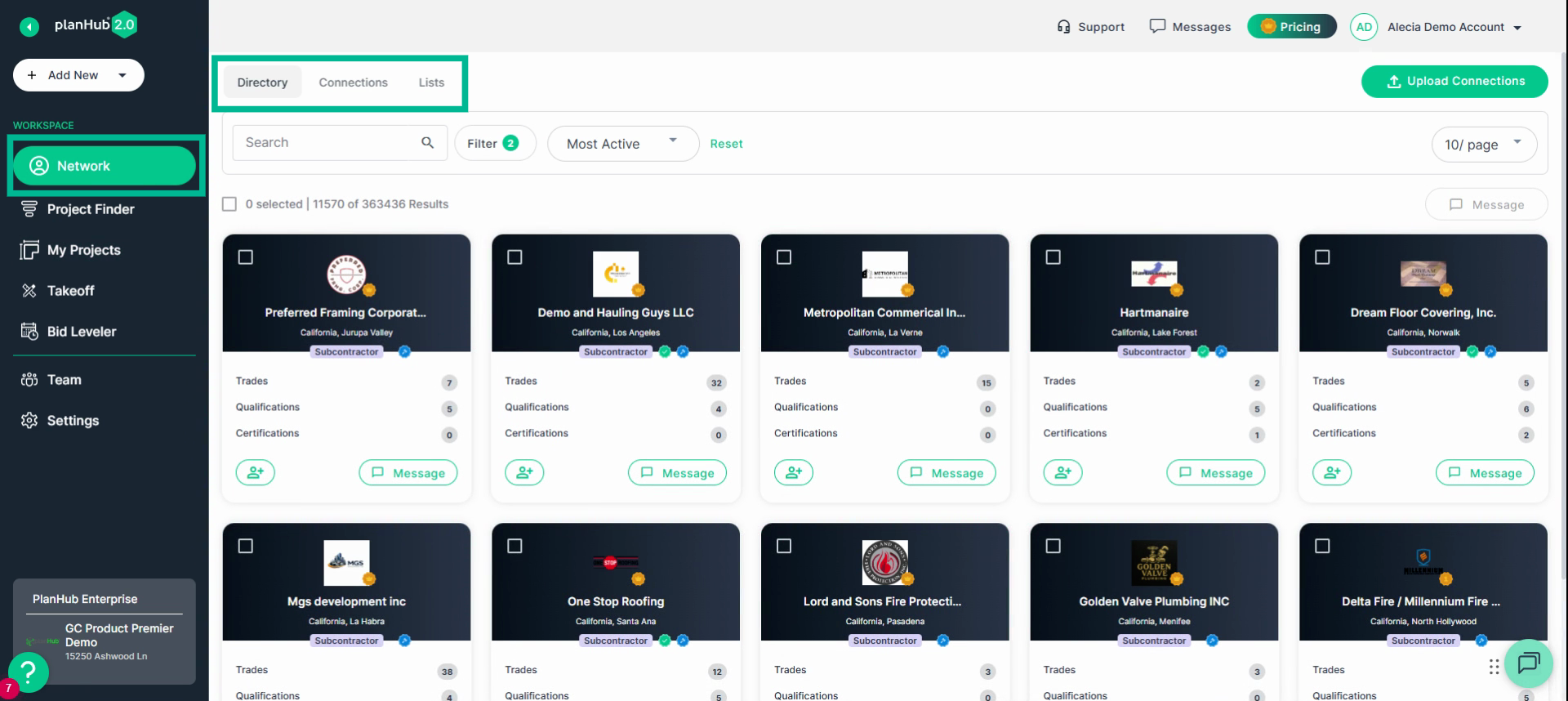
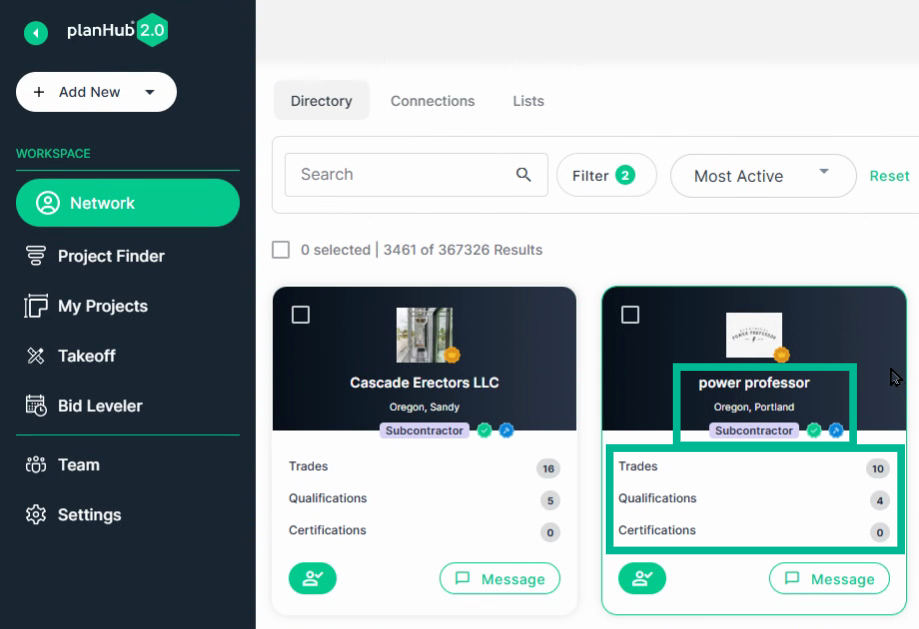
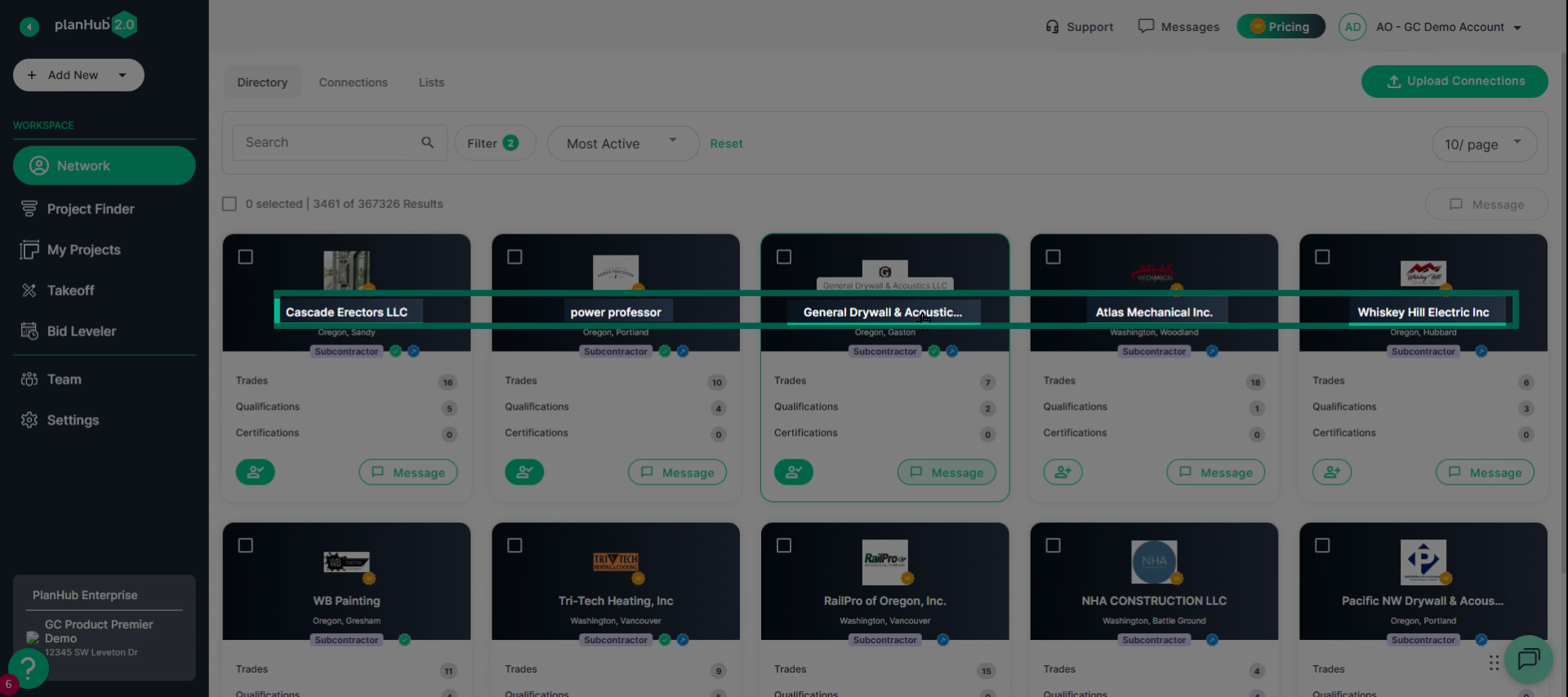
Step 3: Scan company cards for details like name, location, type, trades, certifications, badges, and qualifications—helping you quickly assess potential partners.
Subcontractor Badges:
-
Gold Crown: indicates they have purchased access to additional tools and projects in PlanHub.
-
Green Check Mark: indicates they have filled out their Pre-Qualification form.
-
Blue Hammer: indicates they submit a minimum of 2 bids per month consistently.
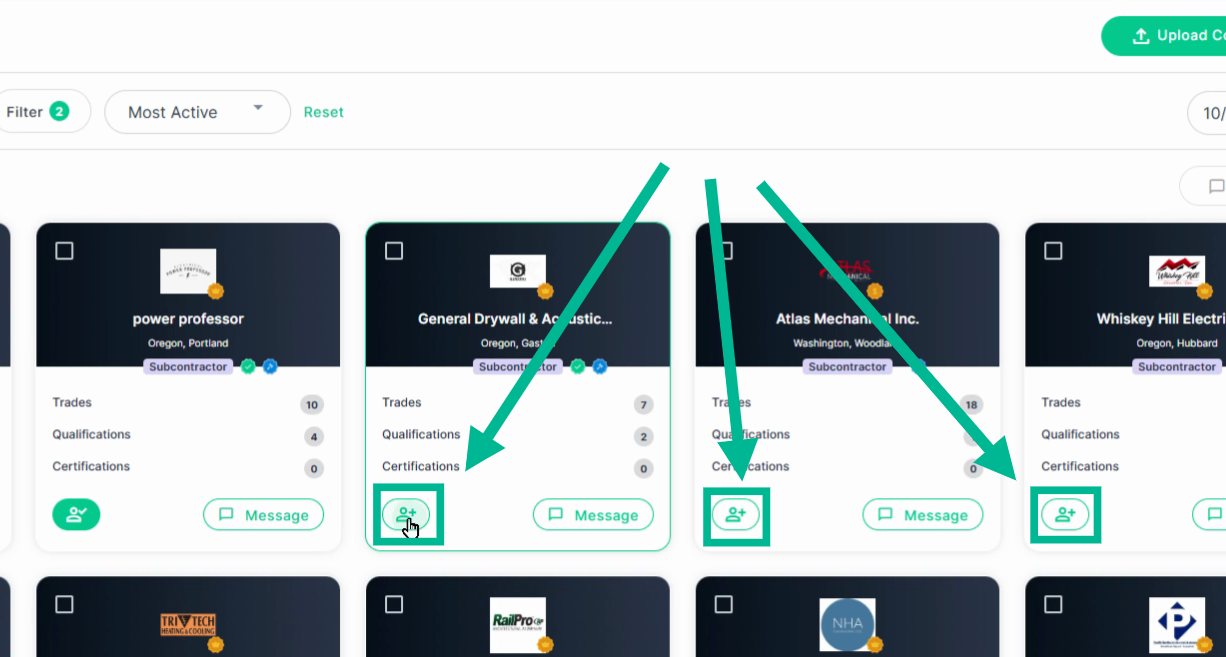
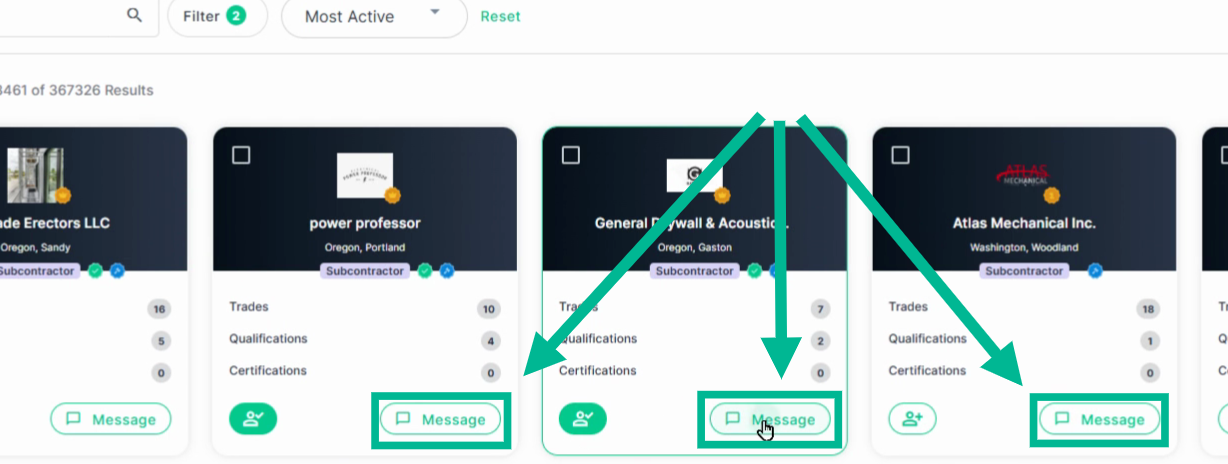
Step 4: To connect with a company, click the Add Connection icon. For direct contact, use the message icon to send a message or attach documents.
Step 5: Click any company name to open its full profile.
Explore Company Profiles
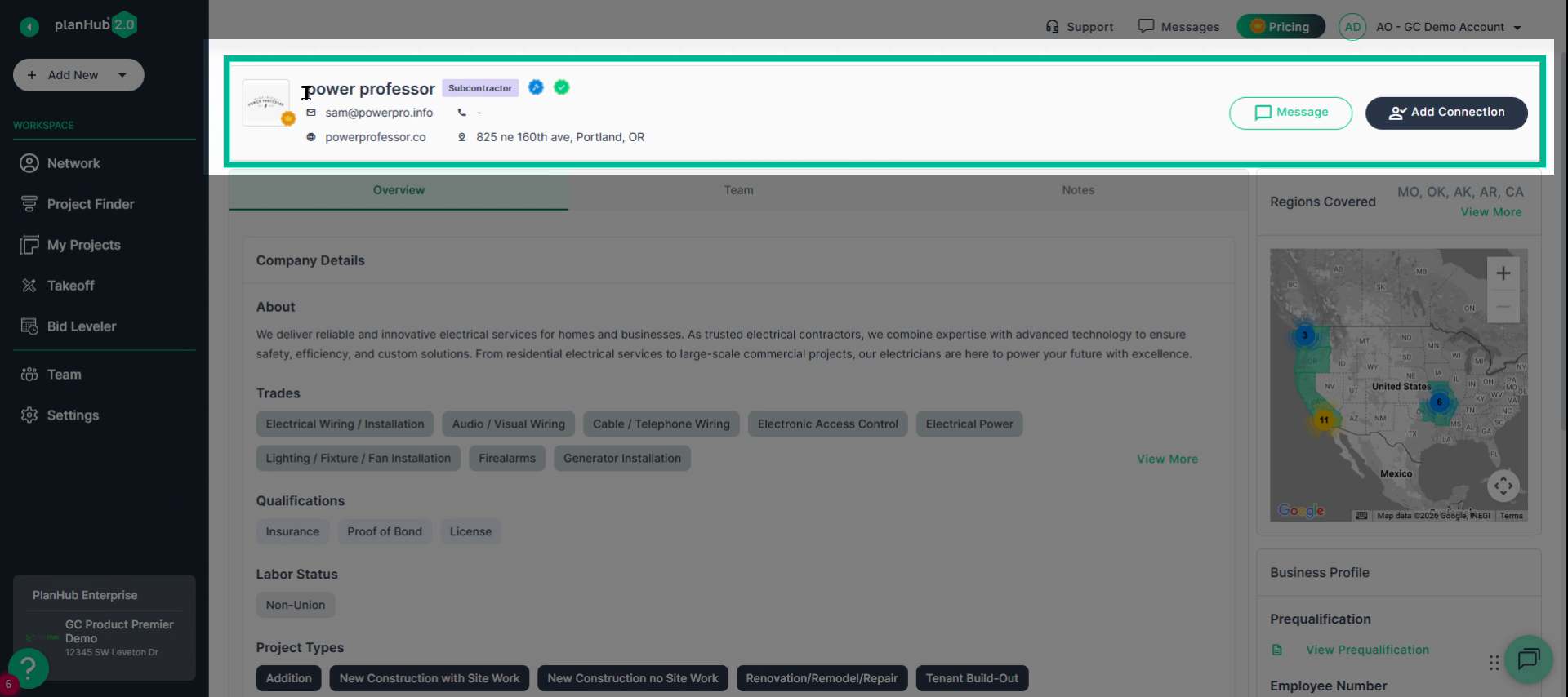
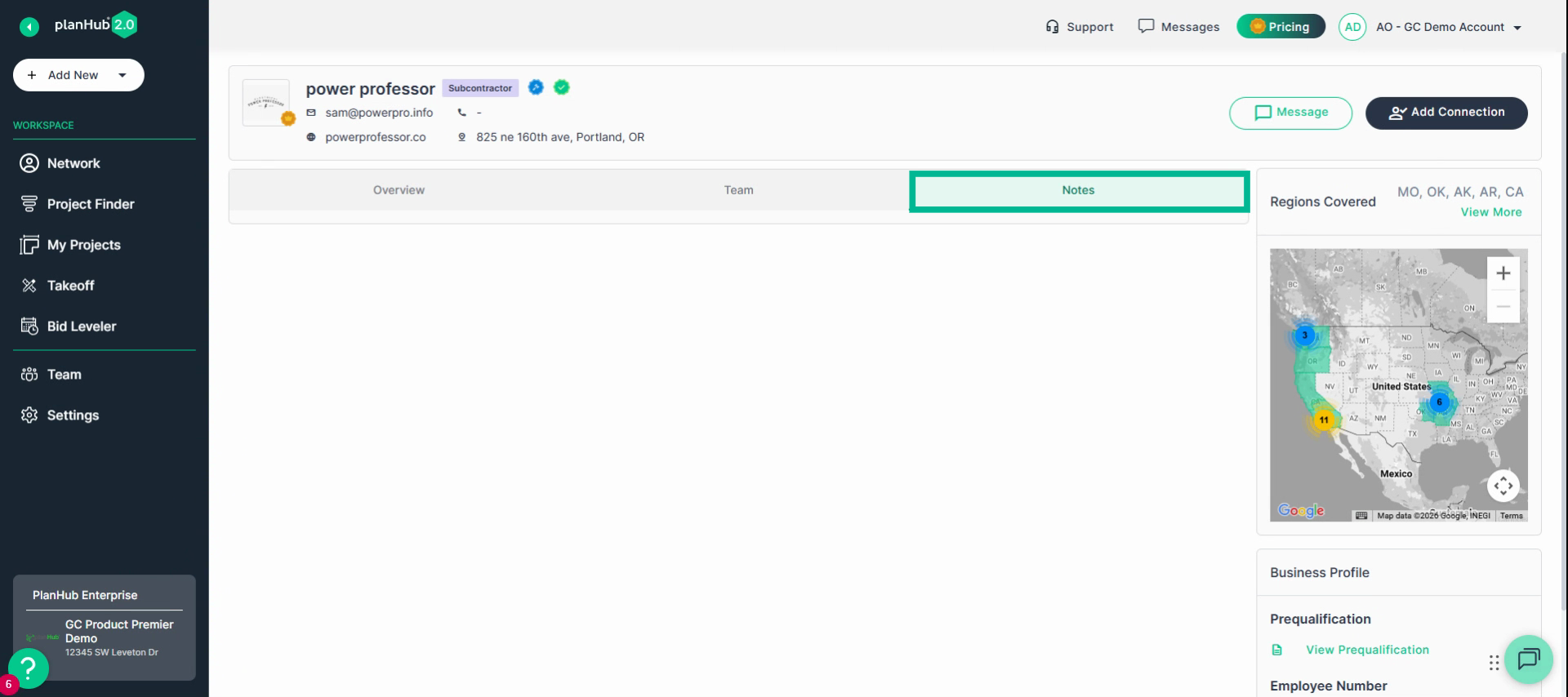
Step 1: The company profile’s top section displays main contact data, location, website, and a quick message button.
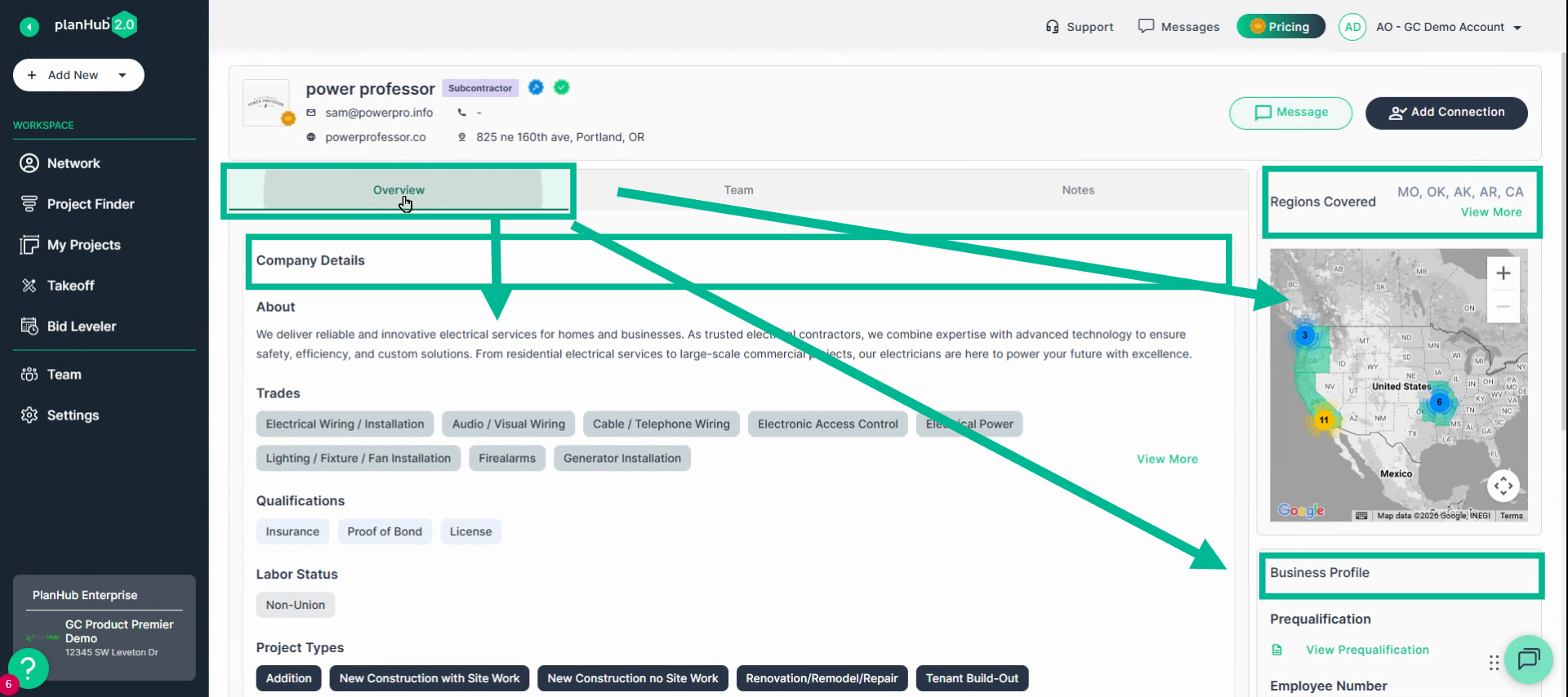
Step 2: Under the header, use tabs for more details:
- Overview: Company description, trades, project specialties, service area map, and recent projects.
- Business Profile: Review/download pre-qualification forms, see employee count, and project size averages.
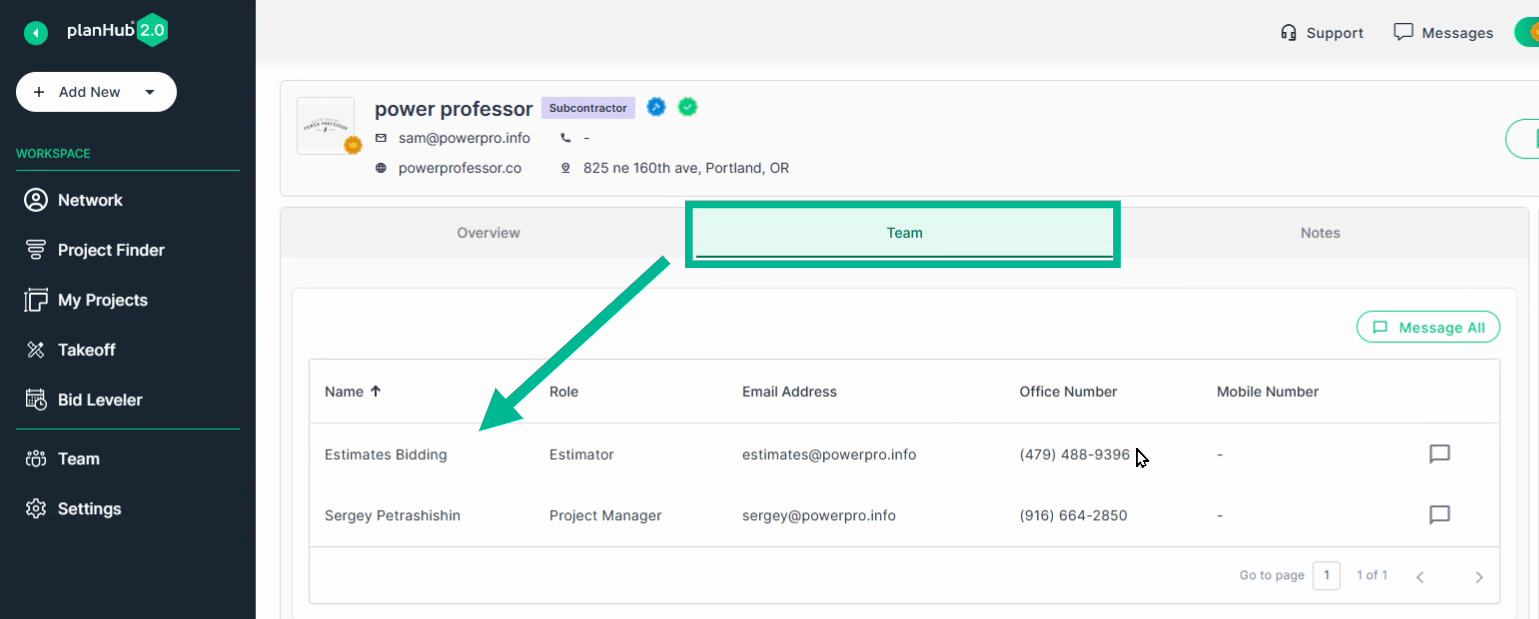
- Team: List of contacts with their email and phone; message team members directly.
- Notes: Add private notes that only your team can see.
Manage Supplier Profiles
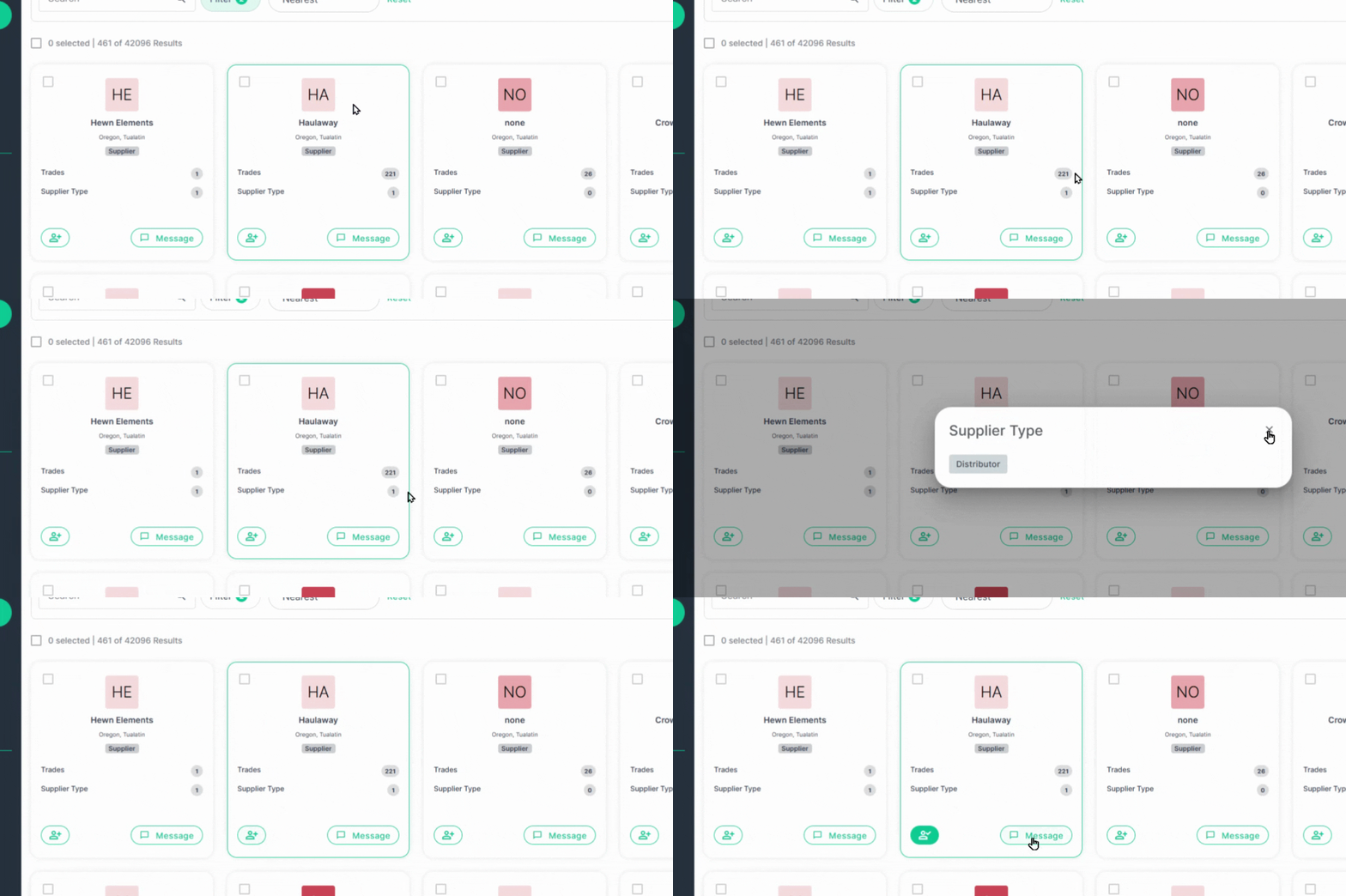
Supplier cards and profiles are the same as Subcontractors, with a few differences.
-
Suppliers do not have badges and do not have Prequalification forms.
Use the PlanHub Network’s Company Cards and Profiles to quickly find, review, and contact subcontractors or suppliers—keeping your network organized and ready for every project
Troubleshooting
Contact us if you need assistance or to report an issue:
- PlanHub Contact Page: https://planhub.com/contact/
- Customer Facing Support Ticket Link: https://knowledgebase.planhub.com/knowledge/kb-tickets/new
- Customer Success Team: CustomerSuccess@planhub.com