![NEW_PlanHub_Logo_Navy.png]](https://knowledgebase.planhub.com/hs-fs/hubfs/Design/PH%20Logos/NEW%202024%20PH%20Logos/NEW_PlanHub_Logo_Navy.png?height=40&name=NEW_PlanHub_Logo_Navy.png)
This guide walks you through streamlining and enhancing your company’s information step by step.
Step-by-step Instructions
Step 1: Navigate to Your Company Profile
Sign in to your PlanHub account. At the top menu, select Company Profile to open your company’s profile.
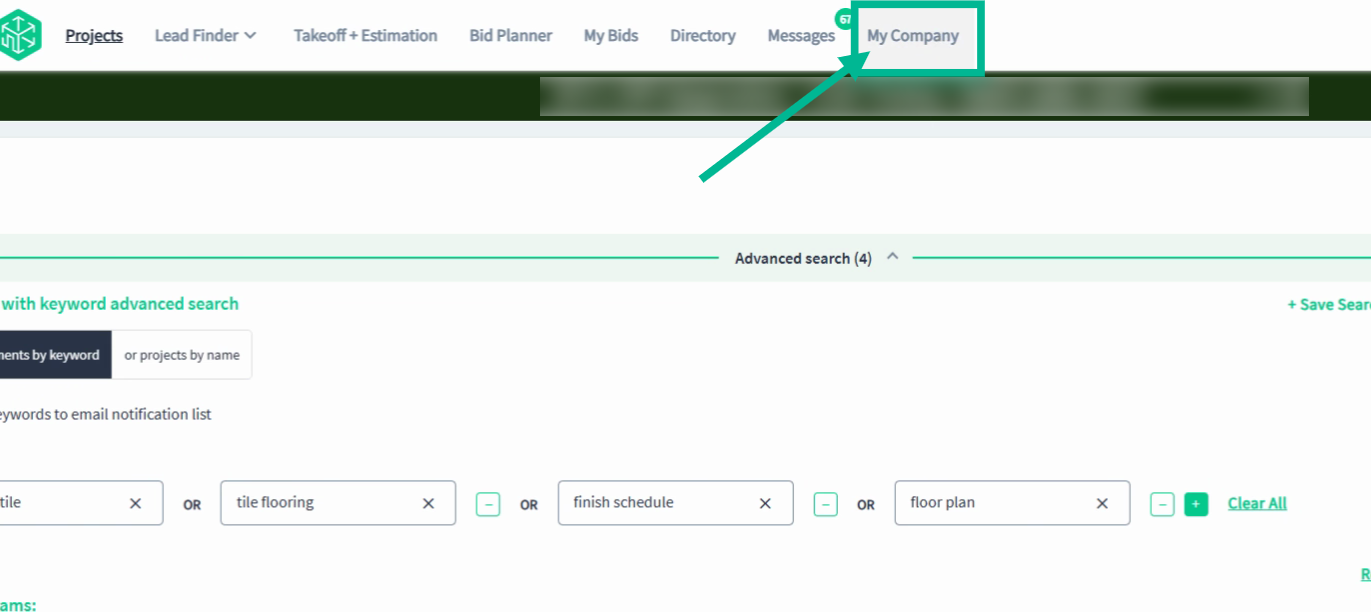
Step 2: Company Profile
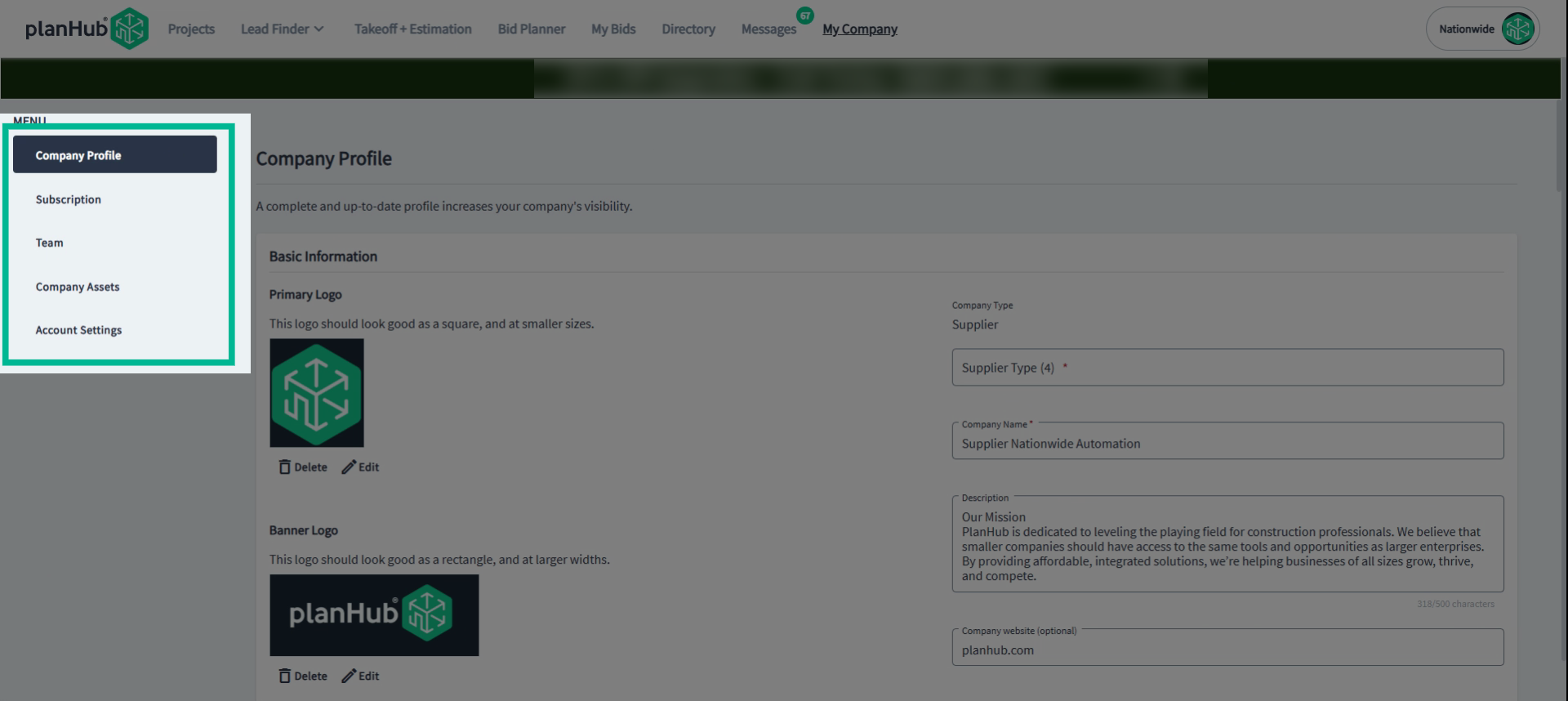
On the profile page, check the sidebar menu on the left. You’ll see separate sections containing vital company information that contractors look for.
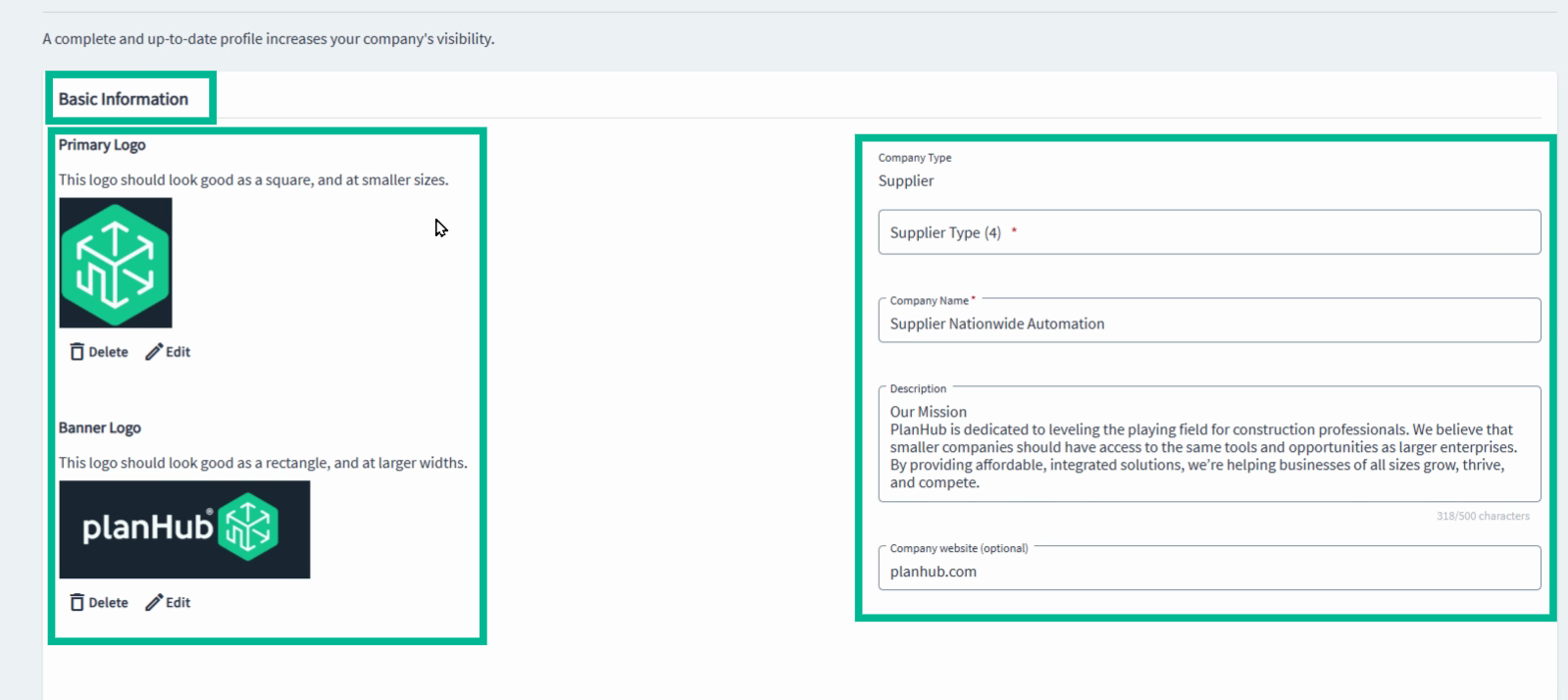
Step 3: Basic Information
In Basic Information, add or update your company logo, banner logo, supplier type, company name, description, and website. Double-check that details are current—this ensures your company looks professional on PlanHub.
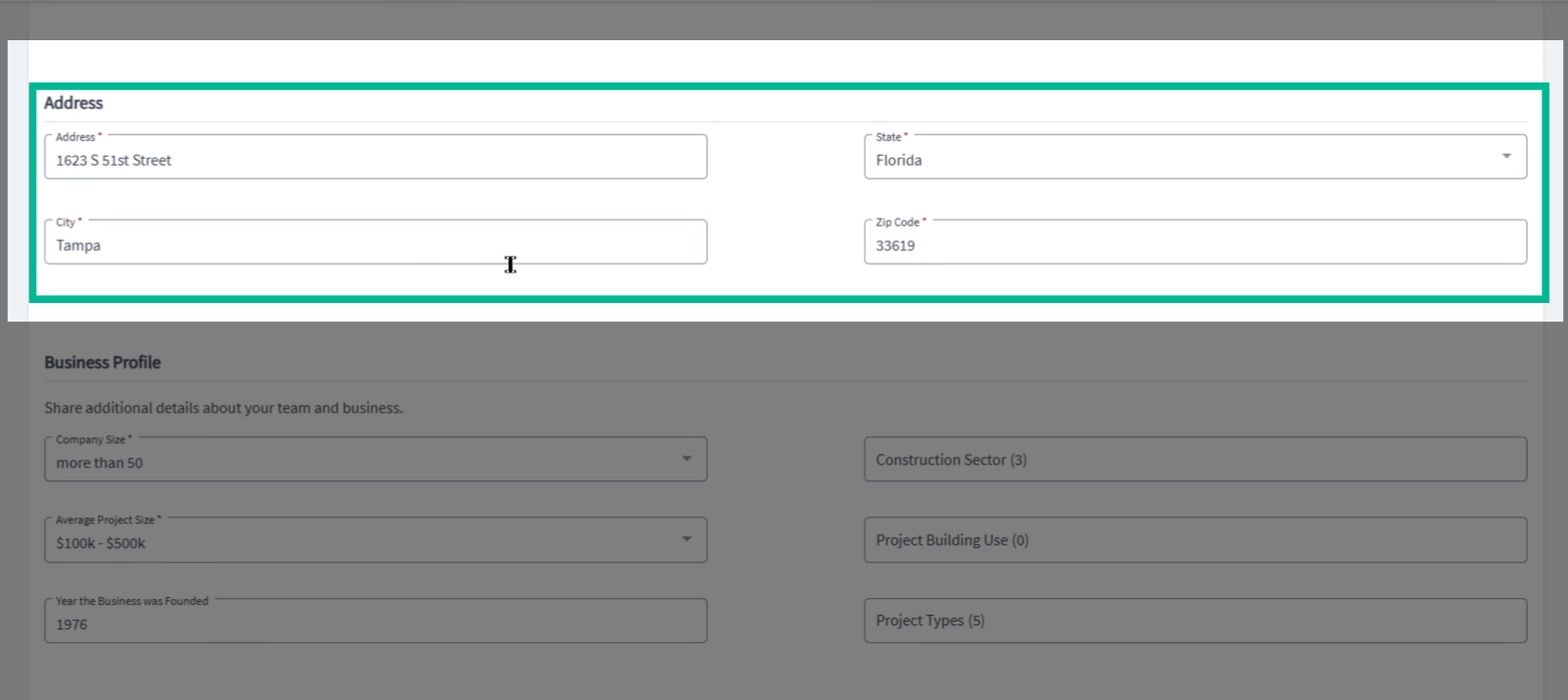
Step 4: Address
Head to the Address section. Enter your full street address, city, state, and ZIP code. Contractors use these details to find you by location.
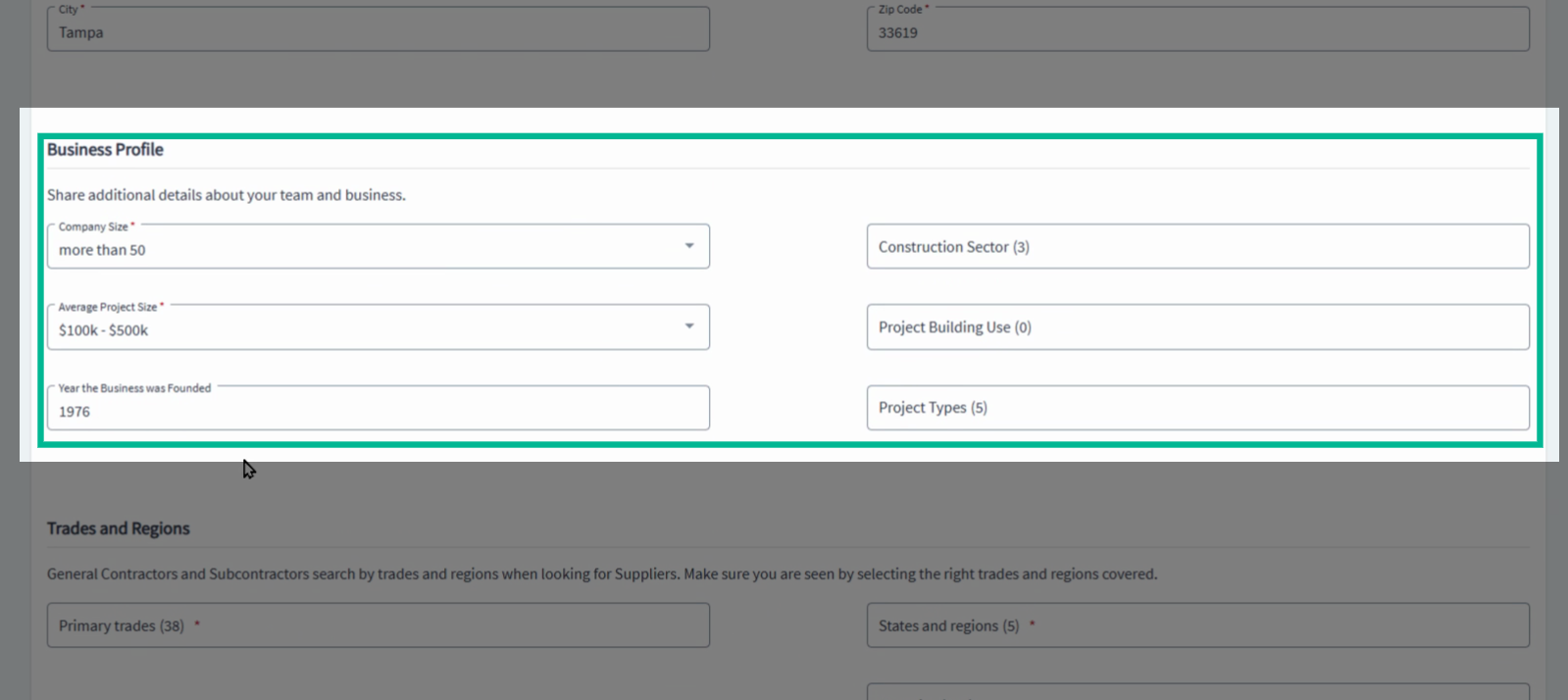
Step 5: Business Profile
In the Business Profile, provide as much relevant detail as possible about your company. Many general contractors require this information for qualification or client reporting. Accurate info unlocks more opportunities.
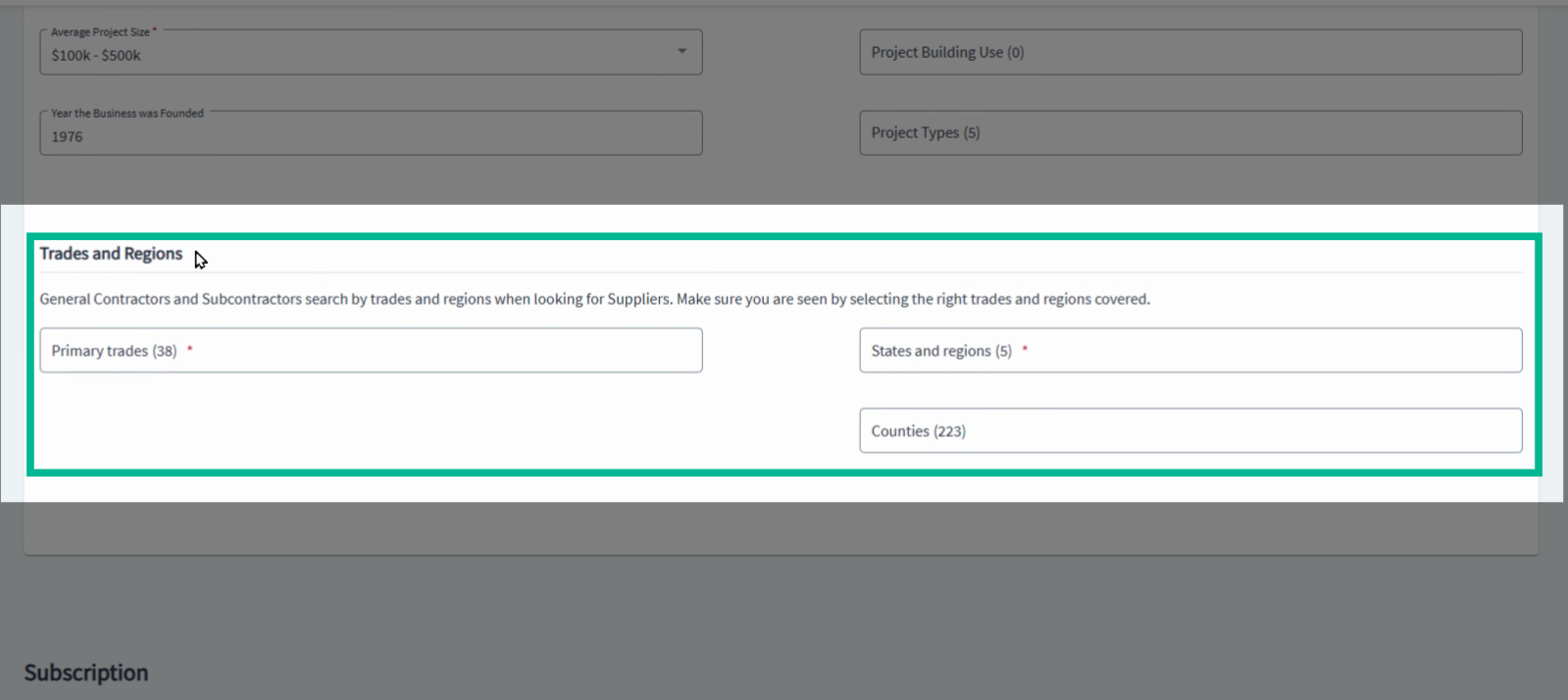
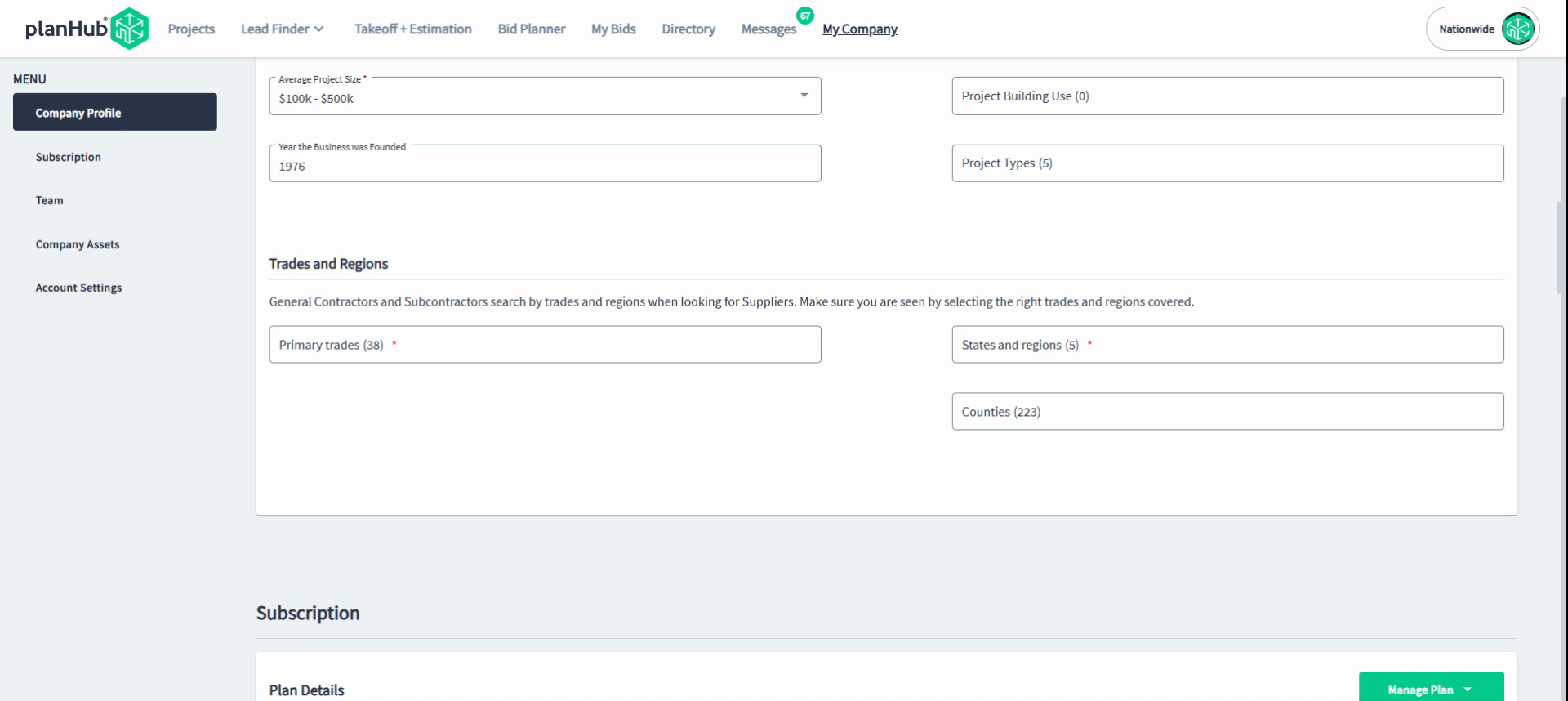
Step 6: Trades and Regions
Go to Trades & Regions. Select all the trades and locations that your company services or supplies to. PlanHub uses this to match you to the right invitations to bid and to help contractors discover your services in their area.
Reminder:
Only team members with the admin role can update the company profile.
When updating the system will automatically save your changes as you make them.
Tips for a Standout Profile
-
Use a clear company logo and a descriptive business summary.
-
Keep your contact details current for seamless communication.
-
Select all relevant trades and regions to maximize opportunities.
-
Ask your company admin or PlanHub representative for help if you’re unable to edit your profile.
Troubleshooting
Contact us if you need assistance or to report an issue:
-
PlanHub Contact Page: https://planhub.com/contact/
-
Customer Facing Support Ticket Link: https://knowledgebase.planhub.com/knowledge/kb-tickets/new
Conclusion
Maintaining an up-to-date company profile makes your business stand out, increases your chances of receiving quality bid invitations, and helps partners connect with you for the right opportunities. Take time to review and refresh your profile regularly for the best results on PlanHub.
Troubleshooting
Contact us if you need assistance or to report an issue:
- PlanHub Contact Page: https://planhub.com/contact/
- Customer Facing Support Ticket Link: https://knowledgebase.planhub.com/knowledge/kb-tickets/new
- Customer Success Team: CustomerSuccess@planhub.com