![NEW_PlanHub_Logo_Navy.png]](https://knowledgebase.planhub.com/hs-fs/hubfs/Design/PH%20Logos/NEW%202024%20PH%20Logos/NEW_PlanHub_Logo_Navy.png?height=40&name=NEW_PlanHub_Logo_Navy.png)
Measure the Handrail Run
Start by setting guidelines so you know your beginning and end points when you measure the handrail run length.
Step 1: Go to Markup, then Ruler, and click there.
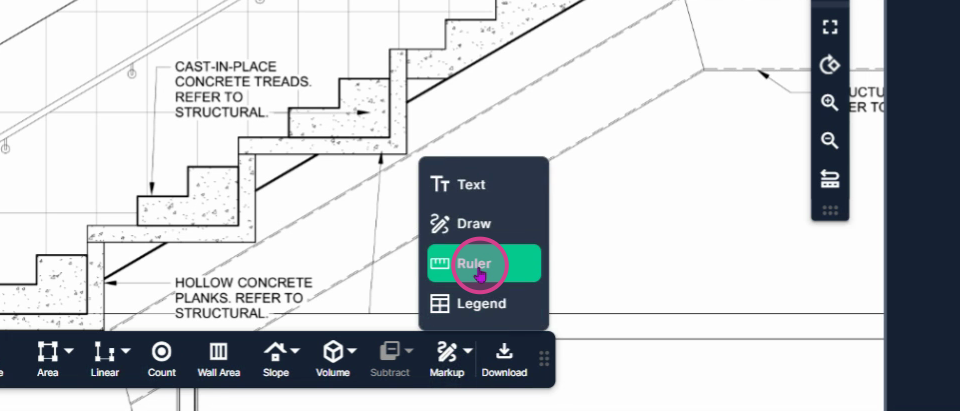
Step 2: Click at the beginning point of the lower portion. Raise the ruler up to the top, as high as it needs to go, and click to stop.
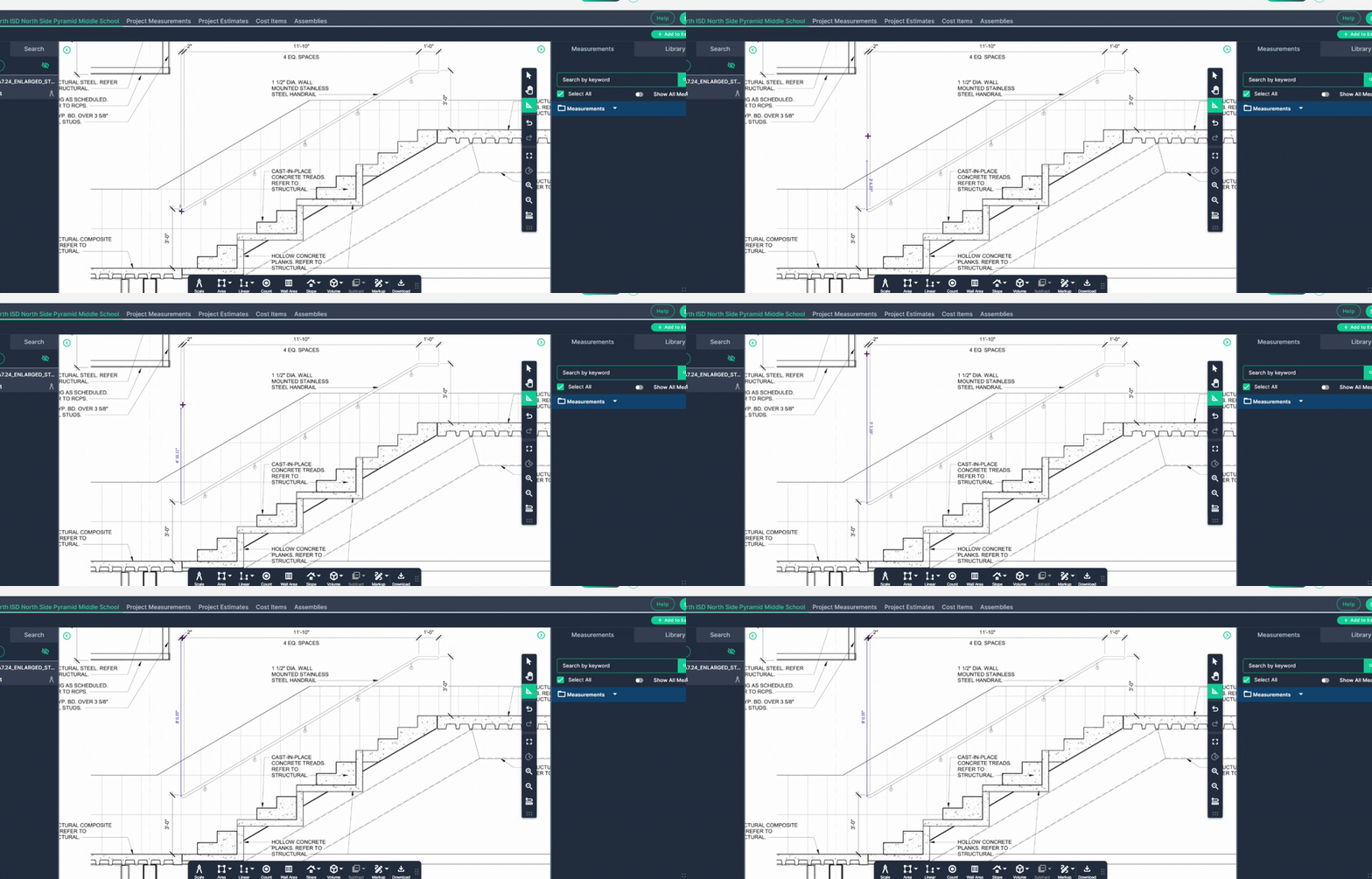
Step 3: Do the same at the endpoint. Click the endpoint, raise it up or drop it down as far as it needs to go, then left-click to stop.
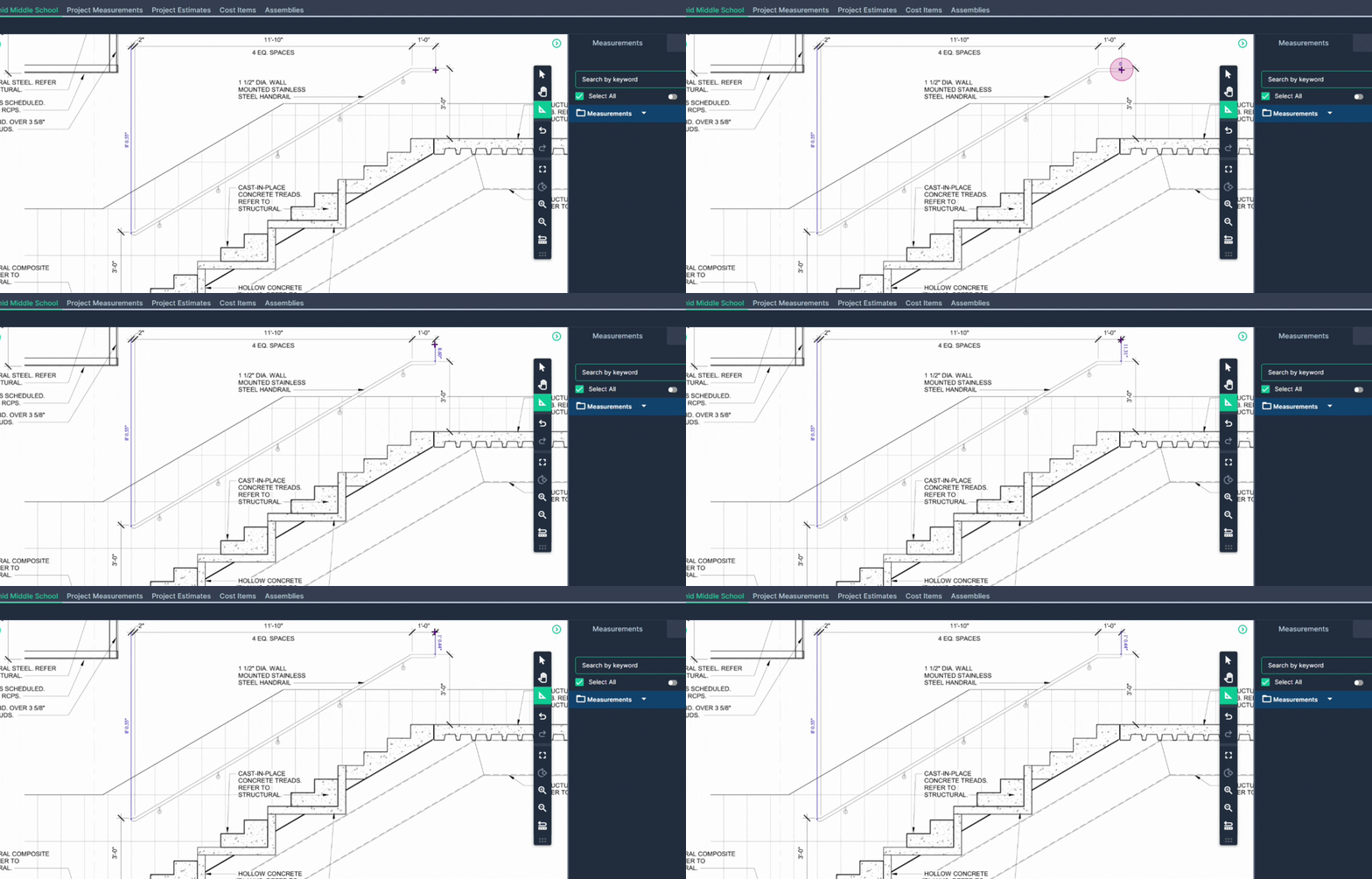
Your beginning and end points are now marked, so you're ready to measure the run of the handrail.
Step 4: Select the Linear Line tool. Use it because this is part of the actual official takeoff measurement.
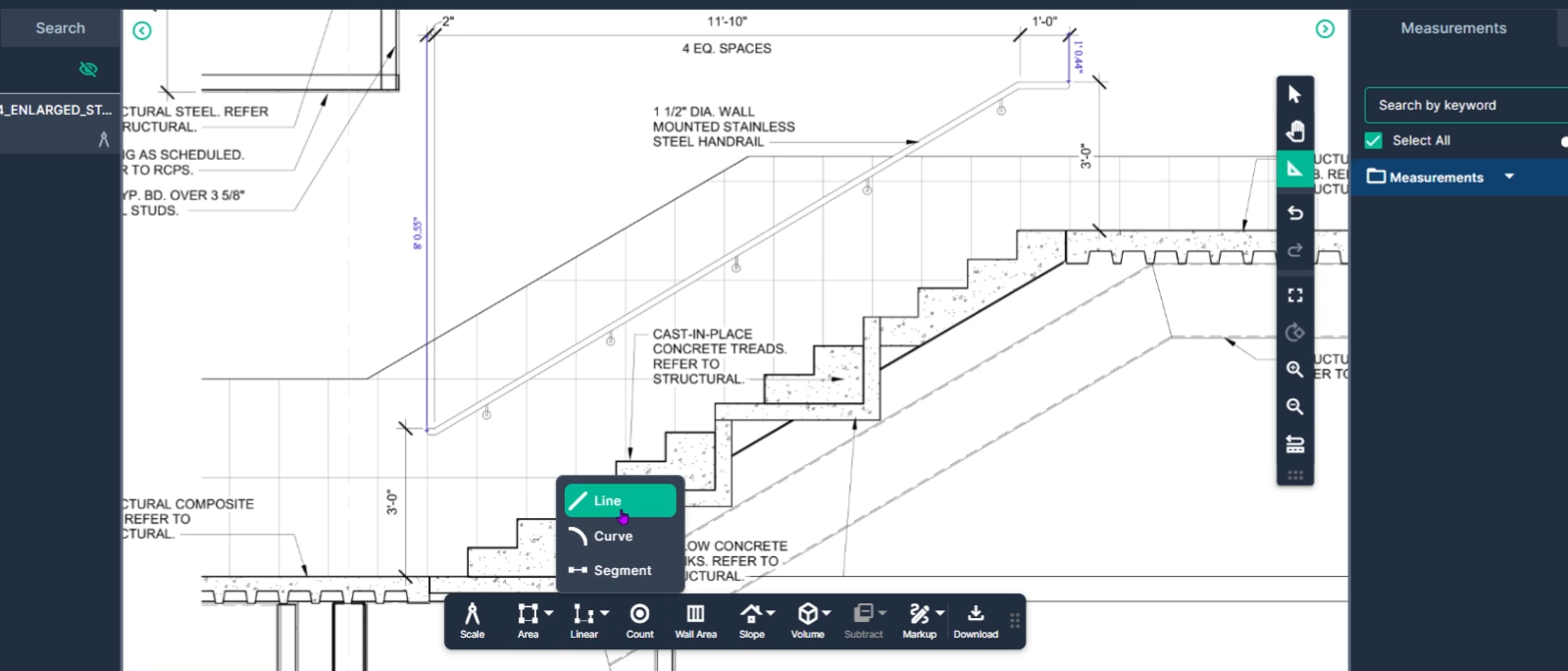
Step 5: Name it Handrail Run, then click Set.
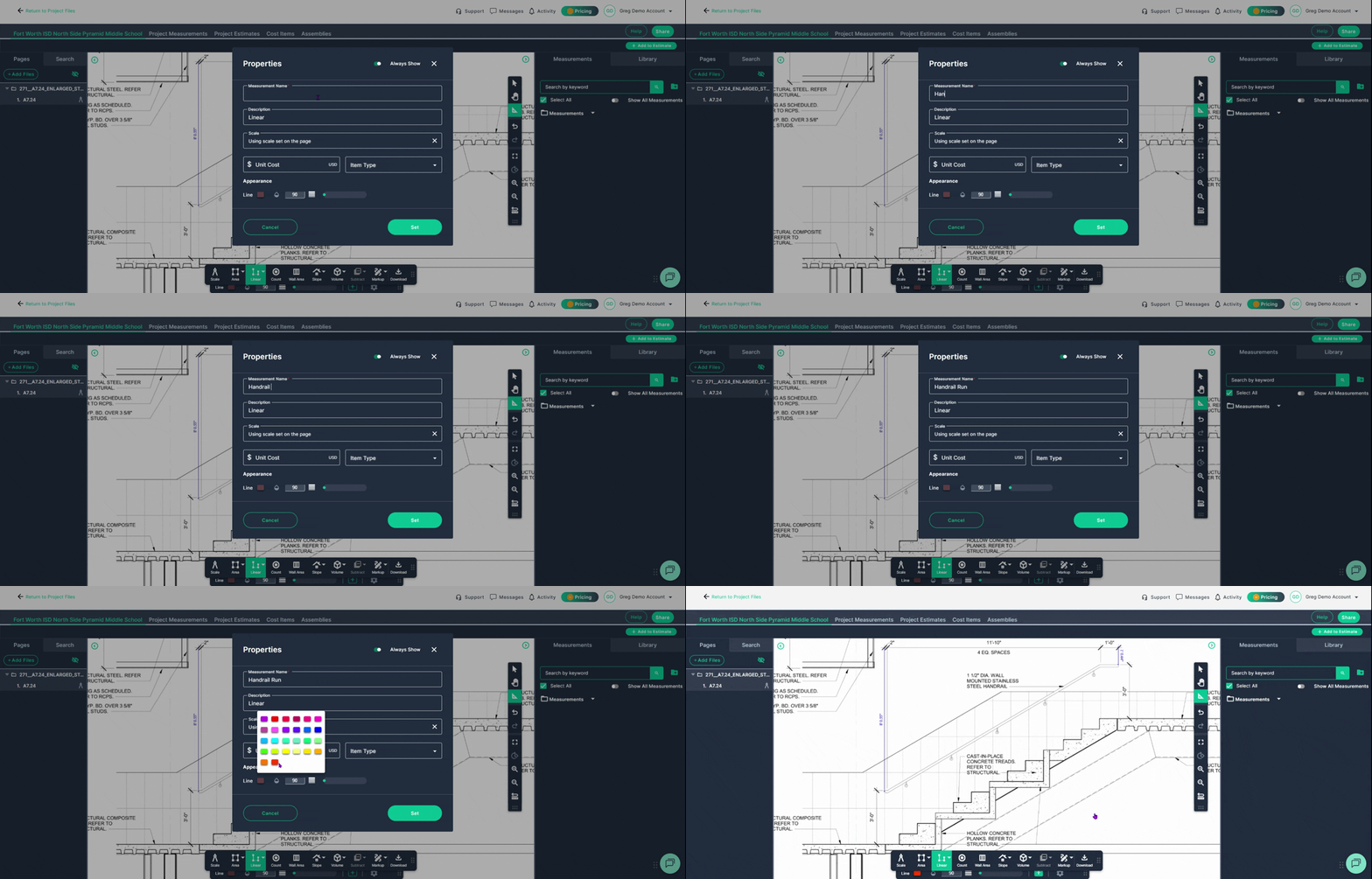
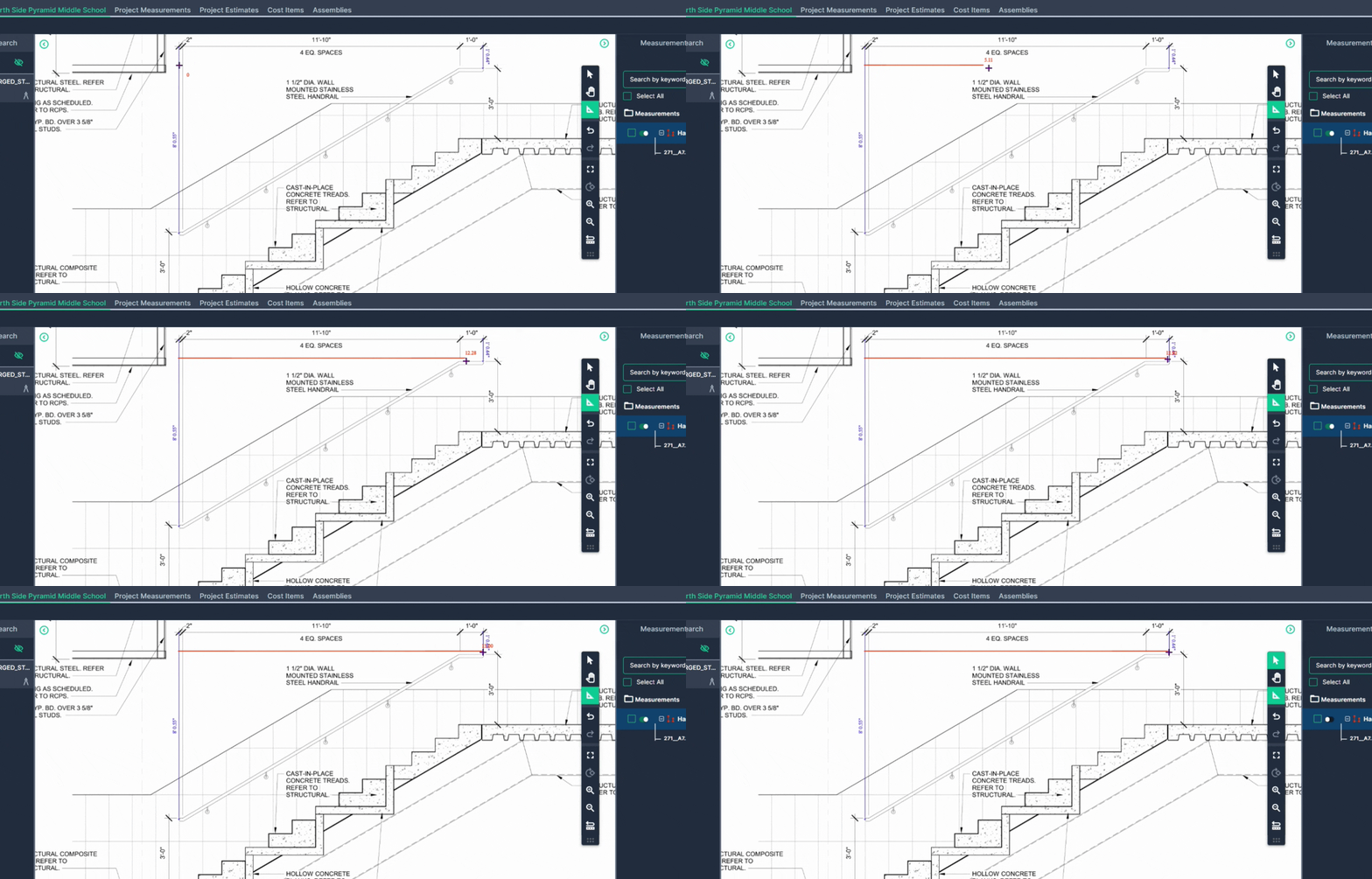
Step 6: Line up with the beginning point and click once. Move to the endpoint where the marker is. The measurement follows you there. Double-click to stop.
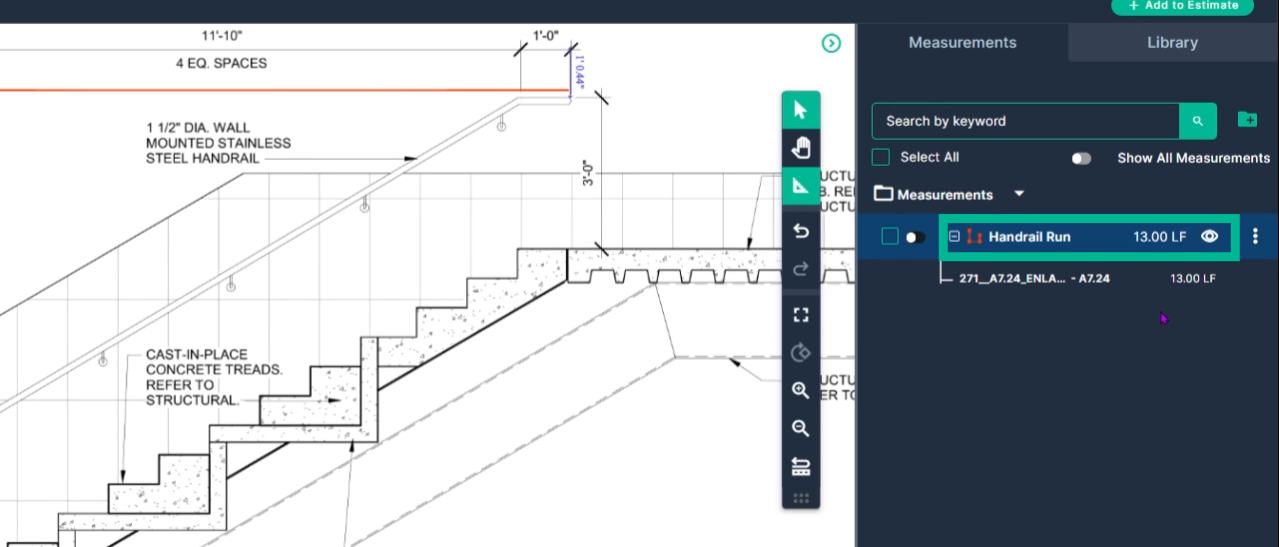
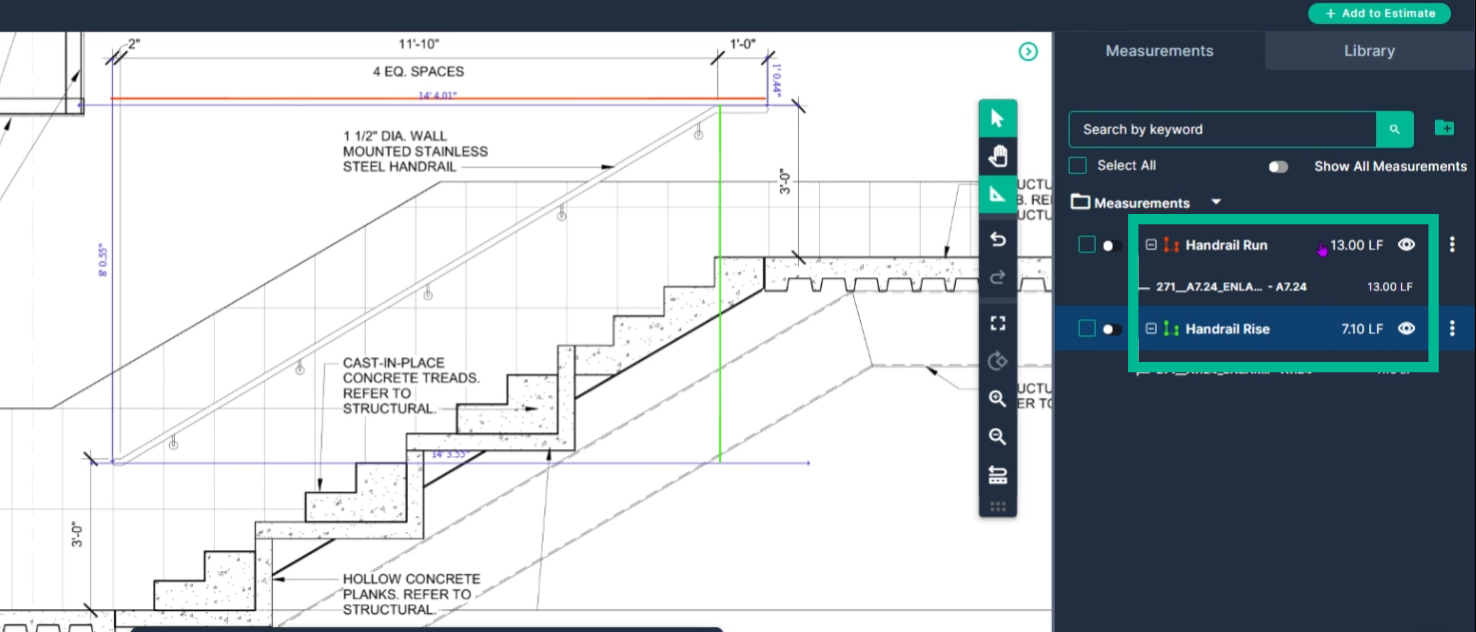
The handrail run is now measured at 13 feet.
Measure the Handrail Rise
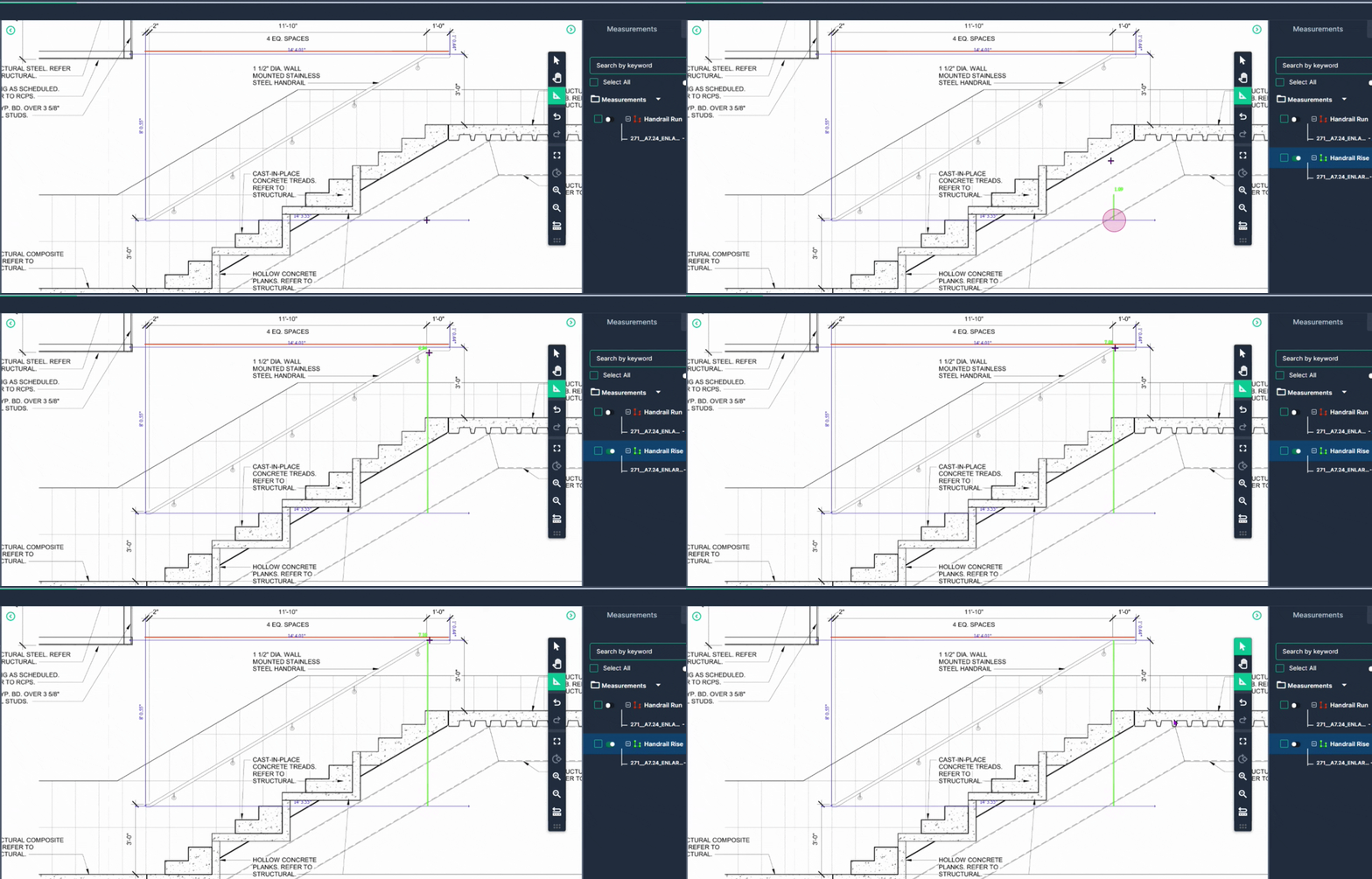
Repeat the process for the rise of the rail.
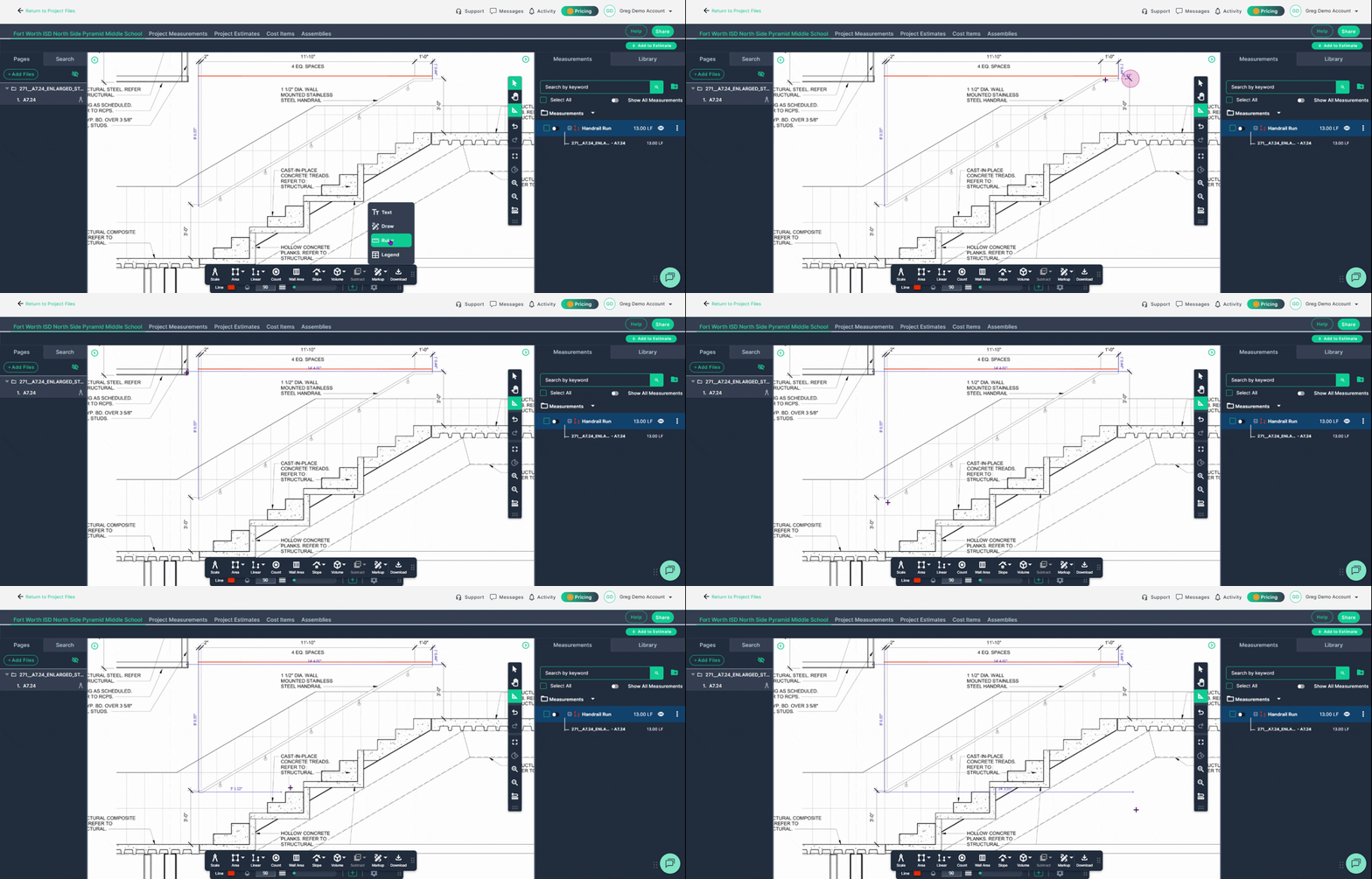
Step 1: Go to Markup, then Ruler, and mark the top of the rail. Left-click to start and left-click to finish.
Raise the ruler up to the top, as high as it needs to go, and click to stop.
Step 2: Go back to Linear Line and name it Handrail Rise.
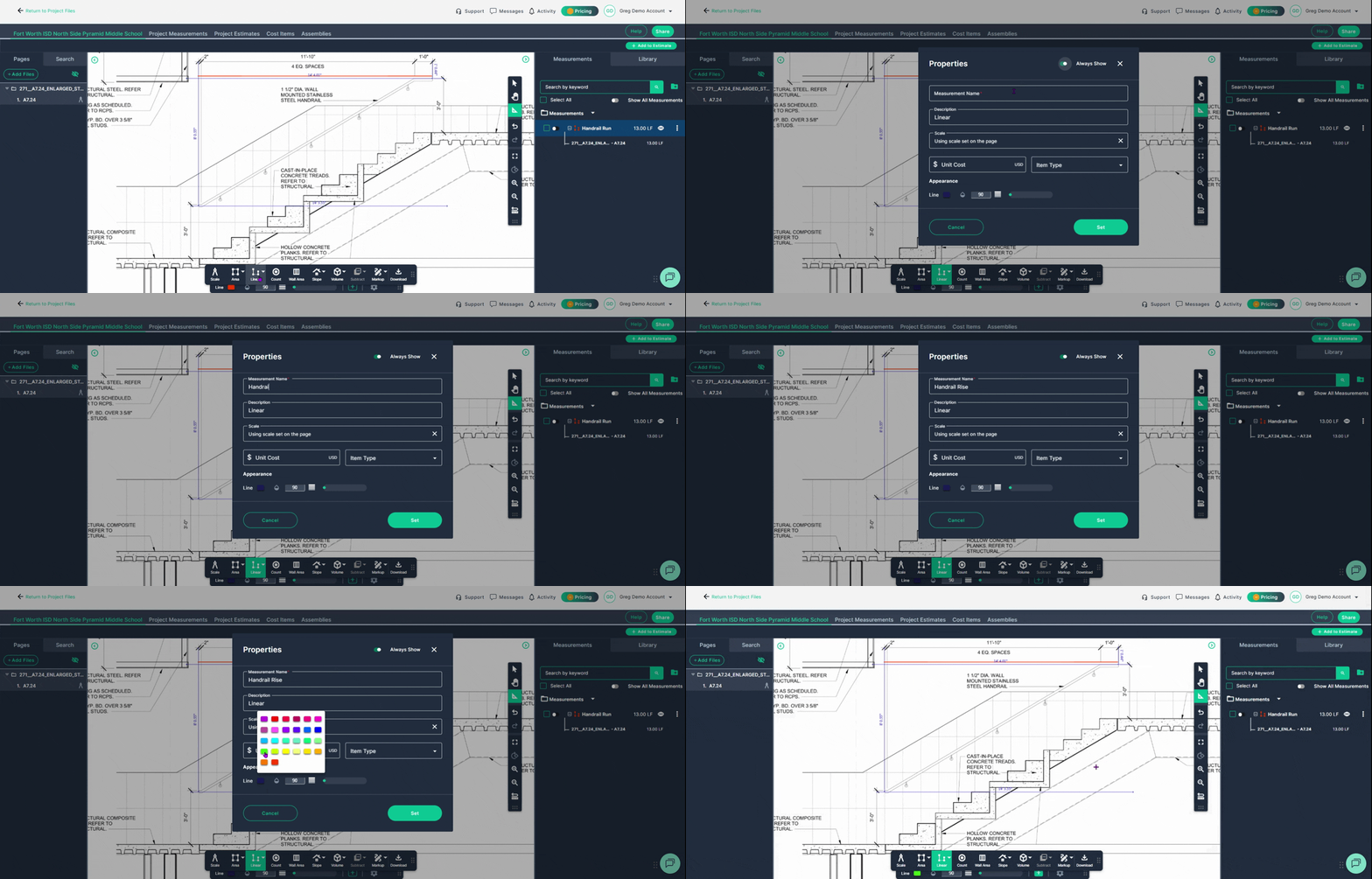
Step 3: Left-click at the beginning point. Double left-click at the finish point, which is the top.
You now have your handrail rise and run.
Measure the Stair Rise and Run
Repeat the same process for the rise and run of the stairs.
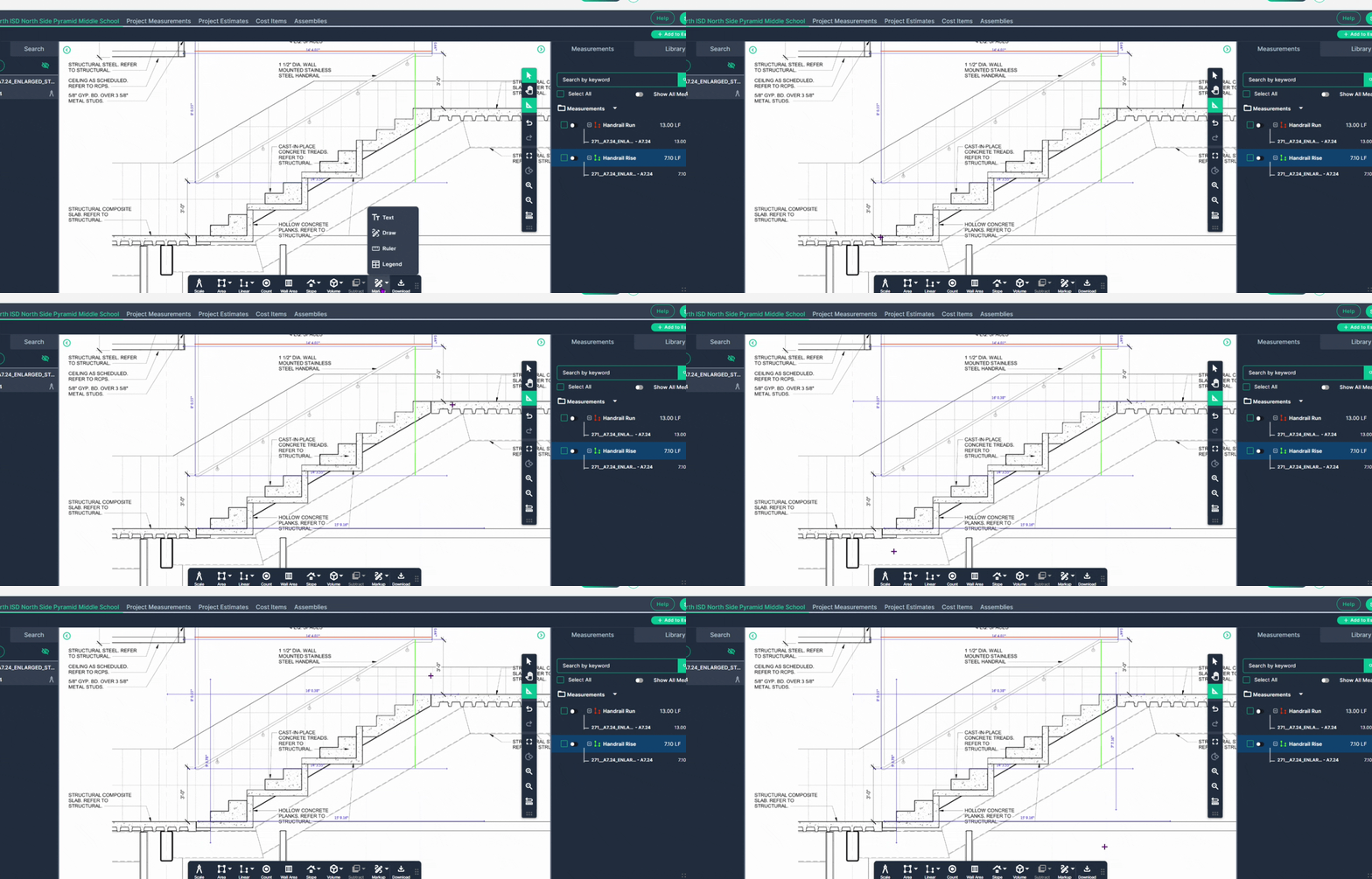
Step 1: Go to Markup and select Ruler with a click.
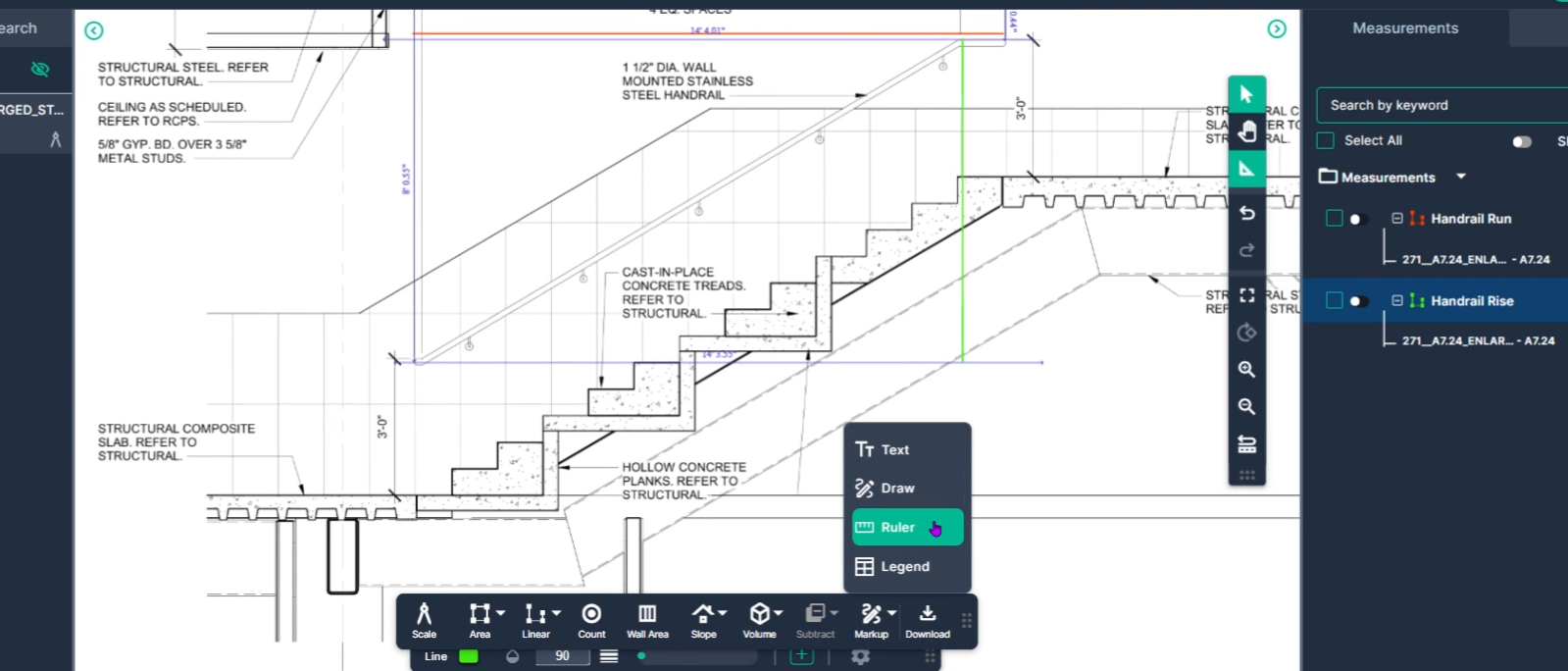
Step 2: Choose Ruler and place a ruler at the bottom, top, beginning, and end.
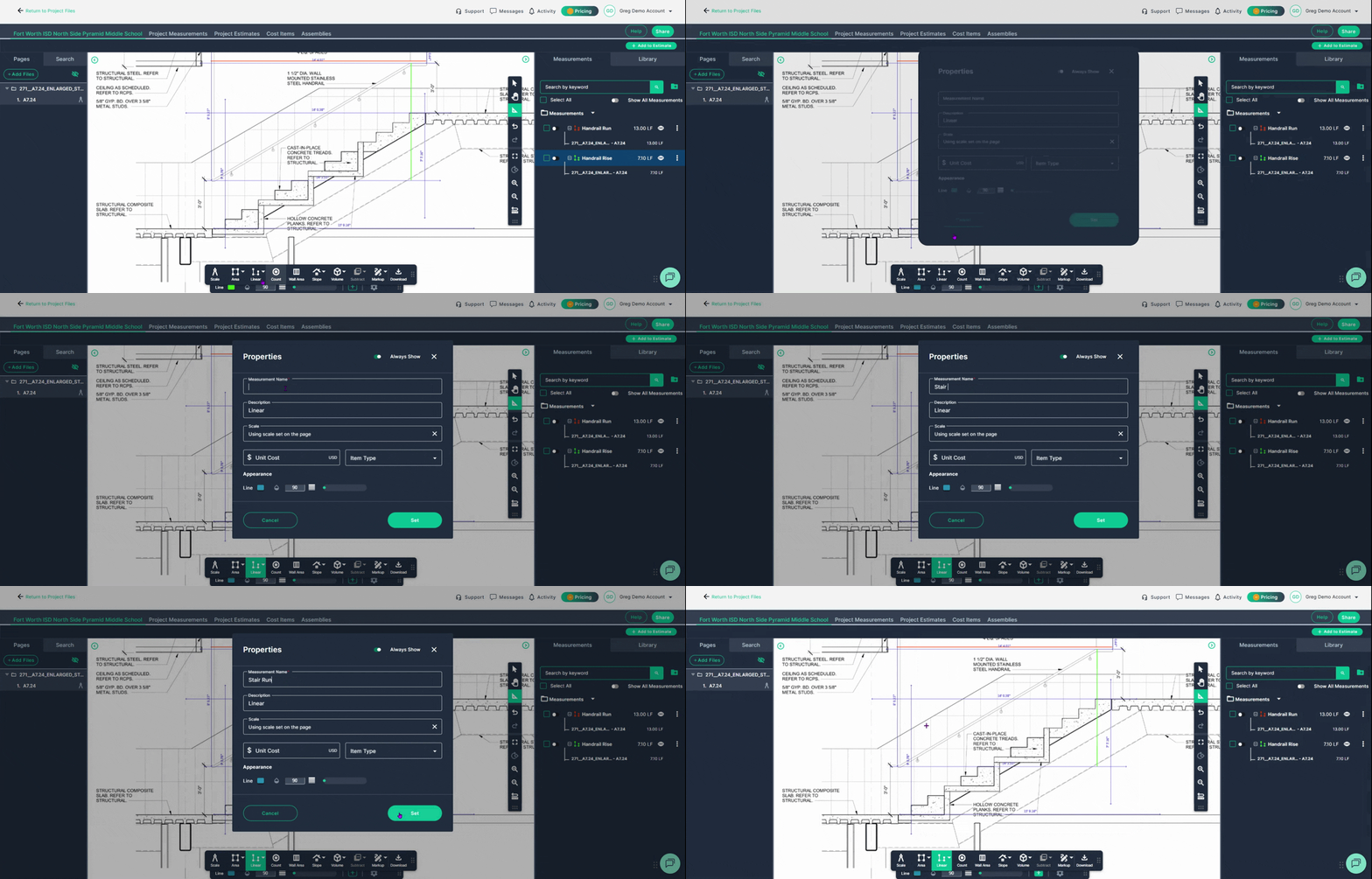
Step 3: Go to Linear Line and label it Stair Run. Then click Set.
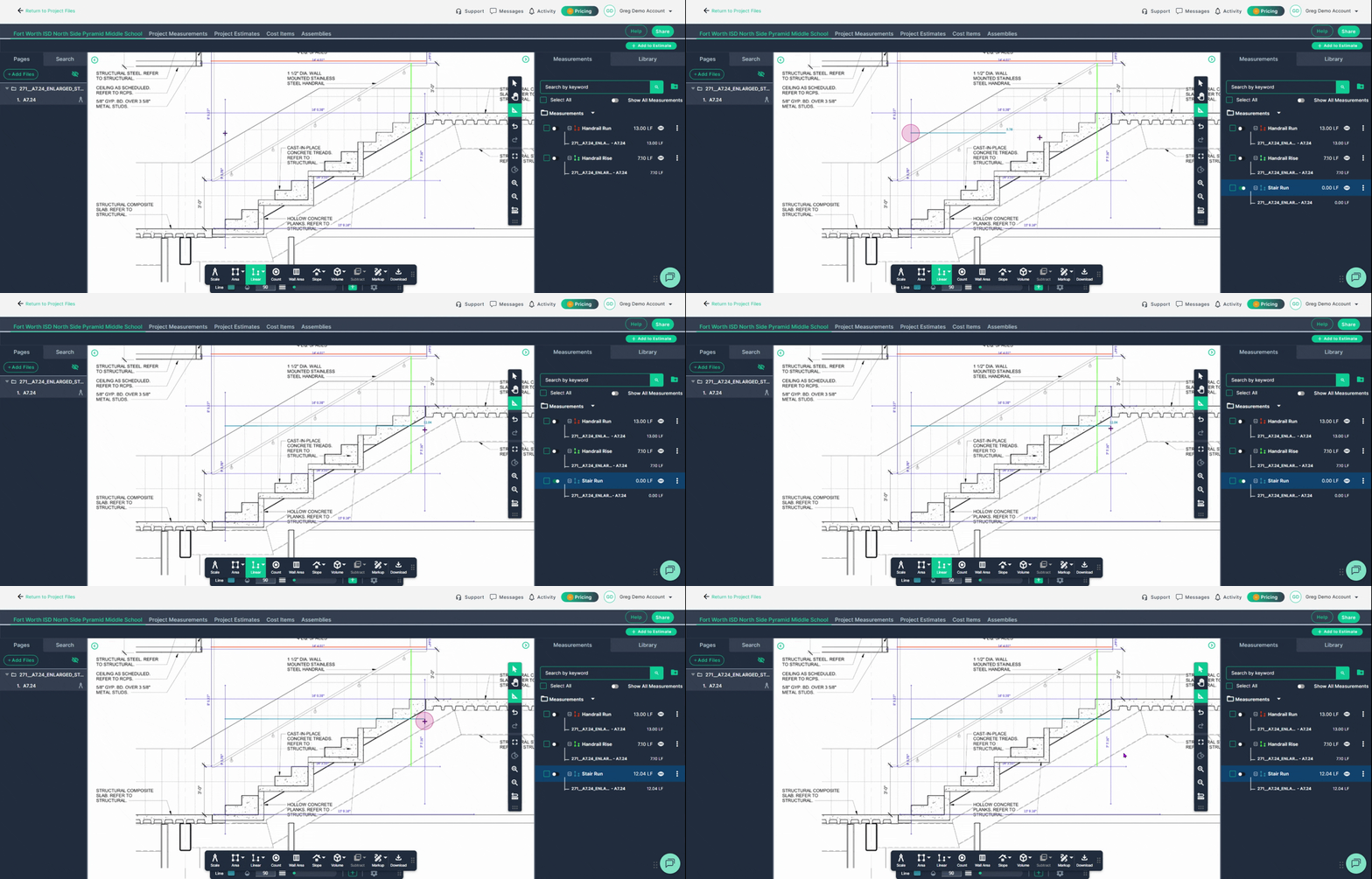
Step 4: Left-click to begin on the beginning guideline, double left click at the end guideline.
Step 5: Choose Linear Line again and label it Stair Rise.
- Left click at the beginning
- Double left click to stop measuring
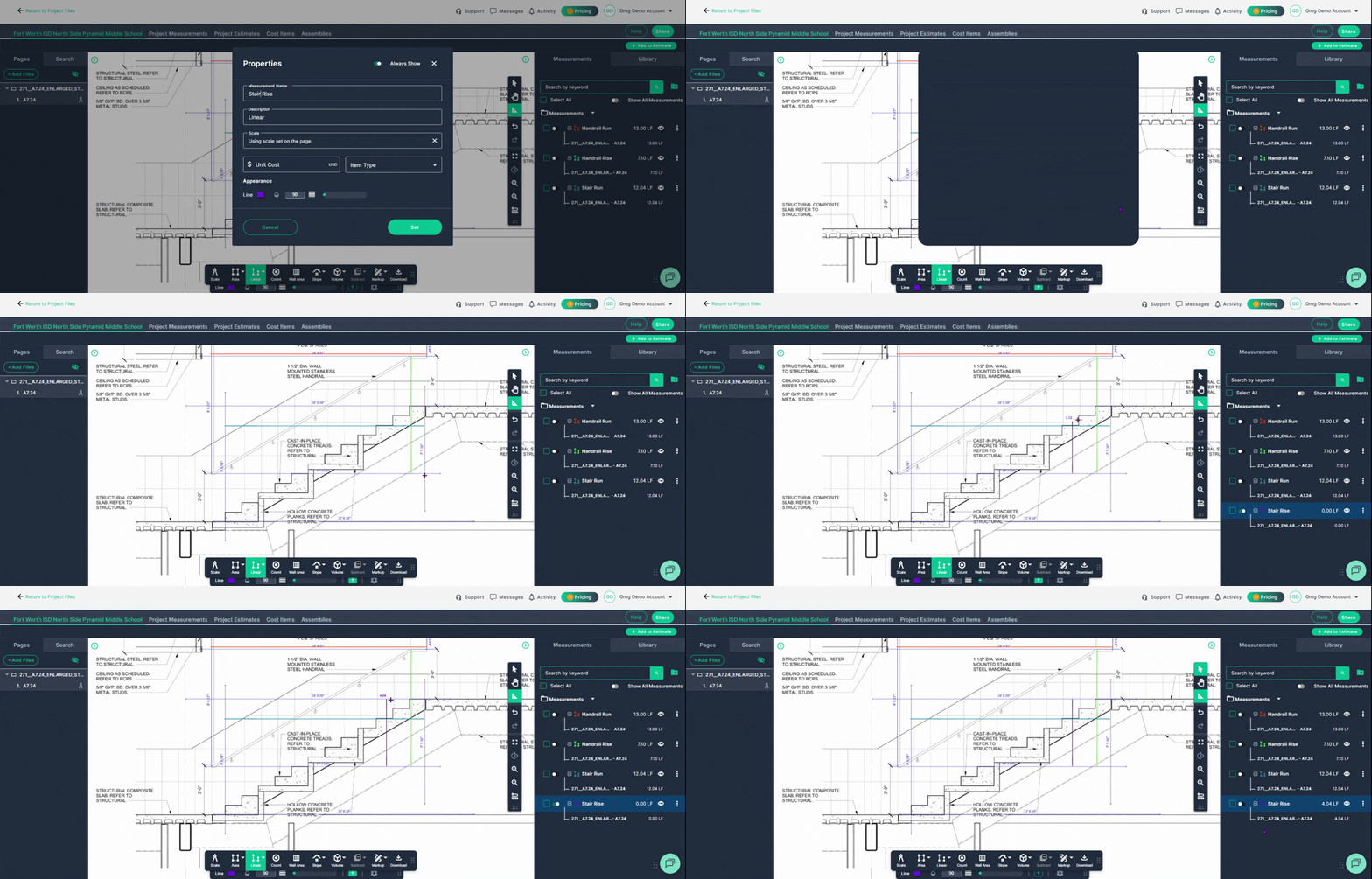
That's it! Your stair rise and run, along with your handrail rise and run, are now recorded as part of your takeoff measurements.
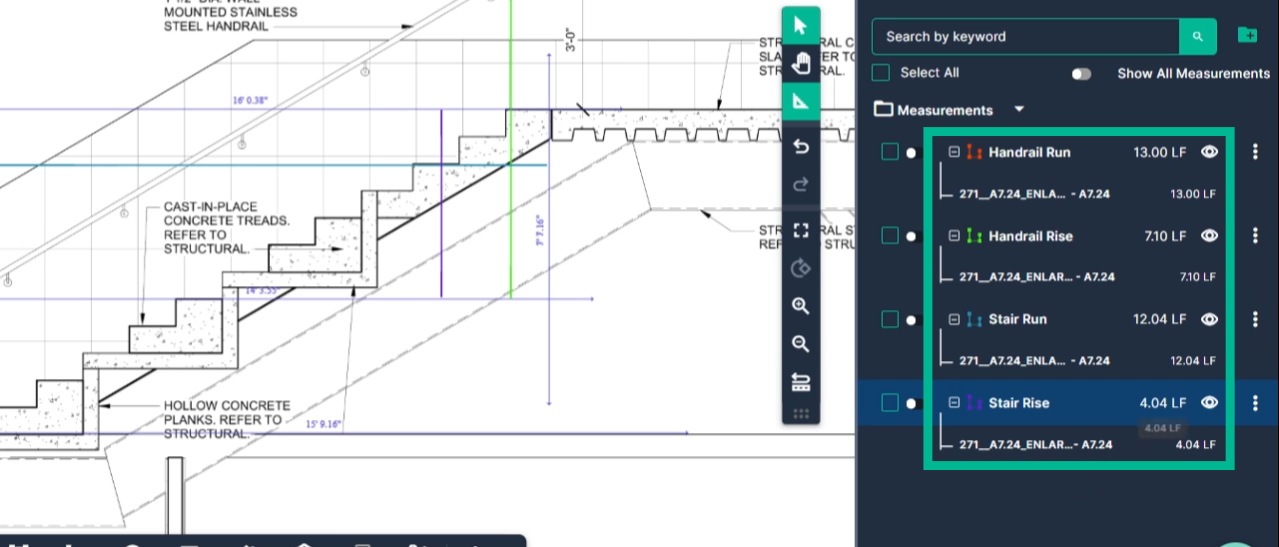
By using PlanHub’s Takeoff tools, you can measure stairs and handrails efficiently, improve estimate accuracy, and simplify your overall project planning.
Troubleshooting
Contact us if you need assistance or to report an issue:
- PlanHub Contact Page: https://planhub.com/contact/
- Customer Facing Support Ticket Link: https://knowledgebase.planhub.com/knowledge/kb-tickets/new
- Schedule a Free 1-on-1 Takeoff Training: https://meetings.hubspot.com/zac-low/takeoff-and-estimation