![NEW_PlanHub_Logo_Navy.png]](https://knowledgebase.planhub.com/hs-fs/hubfs/Design/PH%20Logos/NEW%202024%20PH%20Logos/NEW_PlanHub_Logo_Navy.png?height=40&name=NEW_PlanHub_Logo_Navy.png)
Reviewing Project Opportunities
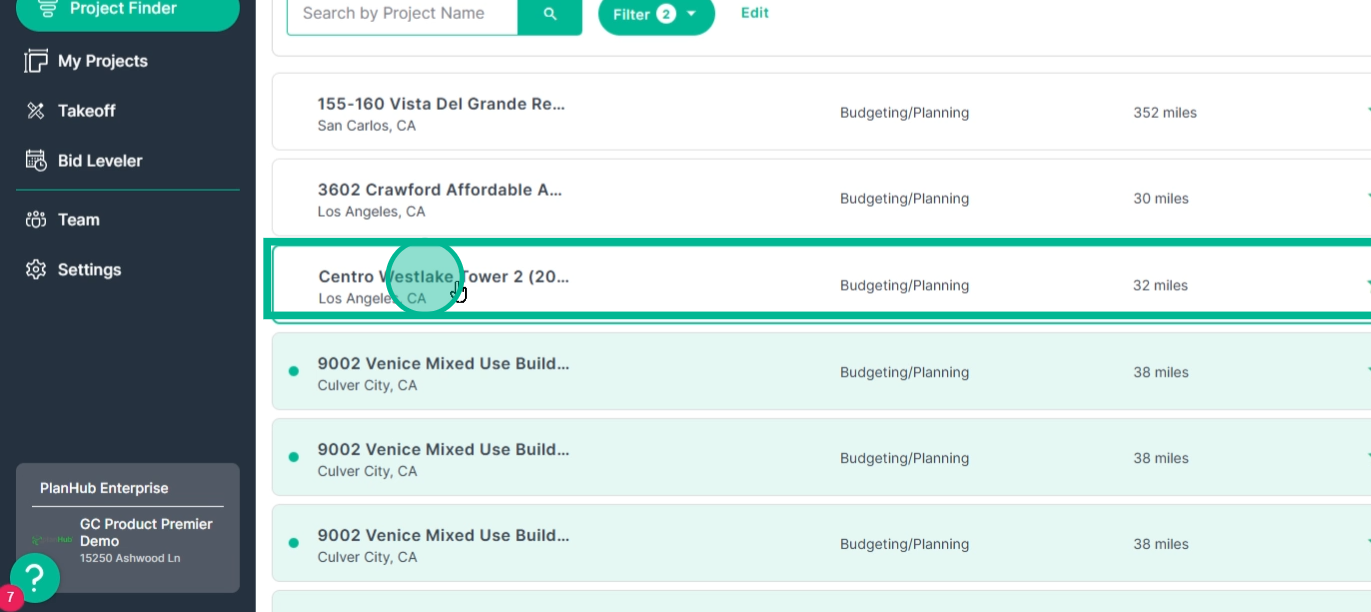
Step 1: Open Project Finder.
Step 2: Click the project name you want to review. This opens the Details and Notes page.
Viewing Details and Notes Page
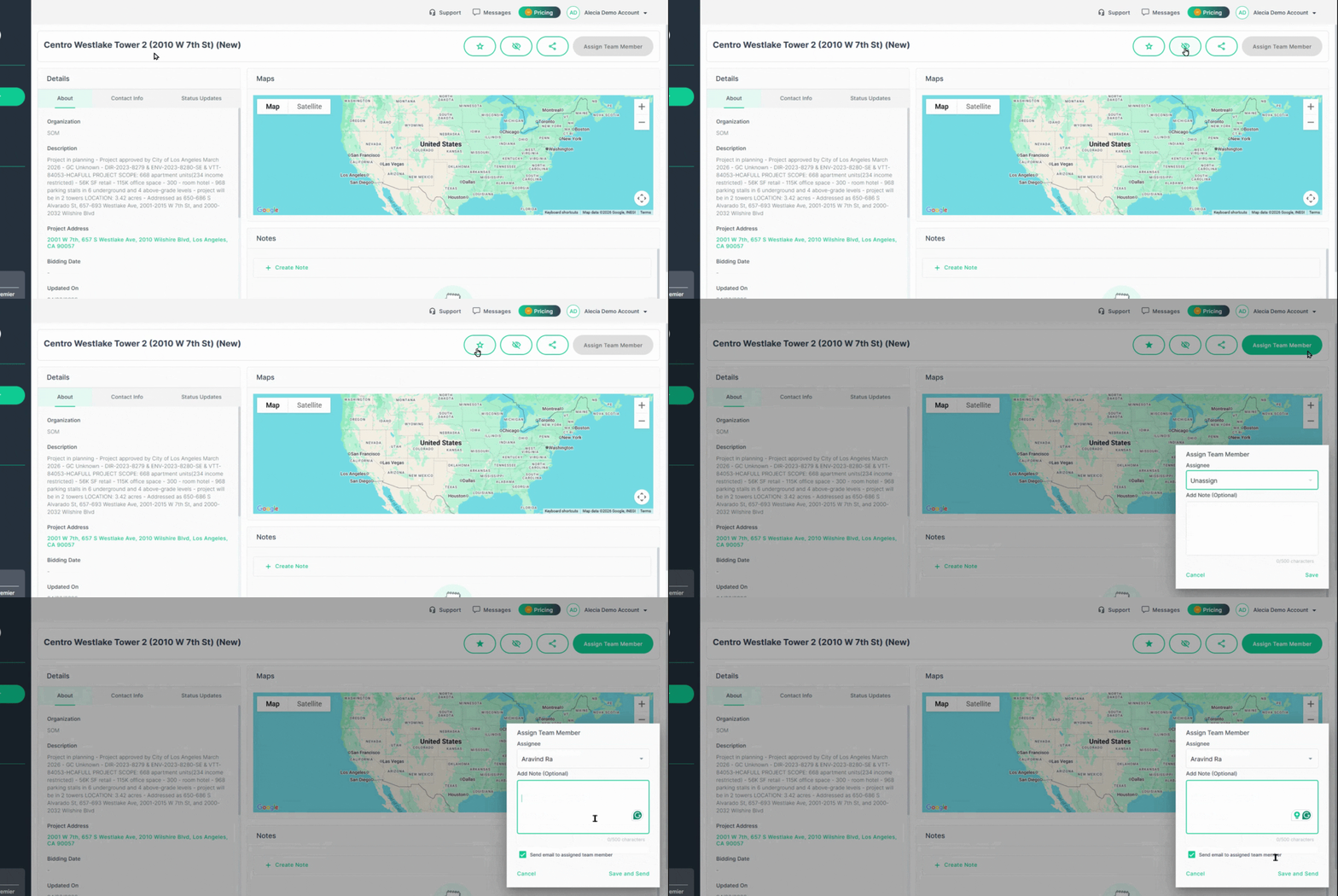
At the top of the page, you’ll see the project name and main actions you can take:
Step 1: Find options to Save, Hide, or Share the opportunity.
Step 2: After saving an opportunity, you can assign it to a team member for follow-up.
Step 3: Click Assign Team Member.
Step 4: Choose the assignee, add notes or instructions, and keep Send email to assigned team member checked if you’d like them to be notified.
Exploring Details
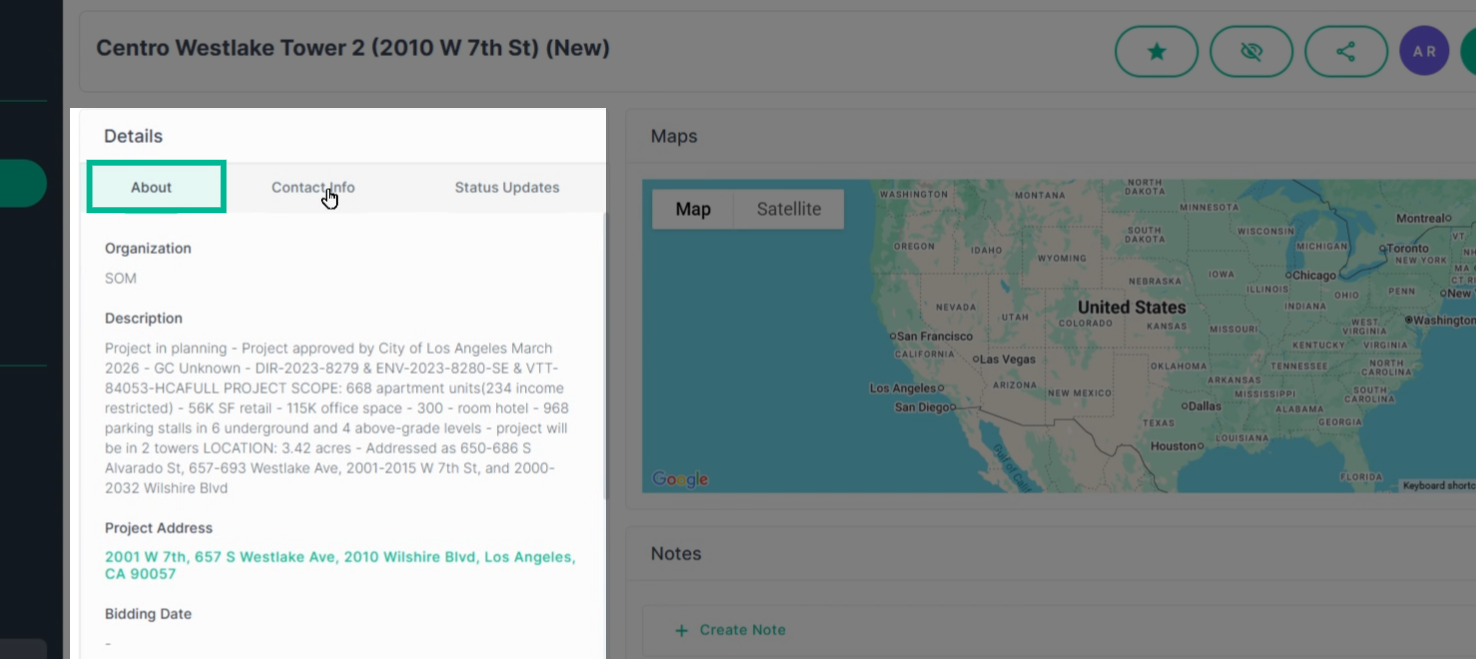
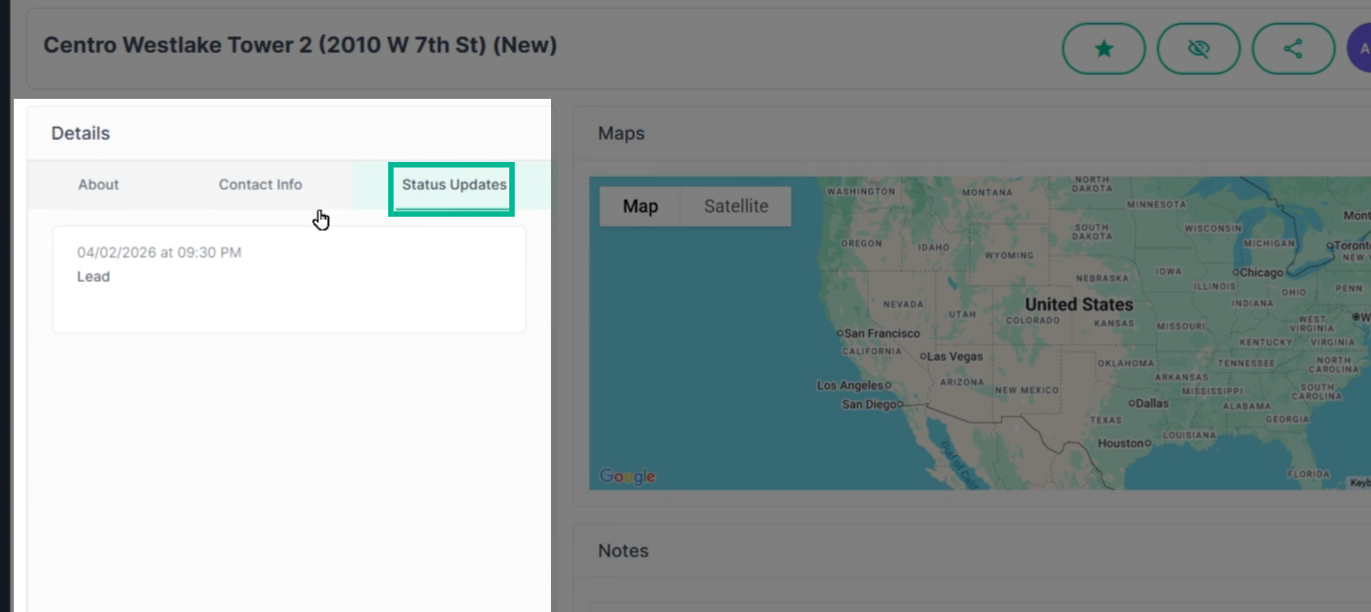
Just below the project title is the Details section, which organizes all the critical info in three main tabs: About, Contact Info, and Status Updates
Step 1: Review the About tab for a project description and a list of expected trades needed for the job.
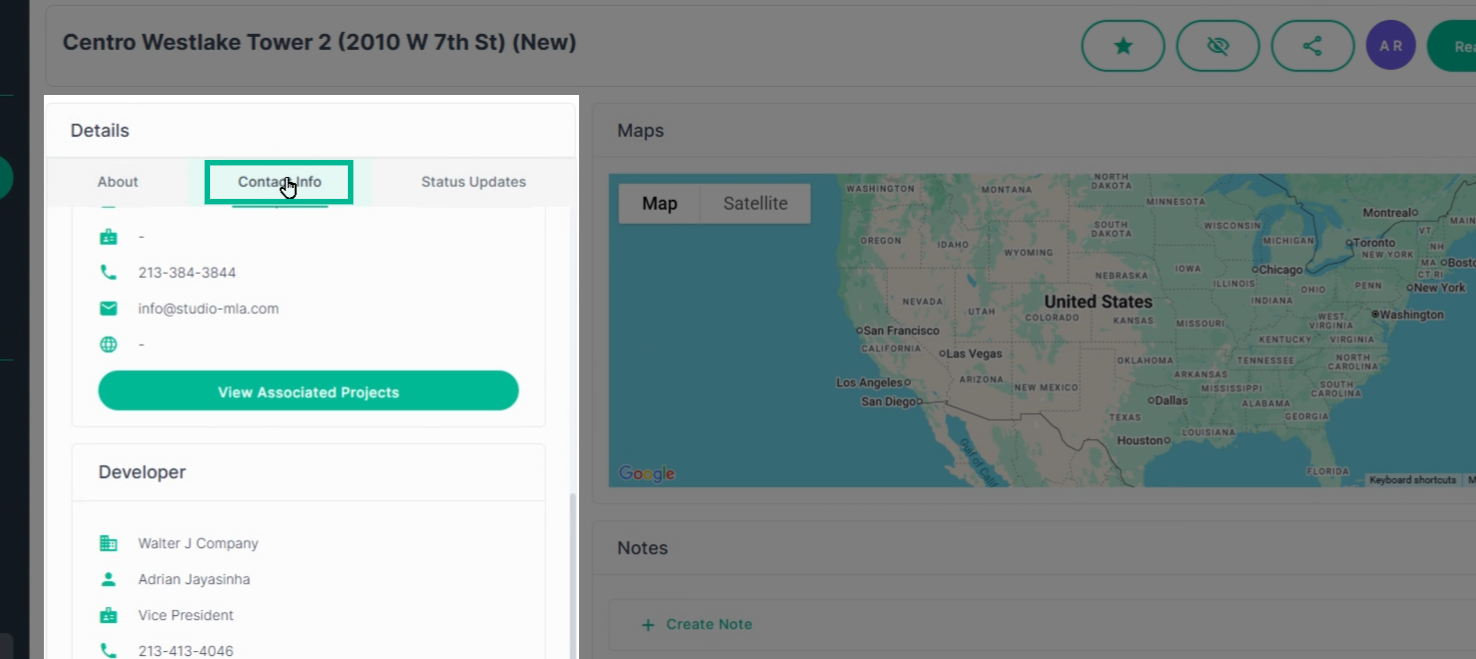
Step 2: Switch to the Contact Info tab to view key people identified as connected to the opportunity—so you can reach out and start building relationships.
Step 3: Go to the Status Updates tab to see recent information and updates gathered by our research team.
Managing Notes
Next to the main details, you’ll find a project map and the Notes section—vital for team communication and tracking follow-ups.
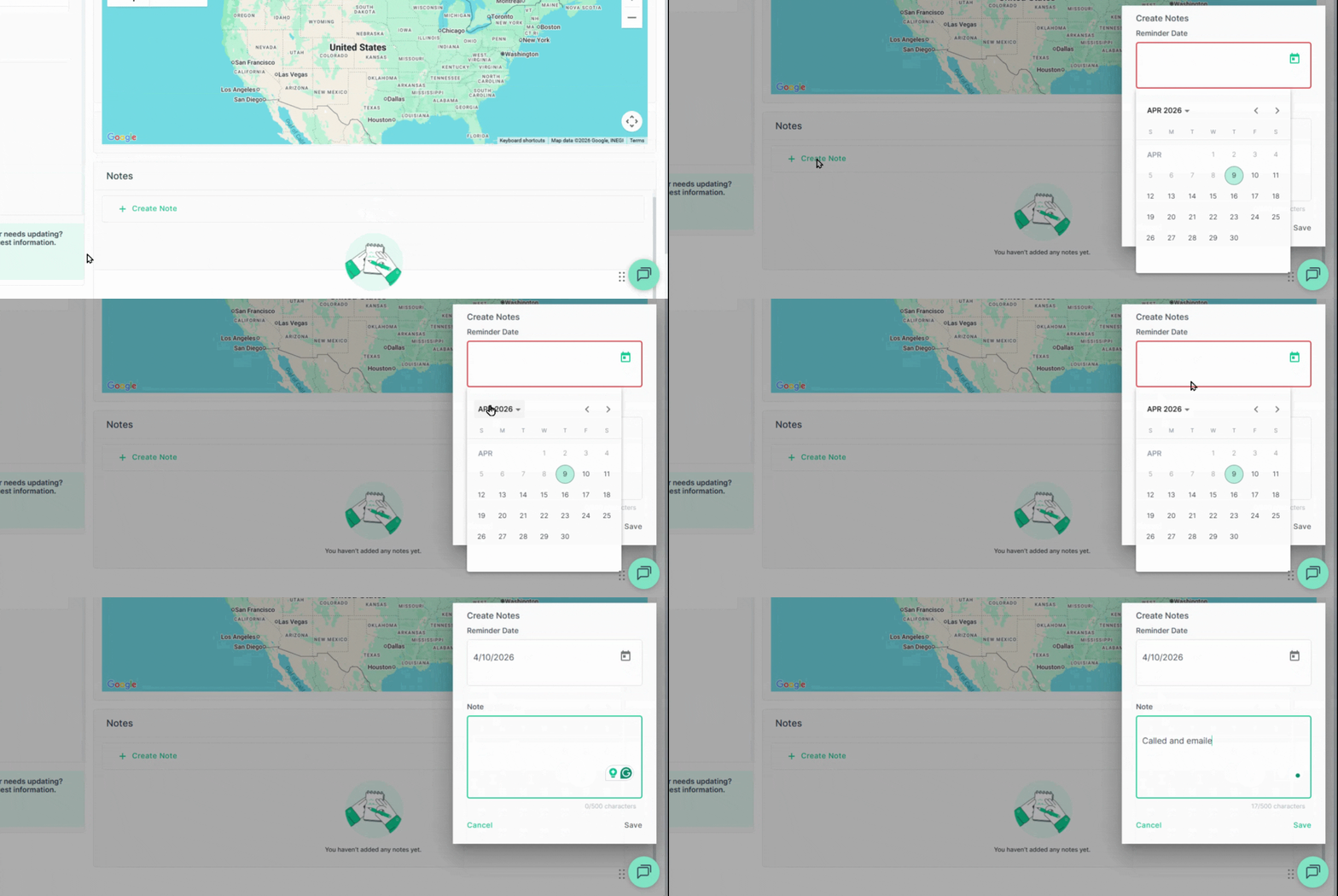
Step 1: Click Create Note to add notes about the opportunity. Use notes to set reminders, track communications, and record important info as you pursue the opportunity.
-
All notes stay visible to your team, but remain private to your company. This maximizes collaboration and clarity while keeping sensitive info secure.
Conclusion
The Project Opportunity Details and Notes page helps you and your team stay organized, communicate effectively, and move every prospect forward. Dive in and use these features to capture and win more work.
Troubleshooting
I can't access these projects:
-
The Project Finder tool is something General Contractors purchase access to, contact us if you have purchased this and do not have access or would like to purchase access.
-
PlanHub Contact Page: https://planhub.com/contact/
-
Contact us if you need assistance or to report an issue:
- PlanHub Contact Page: https://planhub.com/contact/
- Customer Facing Support Ticket Link: https://knowledgebase.planhub.com/knowledge/kb-tickets/new
- Customer Success Team: CustomerSuccess@planhub.com
-