![NEW_PlanHub_Logo_Navy.png]](https://knowledgebase.planhub.com/hs-fs/hubfs/Design/PH%20Logos/NEW%202024%20PH%20Logos/NEW_PlanHub_Logo_Navy.png?height=40&name=NEW_PlanHub_Logo_Navy.png)
Subcontractor Premier Accounts: Managing "ITBs from general contractors outside my network" notification setting
Step 1: Navigate to the upper right corner of your planHub Premier Subcontractor account and click the drop-down menu.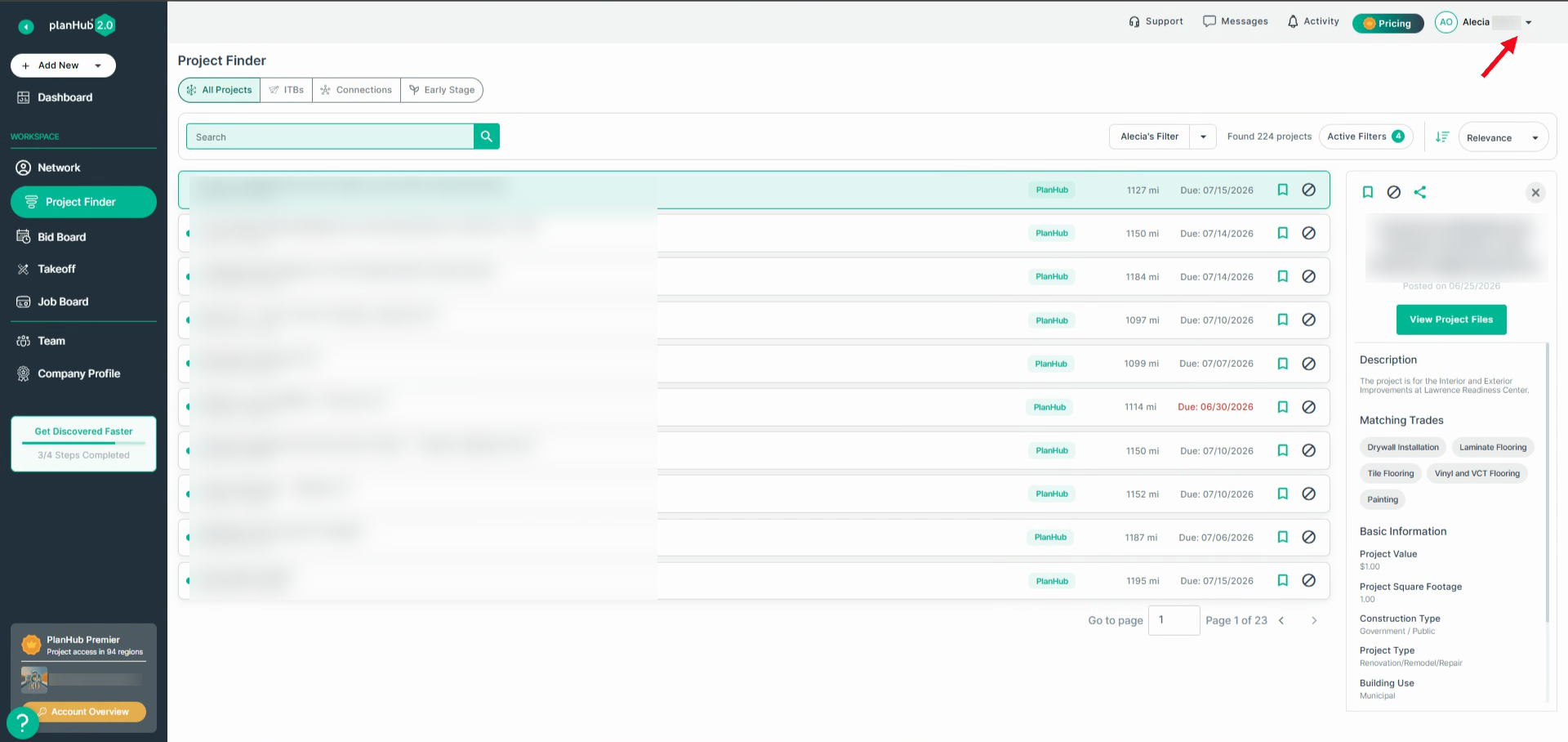
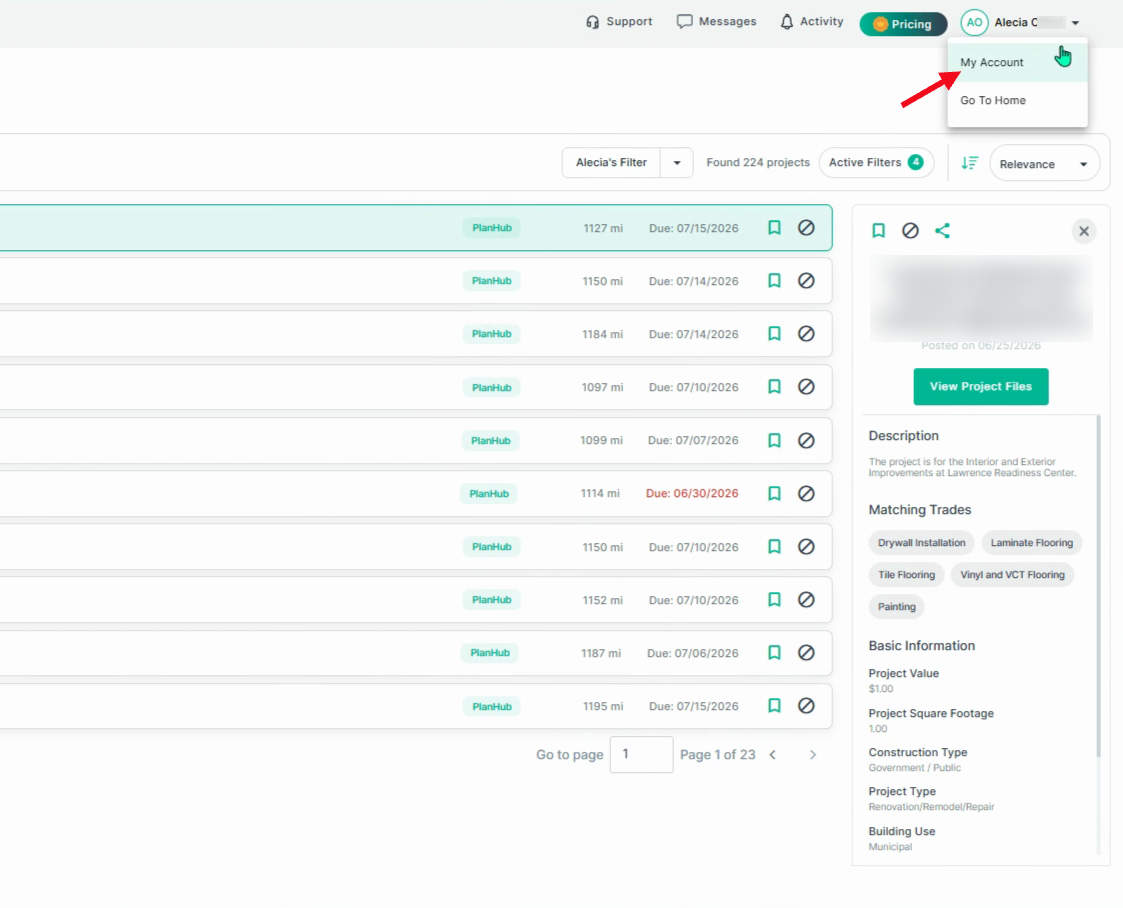
Step 2: Select My Account from the options.
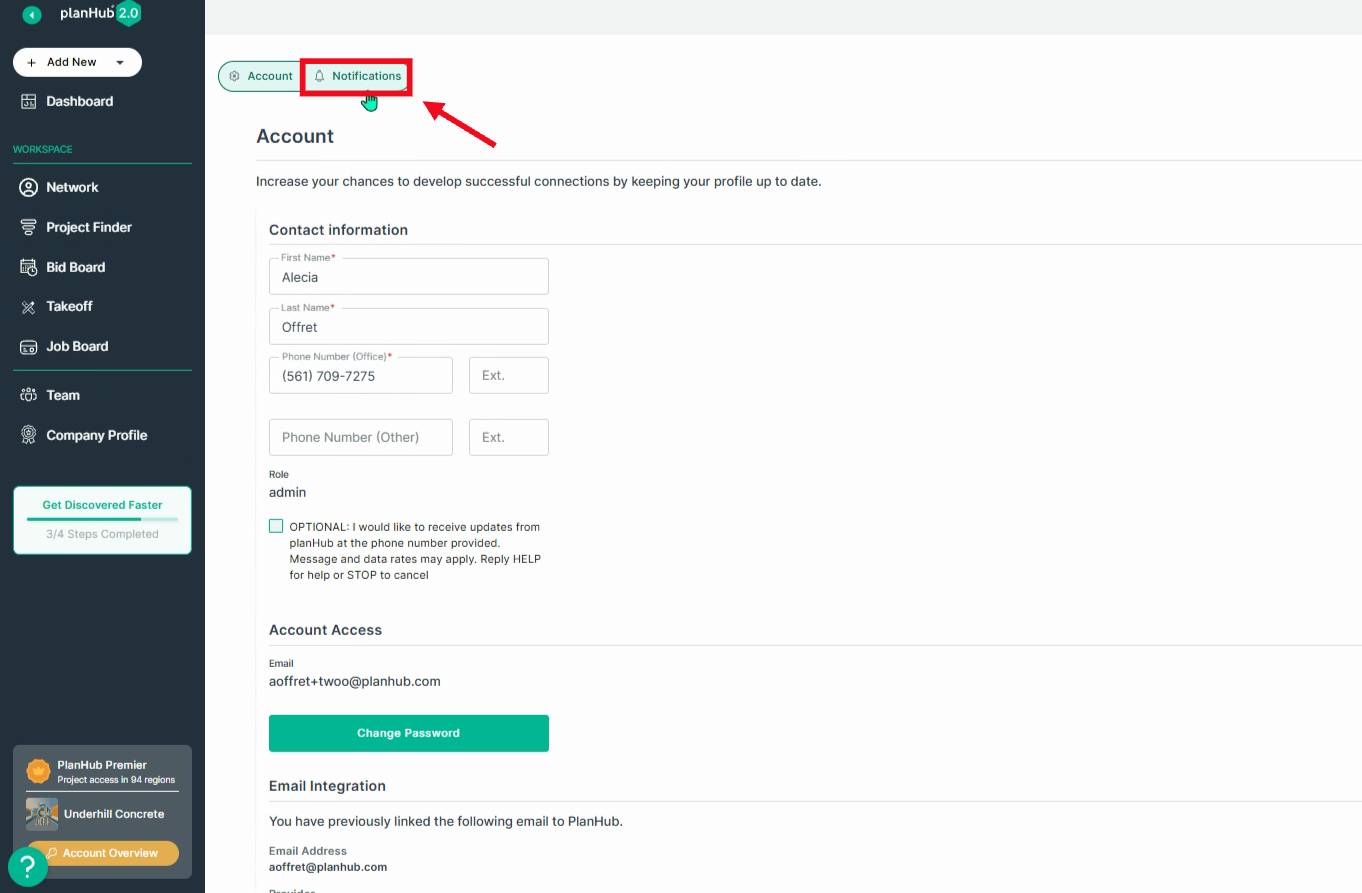
Step 3: Click the Notifications tab on the left side of the page.
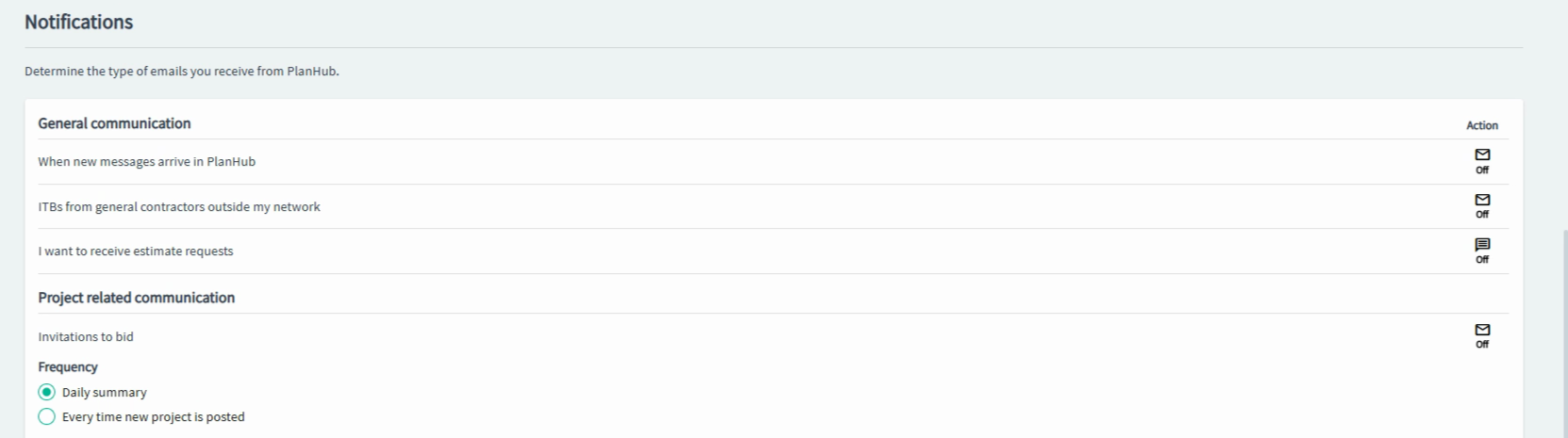
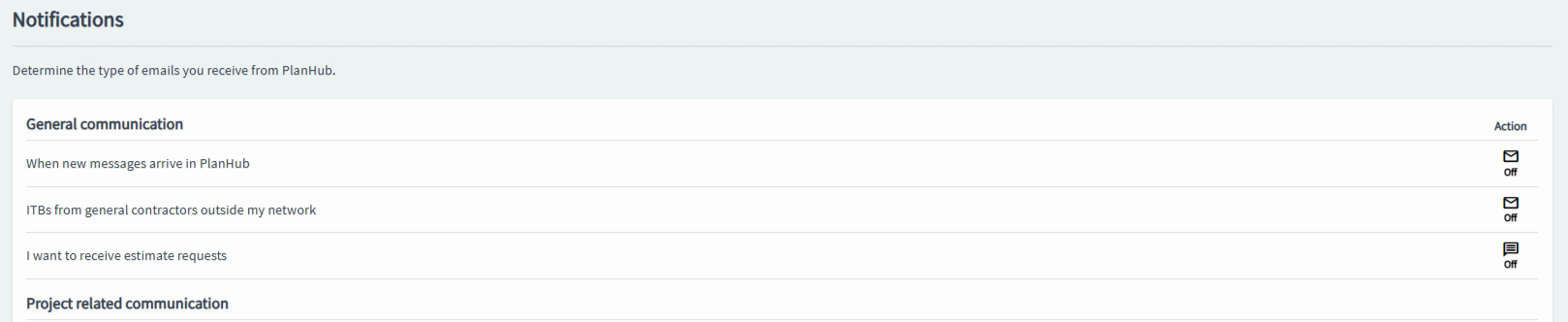
Step 4: Find the notification setting labeled "ITBs from general contractors outside my network."
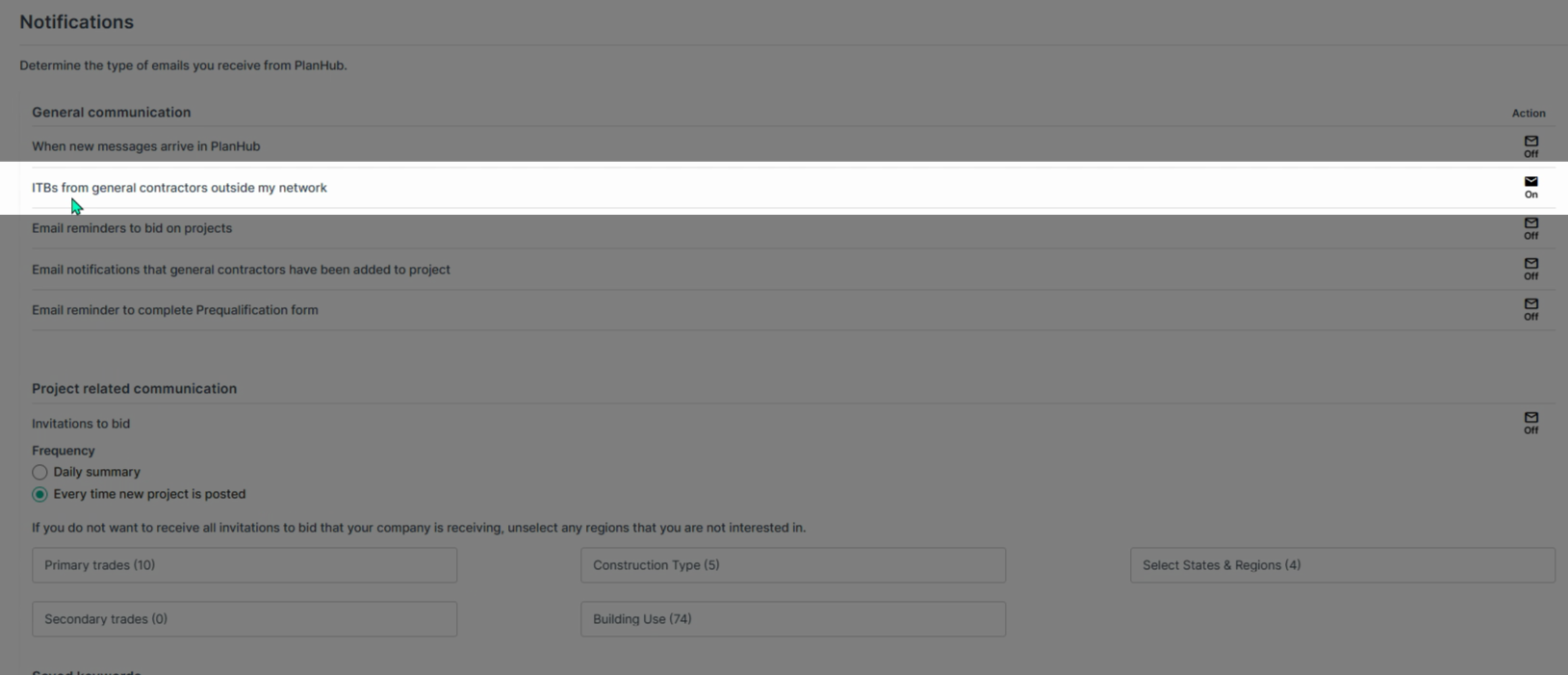
Step 5: Decide how you want to receive ITBs:
- If you toggle this setting off, you’ll only receive invitations from GCs who have specifically added you to their in-network directory list.
- This keeps your invitations limited but focused on familiar business relationships.
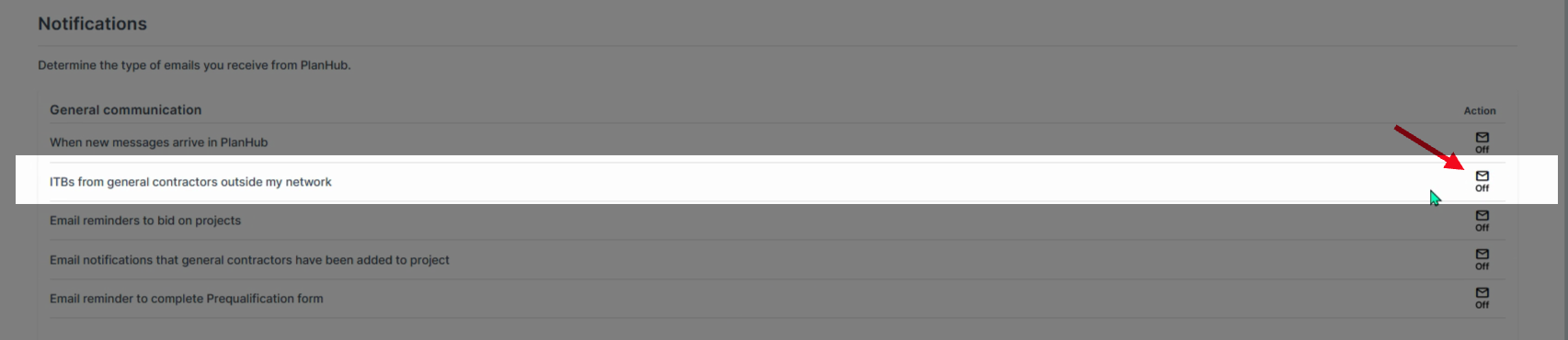
- Toggle the setting on to open up your business to all GCs in the planHub network and not just to those who have listed you on their in-network list. This increases your visibility and gives you access to more bidding opportunities in the platform.

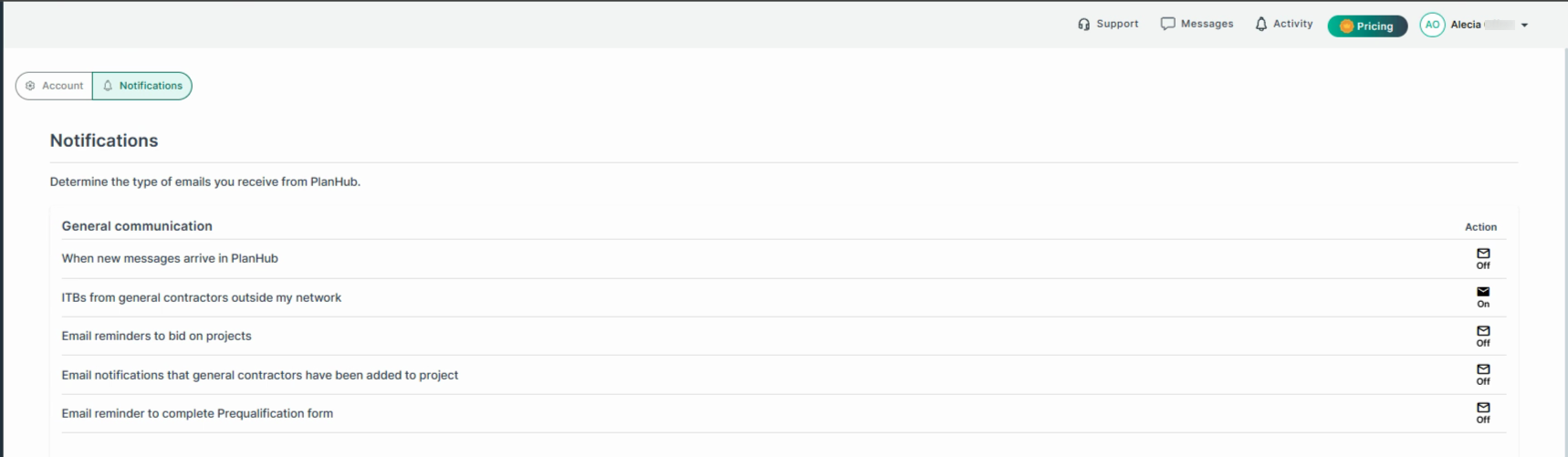
Step 6: If you have a Subcontractor Premier subscription, turning this on means you’ll receive invitations from any GC whose posted projects have matching trades and regions, even if they haven’t specifically added you to their in-network list.
Supplier Pro Accounts: Managing "ITBs from general contractors outside my network" notification setting
Suppliers also have control over their "ITBs from general contractors outside my network" notification settings, similar to subcontractors.
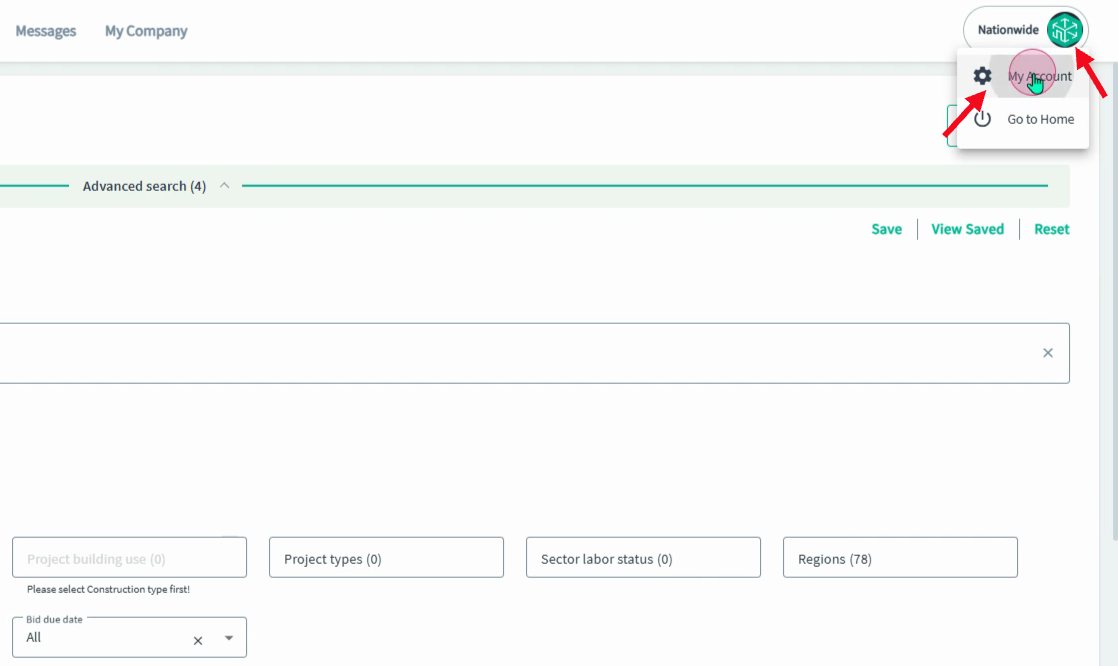
Step 1: Navigate to the upper right corner, click the drop-down menu, and select My Account.
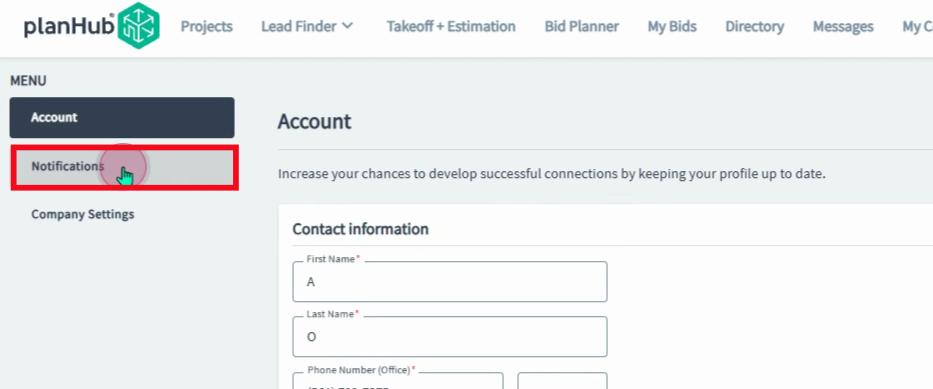
Step 2: Click Notifications in the menu on the left panel.
Step 3: Supplier Pro users, turning off the notification for ITBs from GCs outside your network restricts invitations to only those general contractors who have added you to their in-network list.
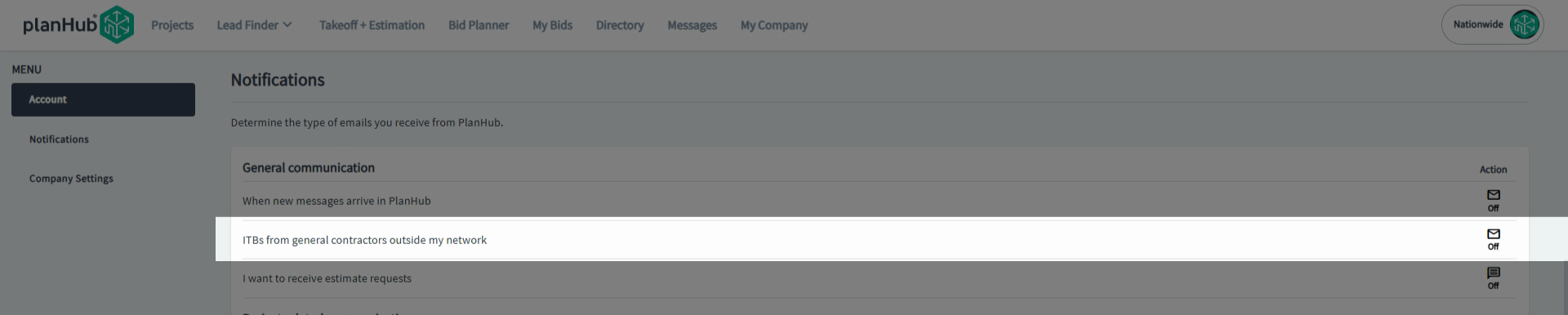
Step 4: Being "in-network" means GCs have added you to their private directory list to view their posted projects.
Choosing the Right Setting for Your Business
Subcontractors / Suppliers:
Toggling ON the "ITBs from general contractors outside my network" setting means:
- More invitations to bid.
- More project opportunities across planHub.
Turning it off:
- Keeps email invites limited to established GC relationships.
The best practice?
Leave the setting ON for maximum exposure, unless you prefer working only with familiar GCs.
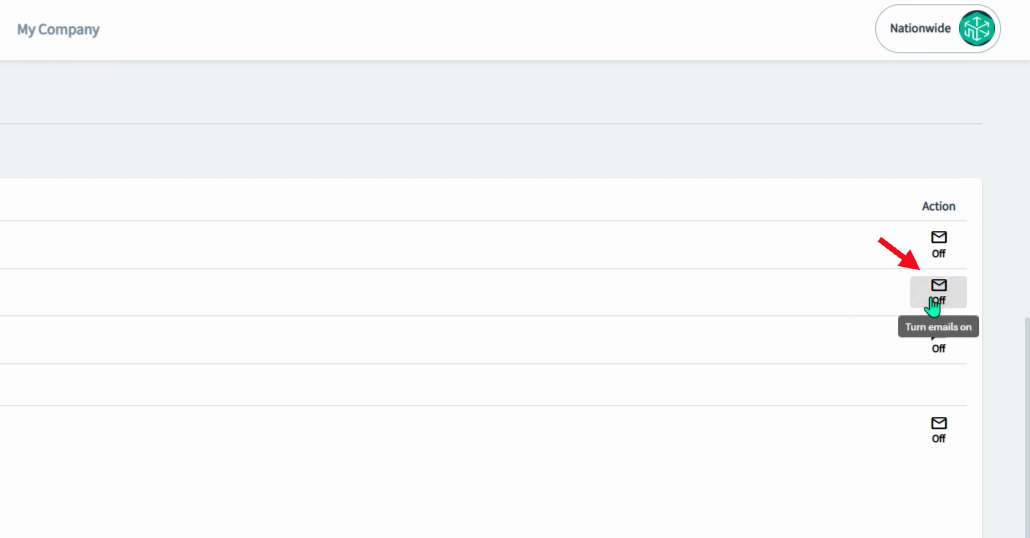
By enabling this notification, you can increase your company's visibility to a wider network of general contractors, helping you build more connections and discover new project opportunities.