![NEW_PlanHub_Logo_Navy.png]](https://knowledgebase.planhub.com/hs-fs/hubfs/Design/PH%20Logos/NEW%202024%20PH%20Logos/NEW_PlanHub_Logo_Navy.png?height=40&name=NEW_PlanHub_Logo_Navy.png)
How to Update your Payment Method on your planHub Subcontractor Subscription
Keeping your billing information current on planHub ensures uninterrupted access to your subcontractor tools and keeps your entire team connected. This tutorial walks you through updating your payment method as an account administrator.
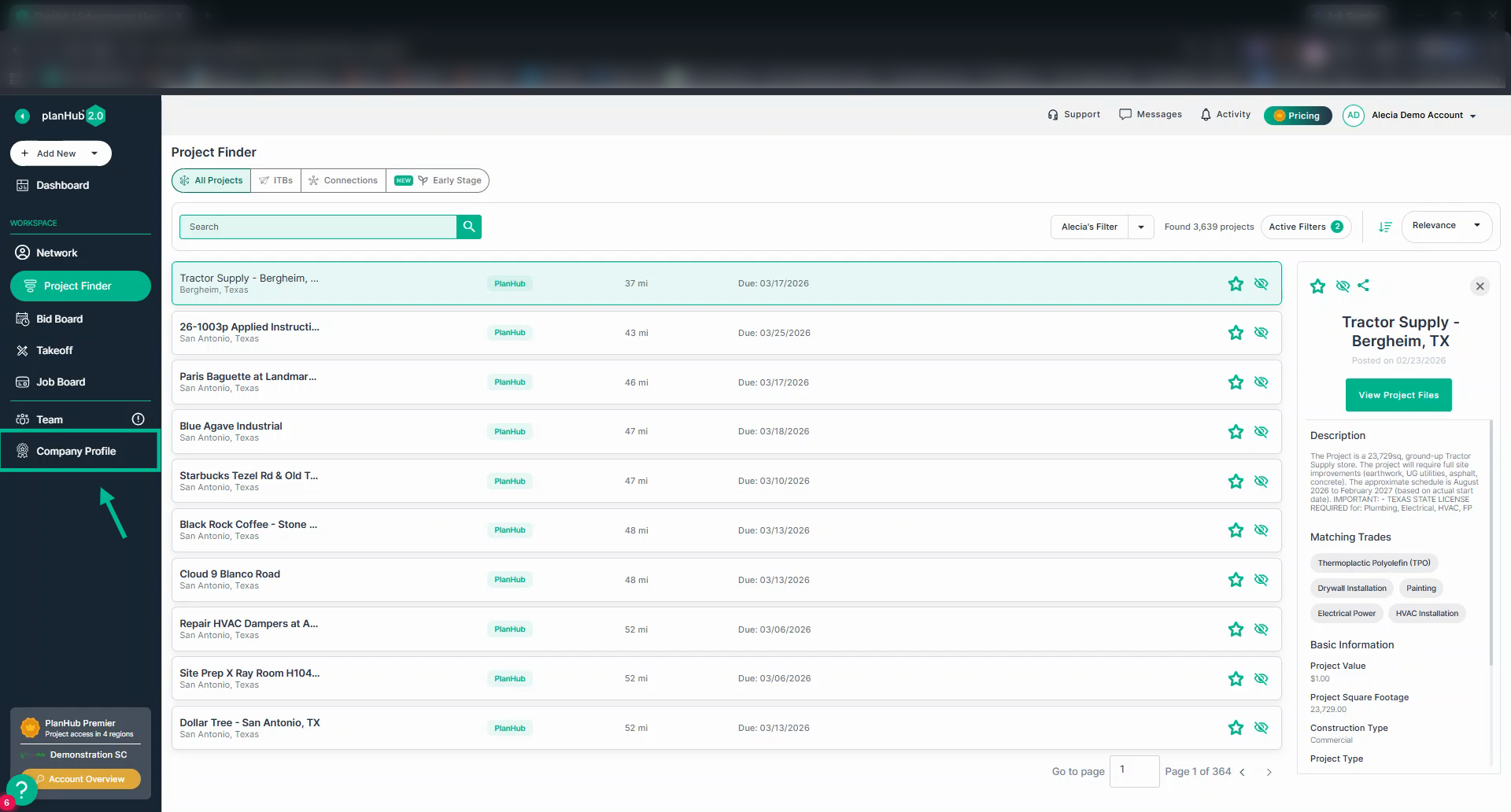
Step 1: Go to the Company Profile from the main panel on the left side of your webpage.
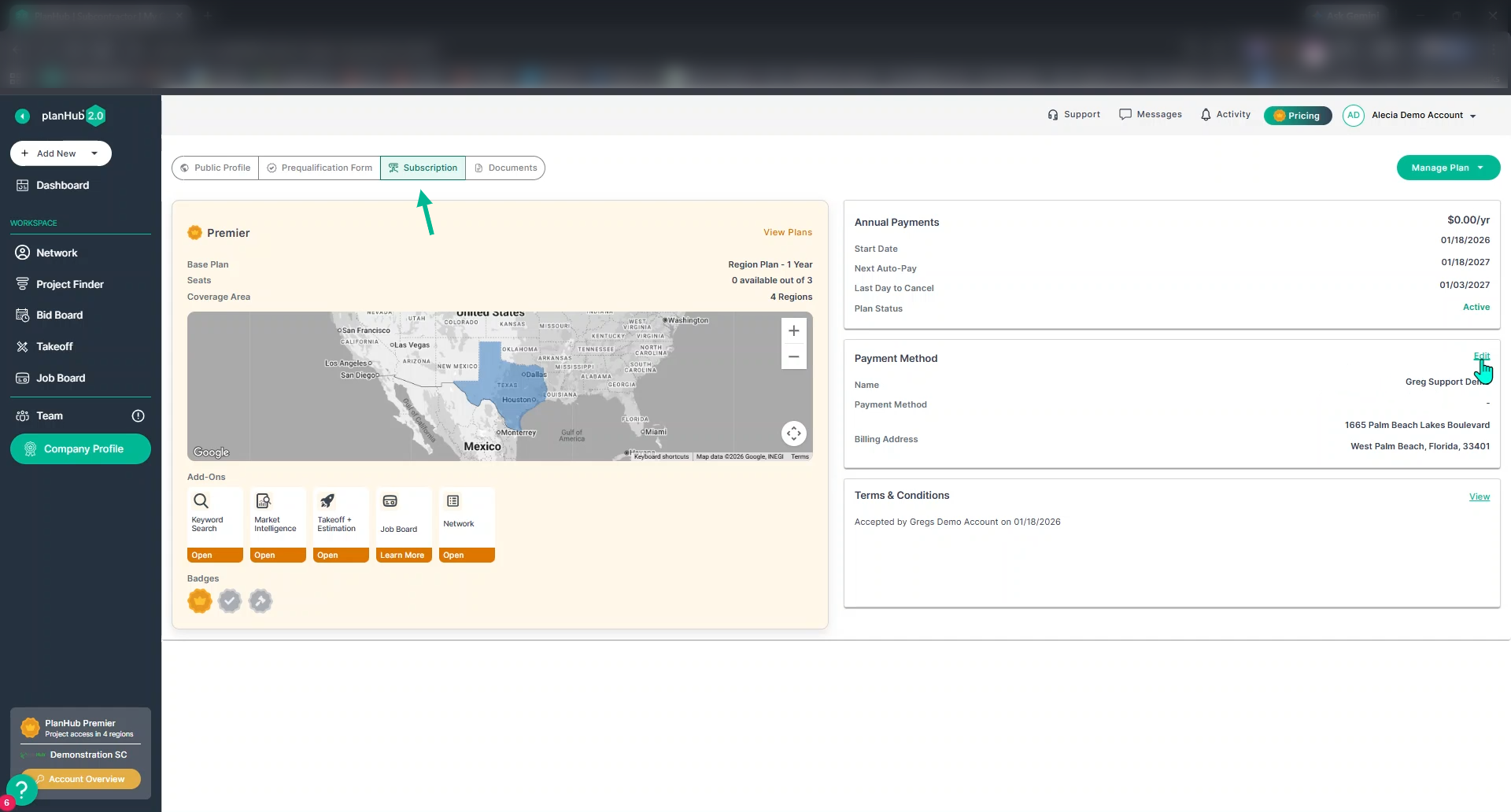
Step 2: At the top of the Company Profile page, click the Subscription tab.
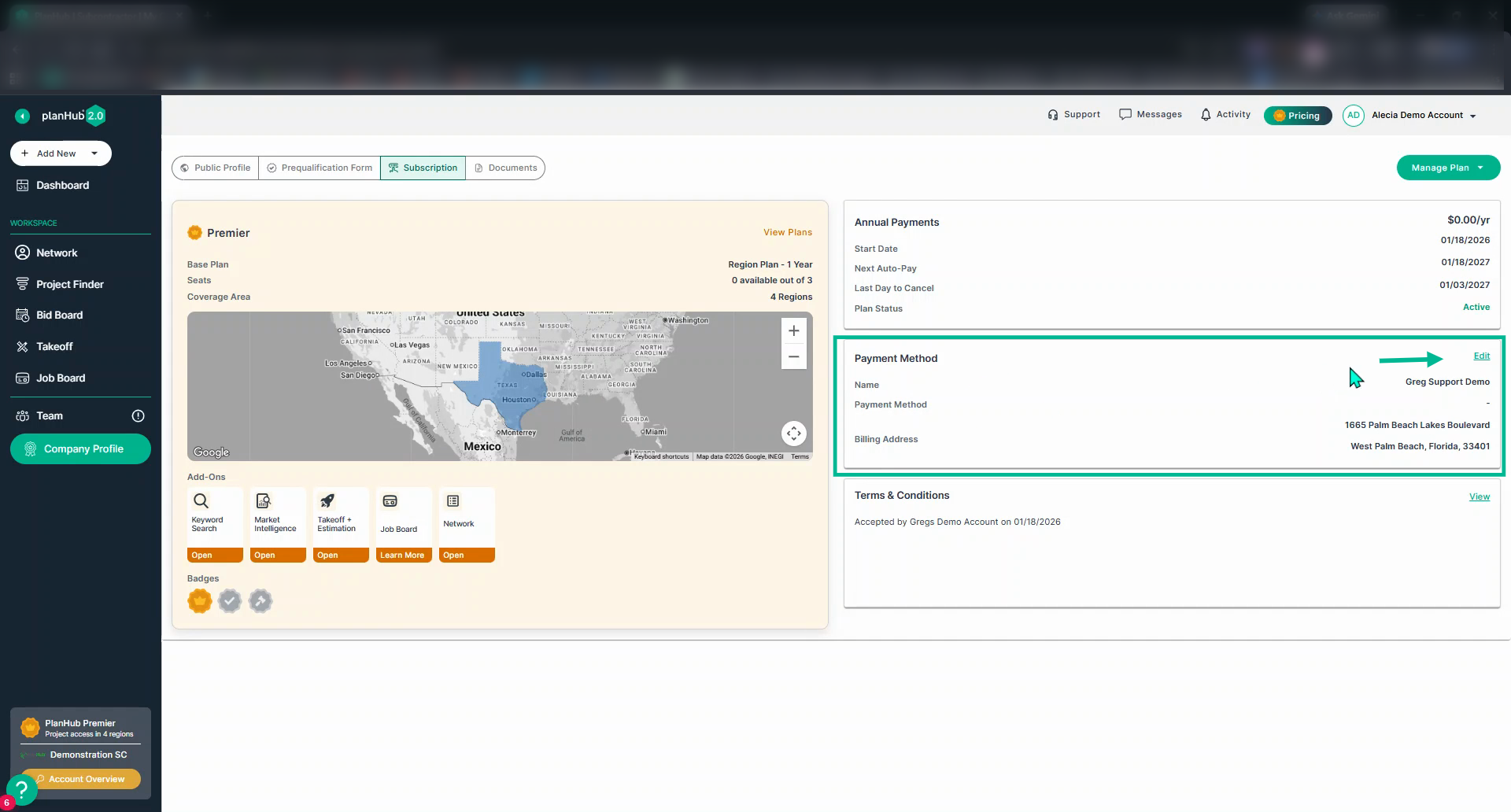
Step 3: In the Payment Method section at the center of the right column, click Edit.
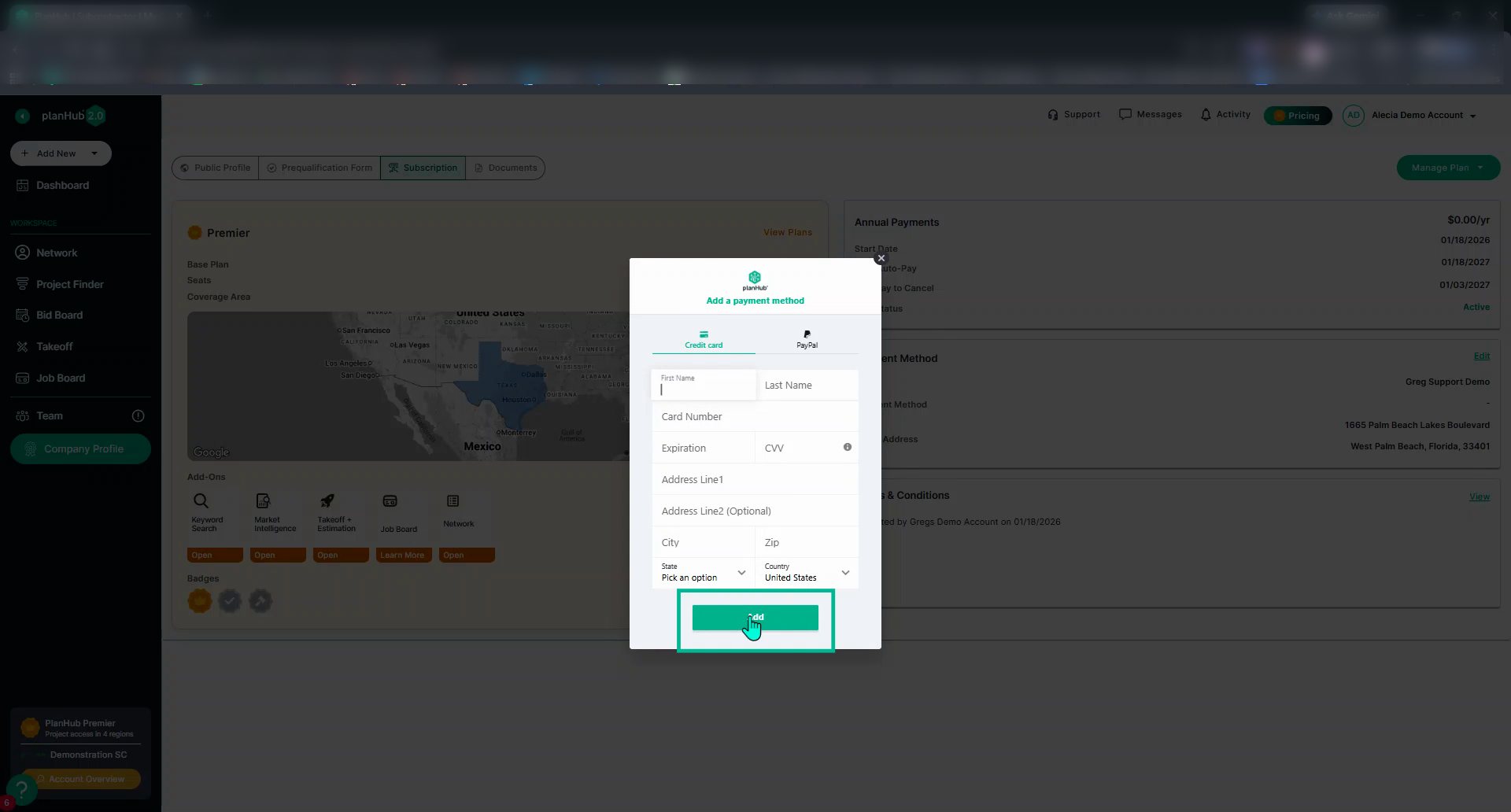
Step 4: A pop-up window appears. Choose your preferred payment option and fill in your new payment details.
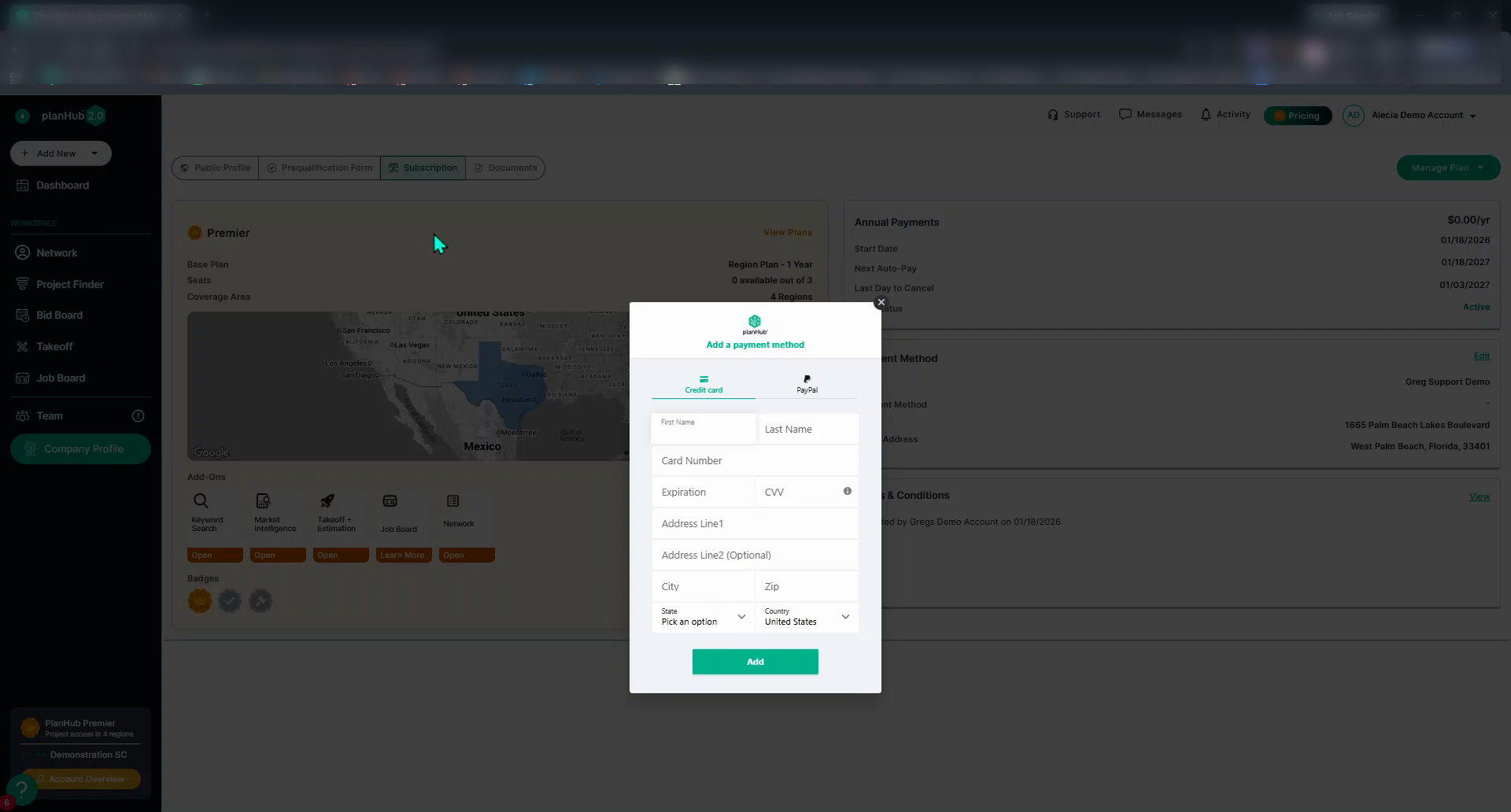
Step 5: Click Add to save your updated payment method. The system will begin processing the payment method with the new billing information.
Keeping your payment details current ensures seamless service and continuous access for all your team members.
Troubleshooting
Contact us if you need assistance or to report an issue:
- PlanHub Contact Page: https://planhub.com/contact/
- Customer Facing Support Ticket Link: https://knowledgebase.planhub.com/knowledge/kb-tickets/new