![NEW_PlanHub_Logo_Navy.png]](https://knowledgebase.planhub.com/hs-fs/hubfs/Design/PH%20Logos/NEW%202024%20PH%20Logos/NEW_PlanHub_Logo_Navy.png?height=40&name=NEW_PlanHub_Logo_Navy.png)
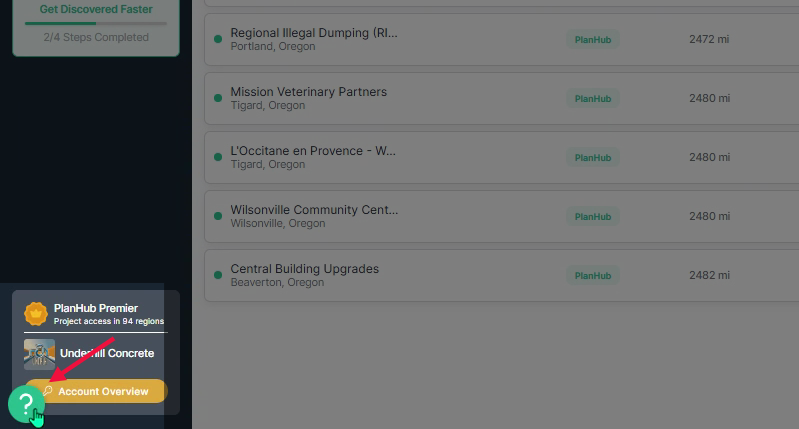
Step 1: Log into your subcontractor account and view the bottom left corner of your account page. Click the question mark icon.
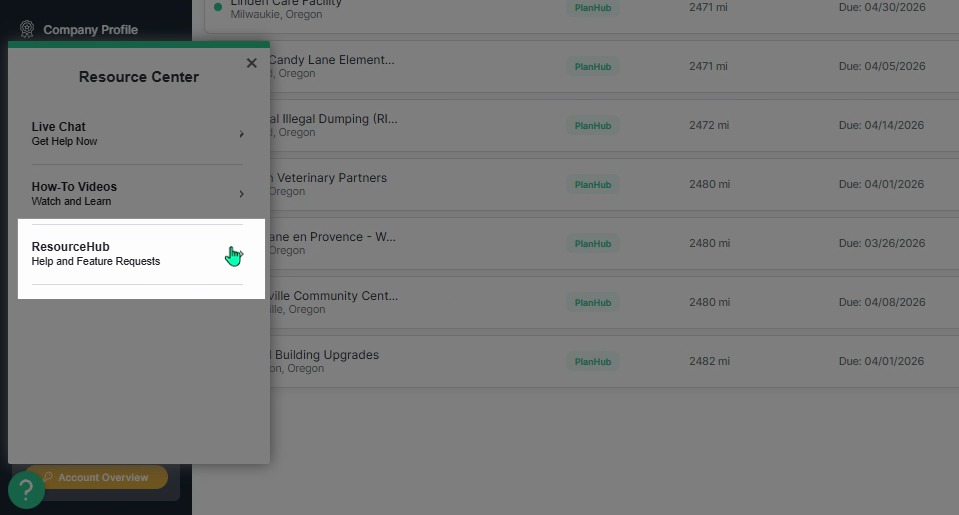
Step 2: In the Resource Center pop-up menu, select Resource Hub.
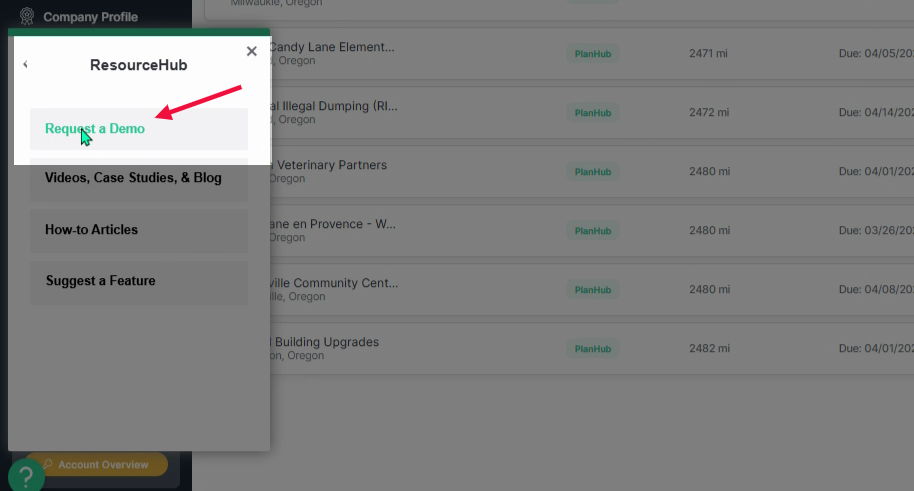
Step 3: In the ResourceHub menu, click Request a Demo at the top of the list.
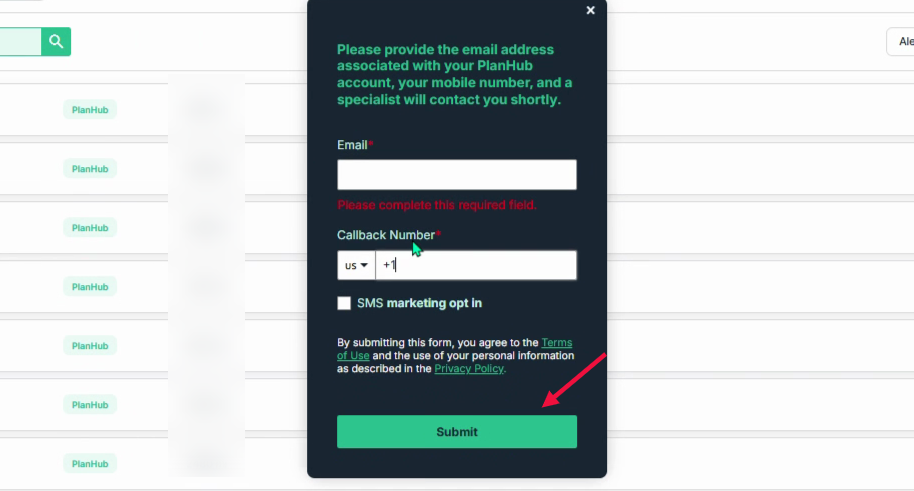
Step 4: When the pop-up window appears, enter your email address and a callback number.
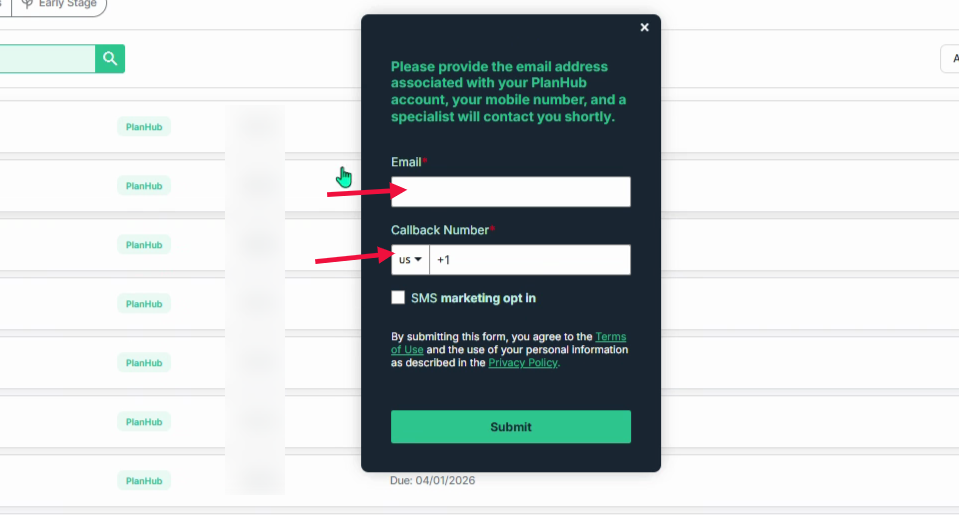
Step 5: Click Submit to finish your demo request. Our team will reach out to schedule a convenient time and guide you through the platform, ensuring you get the most out of your experience.
Requesting a demo is a straightforward way to get support and see platform features in action. Use this feature whenever you want expert guidance tailored to your needs.
Troubleshooting
Contact us if you need assistance or to report an issue:
- PlanHub Contact Page: https://planhub.com/contact/
- Customer Facing Support Ticket Link: https://knowledgebase.planhub.com/knowledge/kb-tickets/new