![NEW_PlanHub_Logo_Navy.png]](https://knowledgebase.planhub.com/hs-fs/hubfs/Design/PH%20Logos/NEW%202024%20PH%20Logos/NEW_PlanHub_Logo_Navy.png?height=40&name=NEW_PlanHub_Logo_Navy.png)
How Suppliers Can Submit a Bid and Share an Estimate
Efficiently submit bids and share estimates directly within your planHub account. Following these steps helps streamline your bidding process, and improve communication with project stakeholders-helping you stay organized and maximizing your opportunities on planHub.
Step 1: Navigate to the Projects page by clicking the projects tab in the main panel at the top.
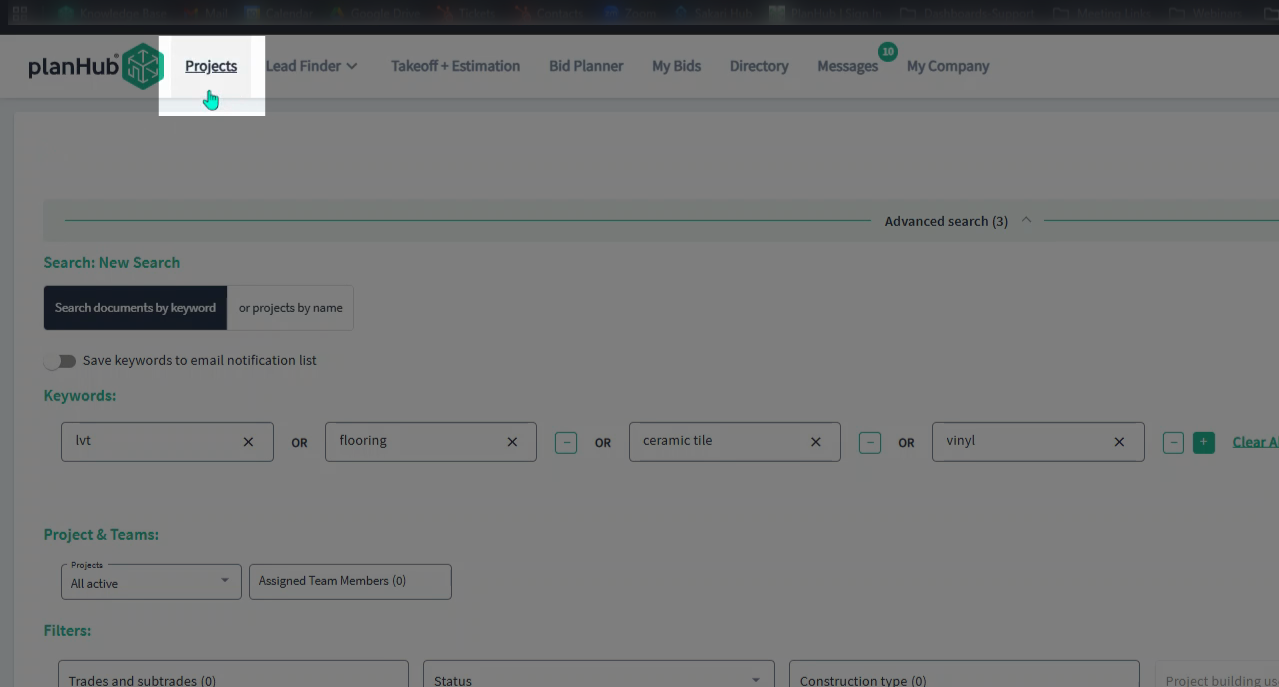
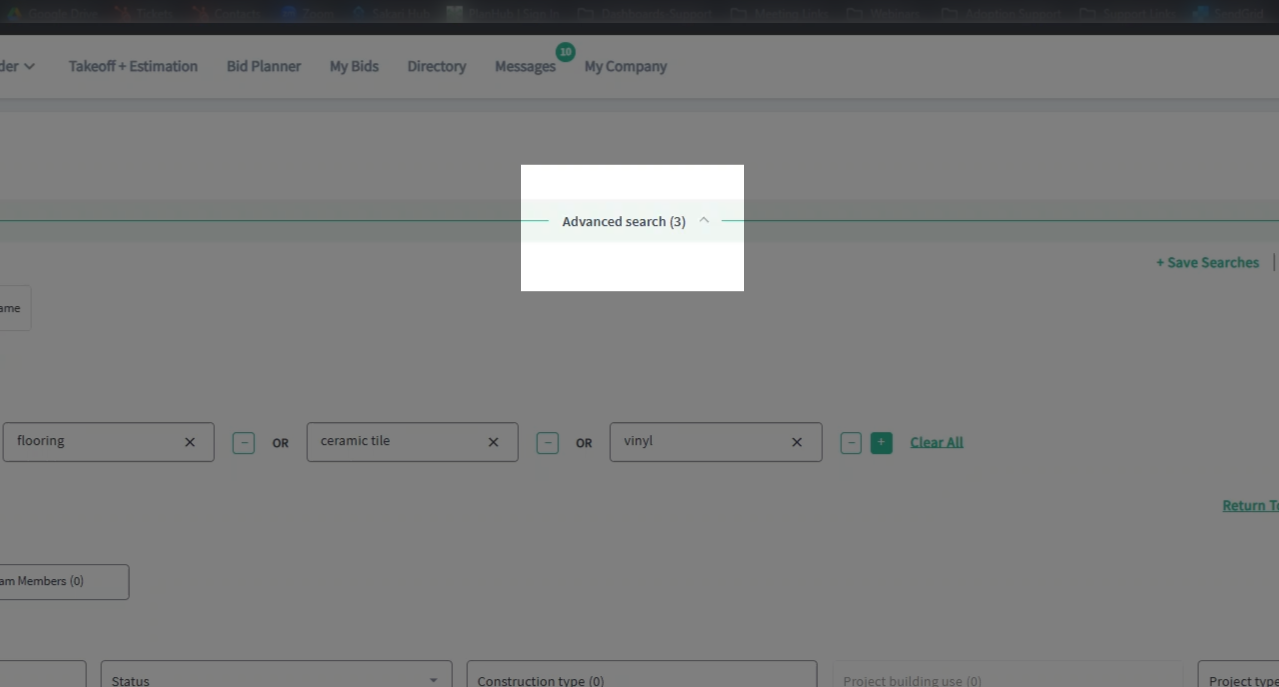
Step 2: Scroll to the Advanced Search section.
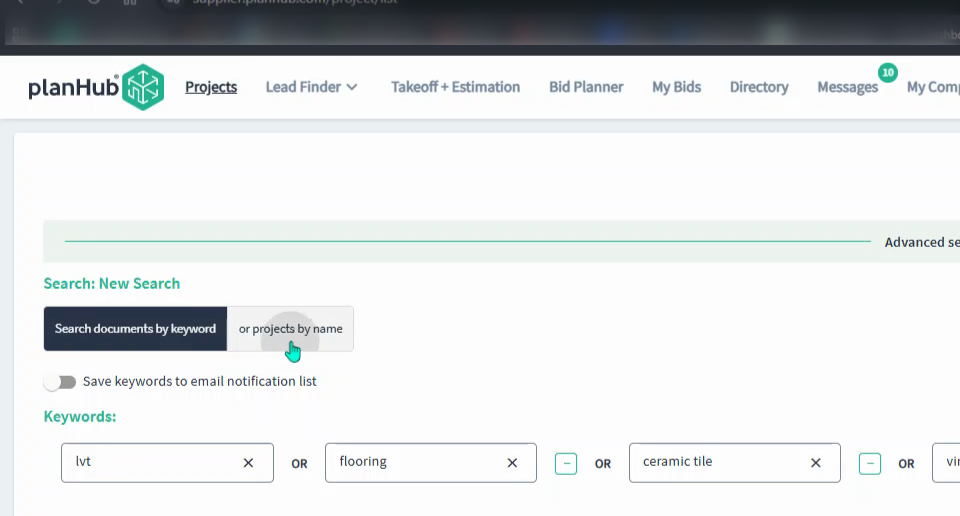
Step 3: Select the Projects by Name option.
Step 4: Type the project name in the Keyword Search bar and press Enter or select the magnifying glass to search.
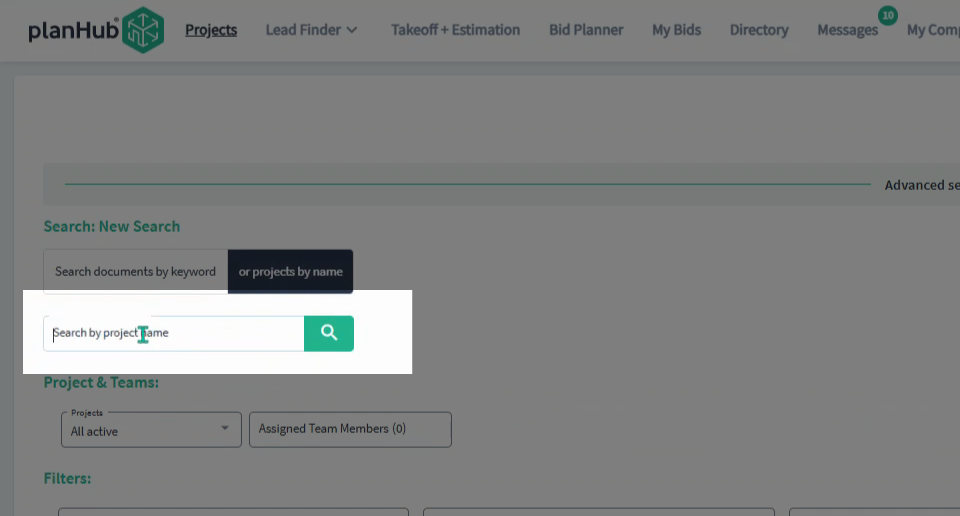
Step 5: Browse the projects list to find your project.
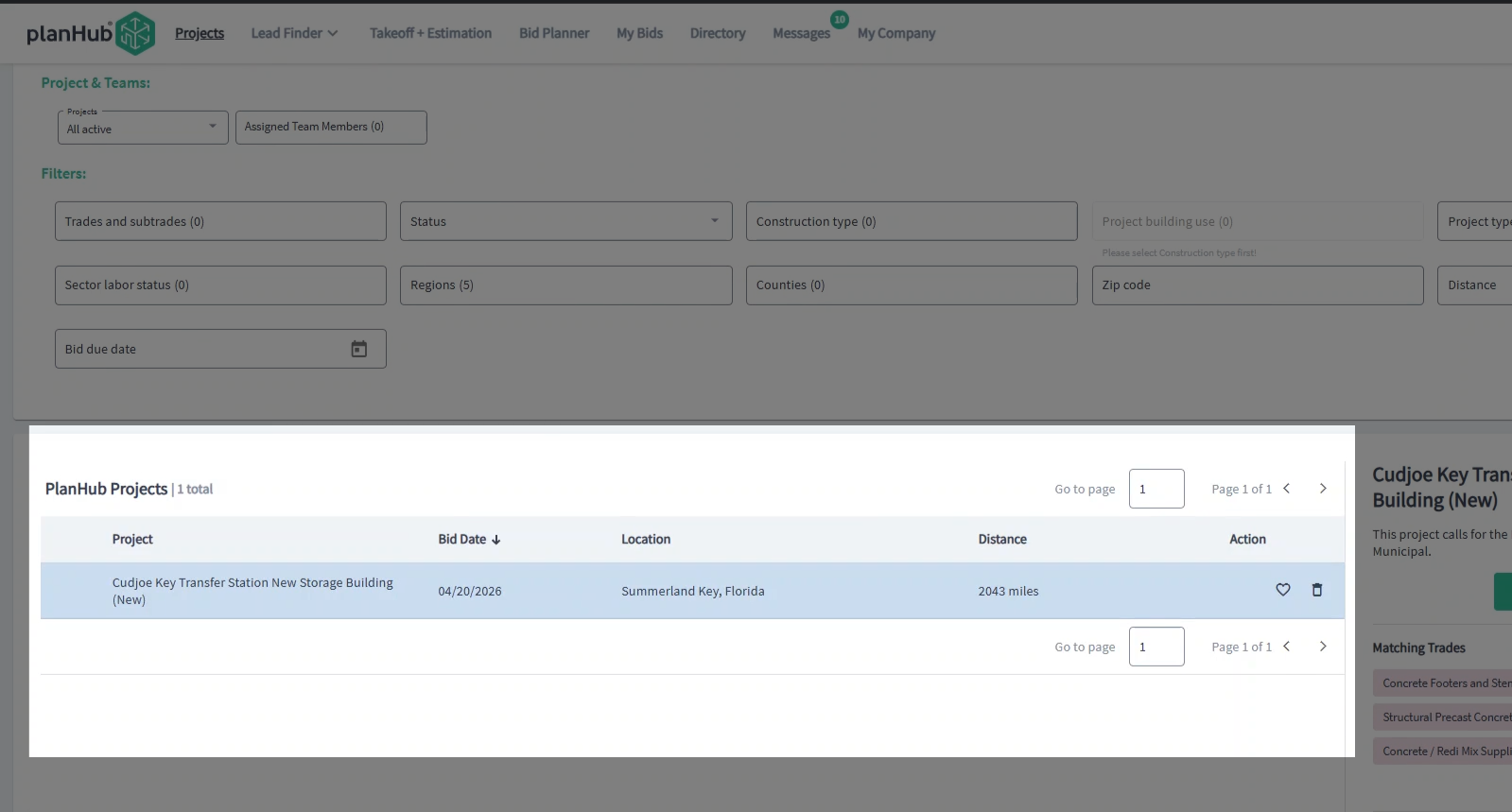
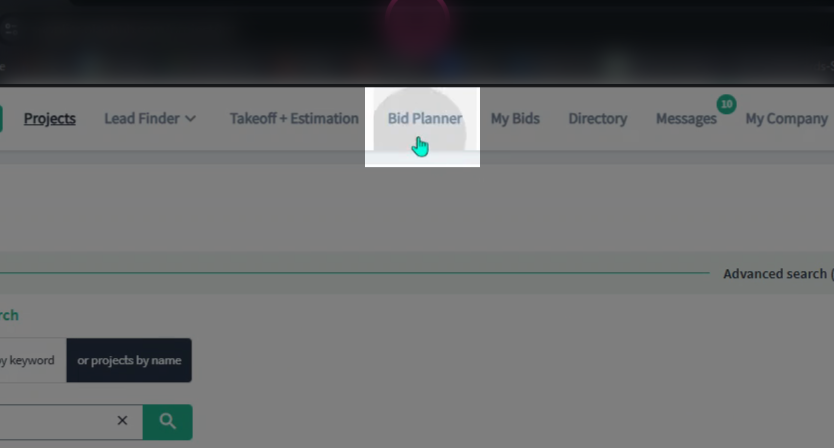
Step 6: You can also access saved projects in the Bid Planner. Click the Bid Planner tab in the main panel at the top of the page.
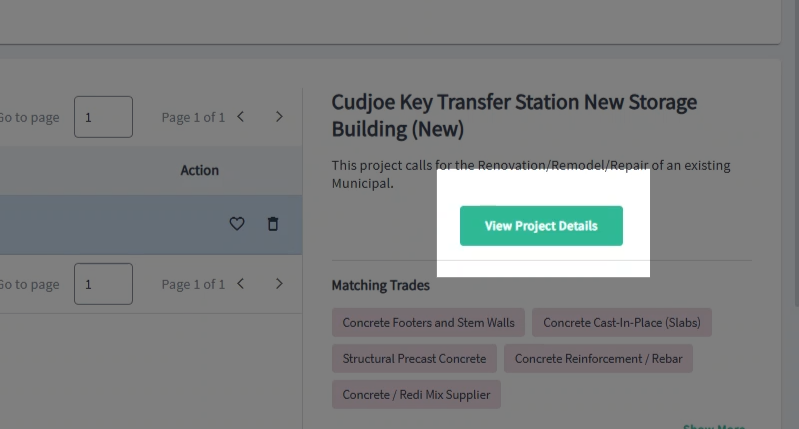
Step 7: Click the desired project and select View Project Details.
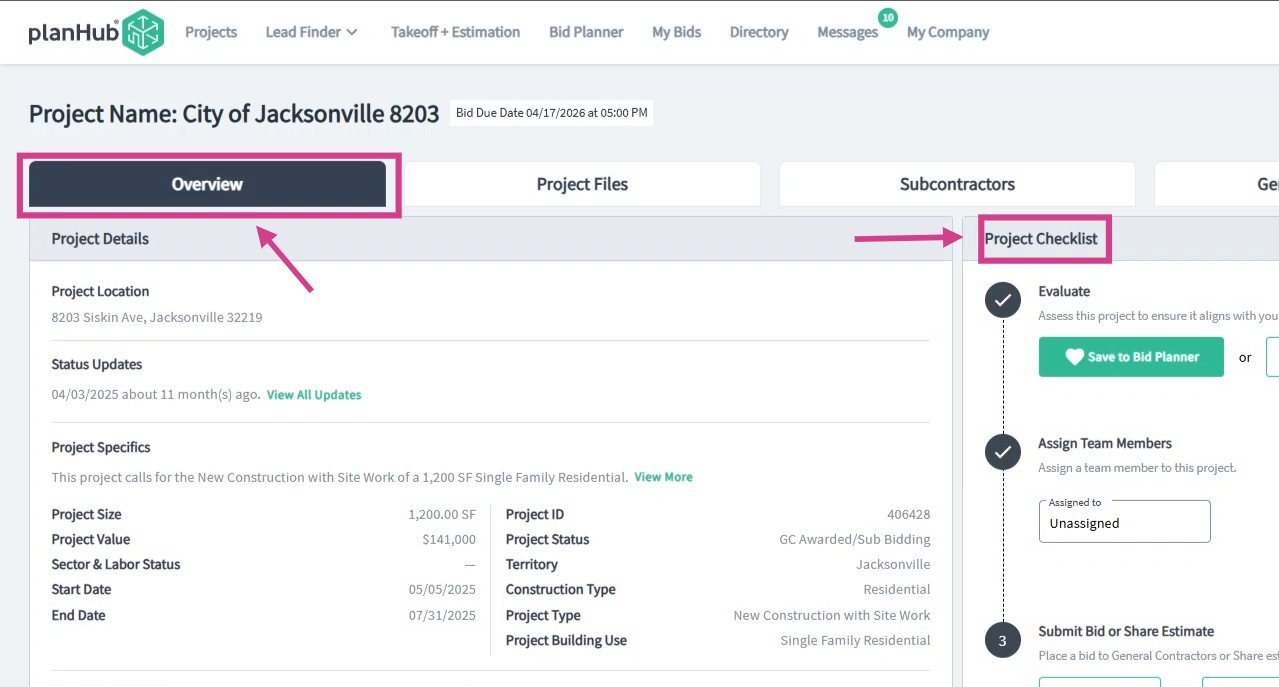
Step 8: Under the Overview tab, locate the Project Checklist.
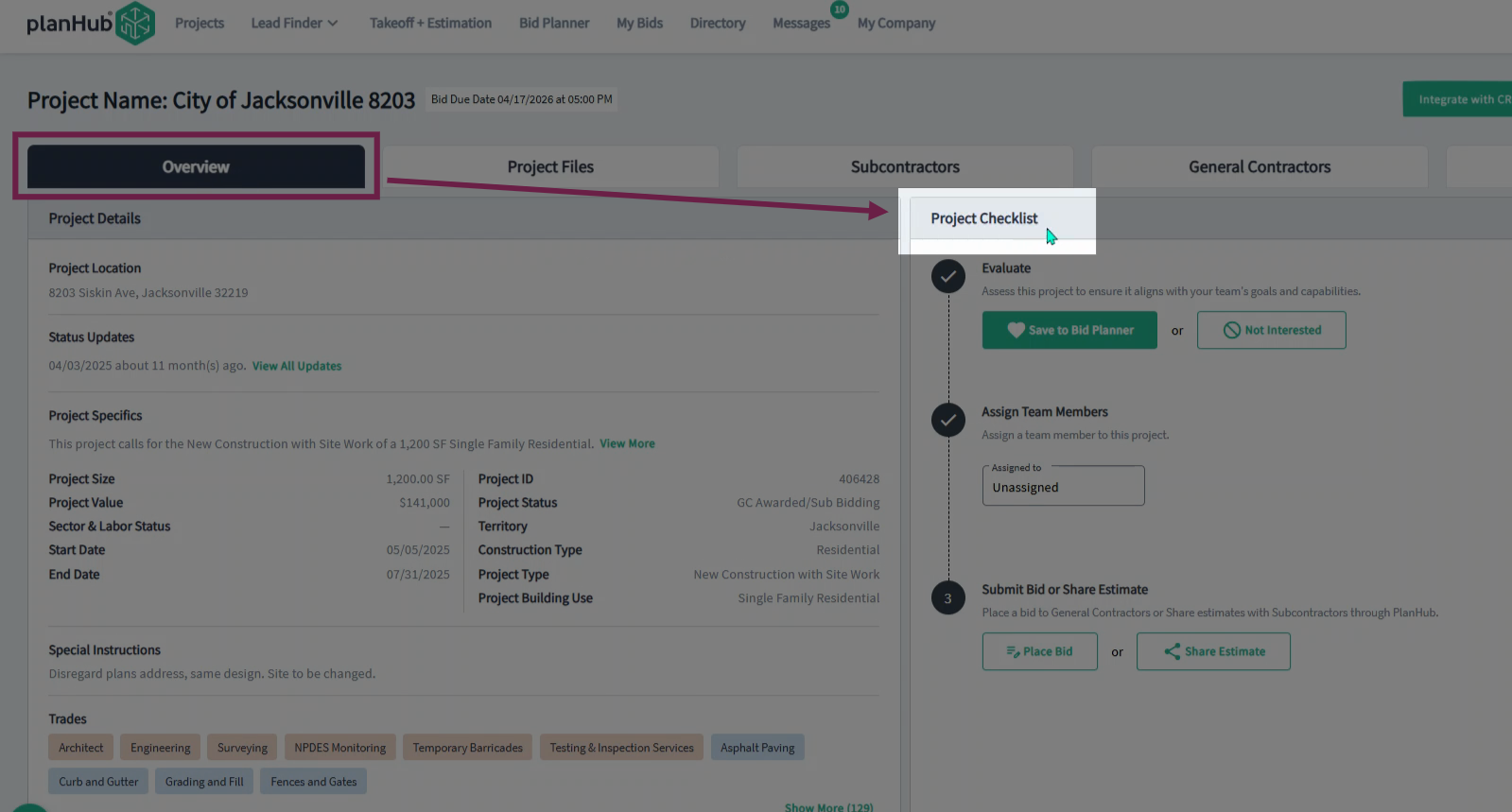
Step 9: Under Step 3 of the checklist, click Place Bid.
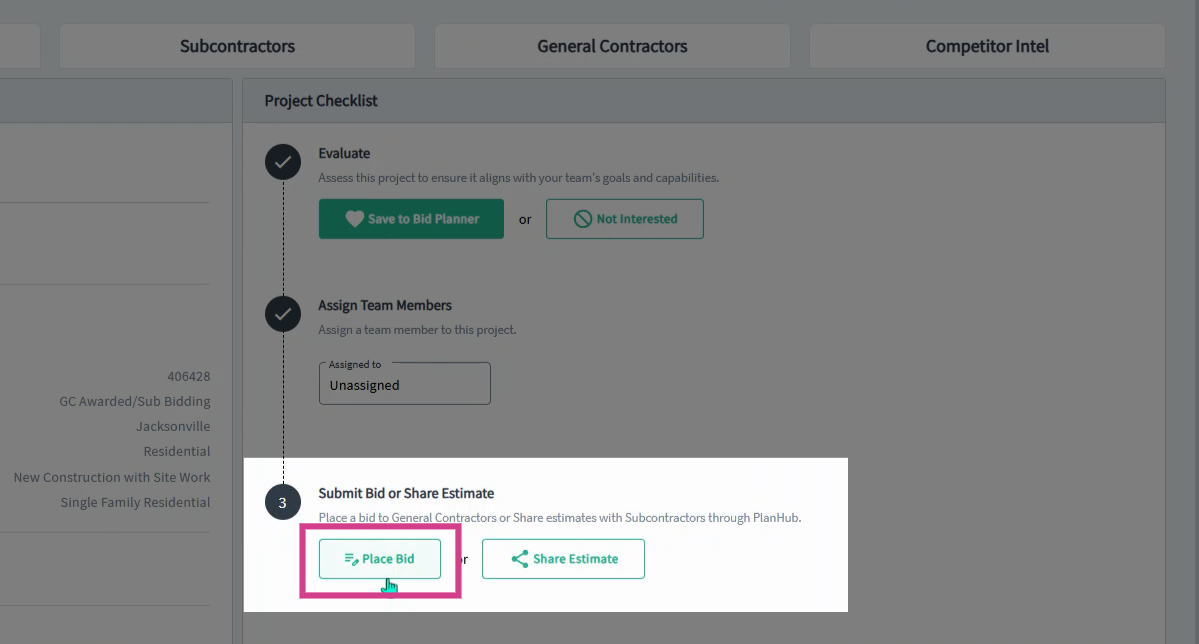
Step 10: You’ll be taken to the General Contractors tab. Review the general contractor's details in the company card.
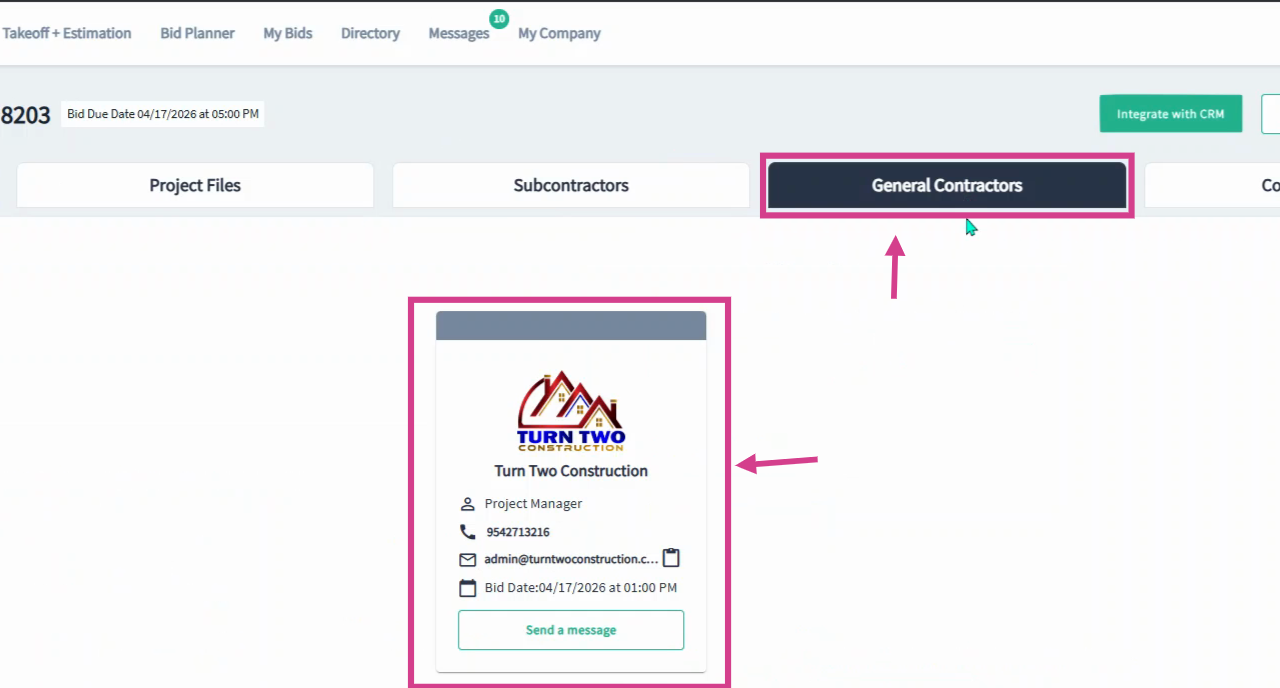
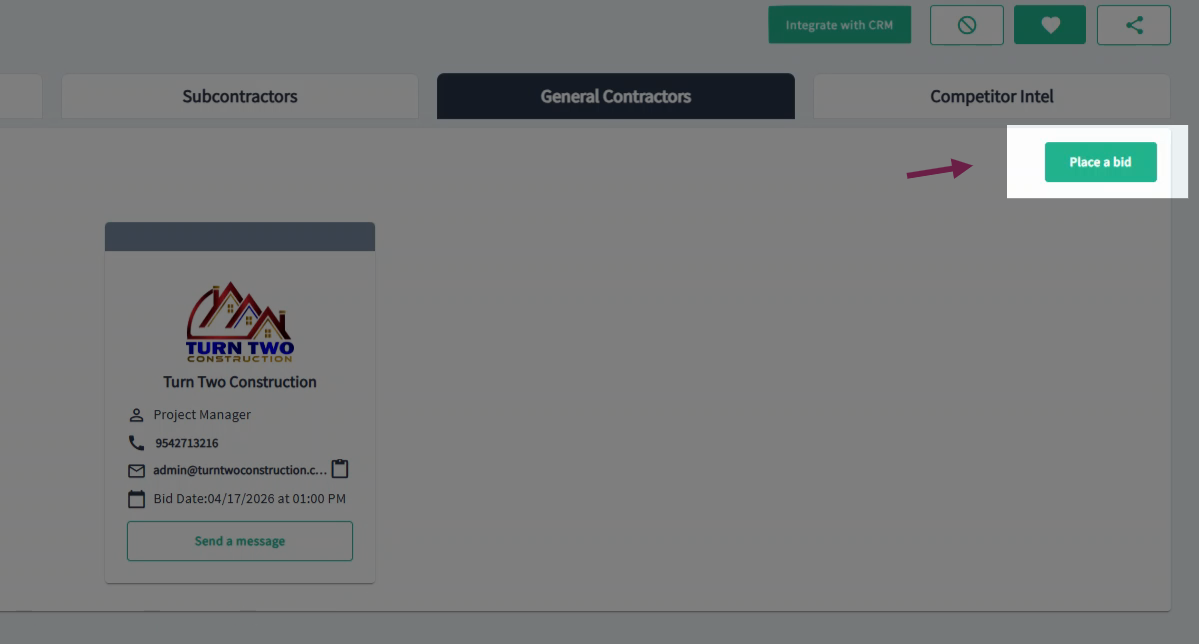
Step 11: Click Place a Bid in the top right corner when you are ready to submit your bid to the general contractors.
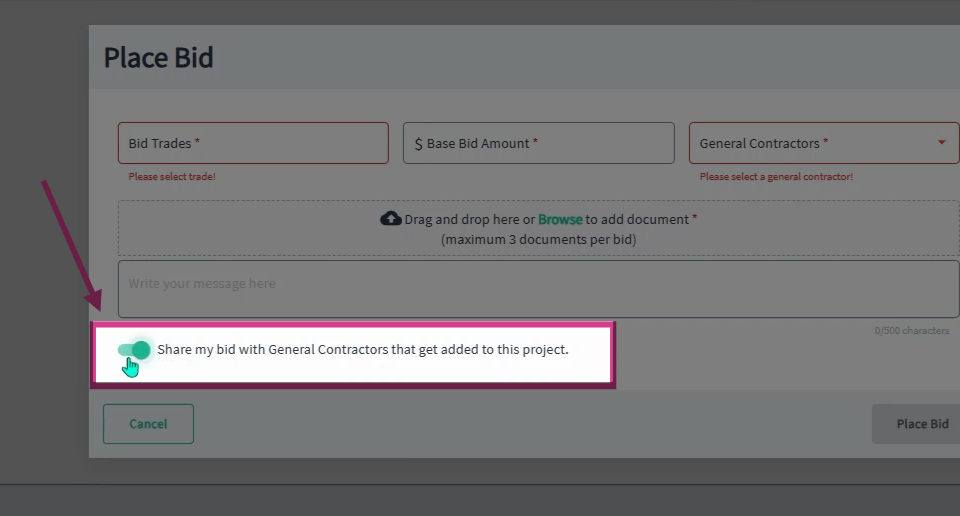
Step 12: Fill in the required fields in the popup window: enter the trade, base bid amount, and select the general contractors. Upload your bid documents and type a message to the General Contractors.
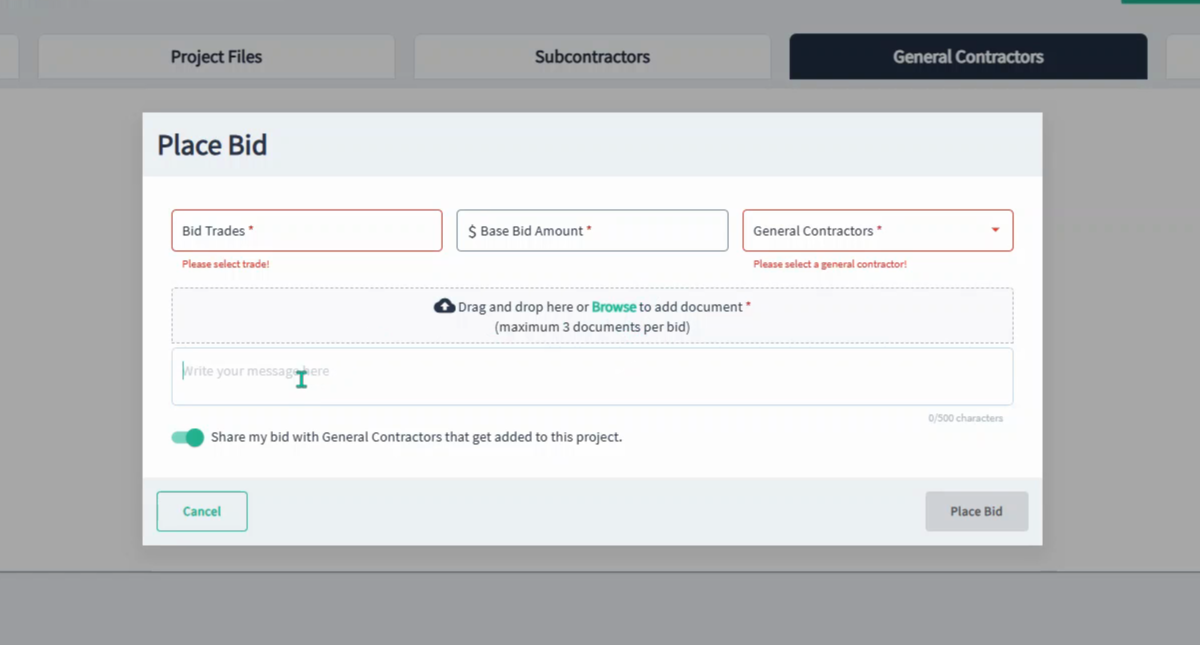
Step 13: To share your bid with general contractors who are added to the project before the bid due date, toggle the Share My Bid with General Contractors that get added to this project in the "on" position.
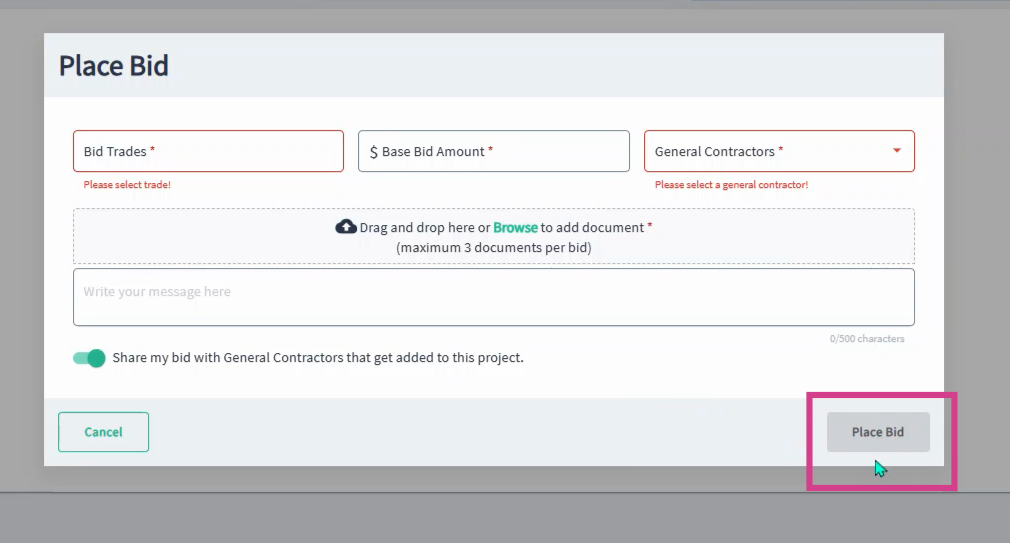
Step 14: Once all of the information is entered, click Place Bid (button will be green in color) in the bottom right corner to submit.
Sharing an Estimate
Step 1: Go to the Overview tab on the project details page. On the right, locate the Project Checklist.
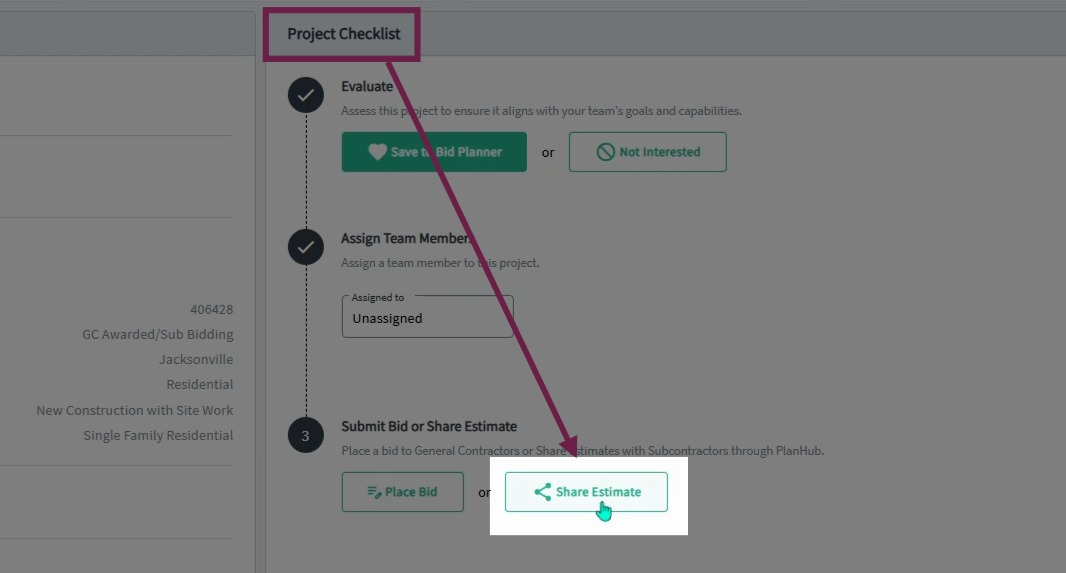
Step 2: Under Step 3, click Share Estimate.
Step 3: You’ll be directed to the Subcontractors tab. See the list of all subcontractors who have interacted with the project.
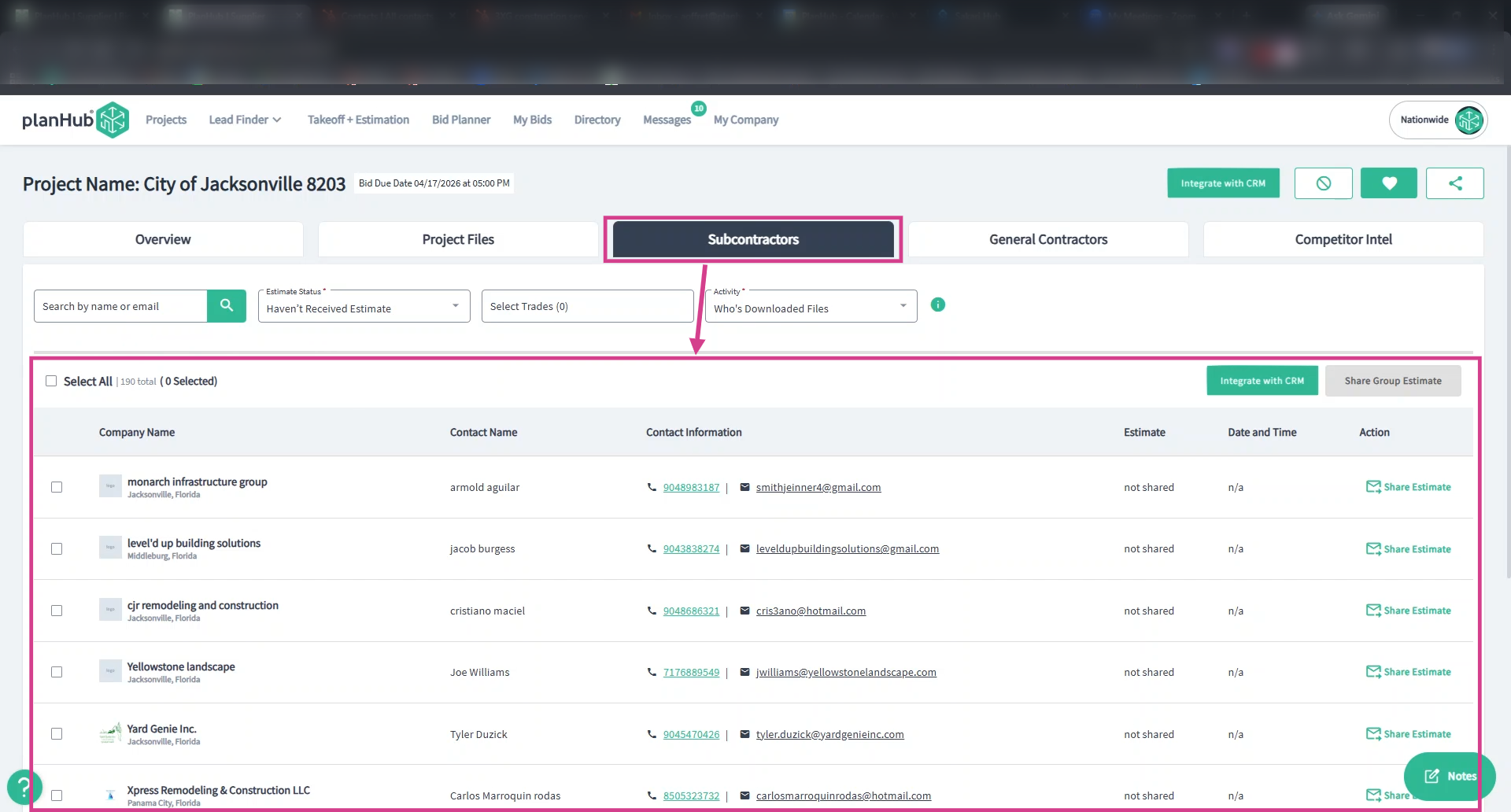
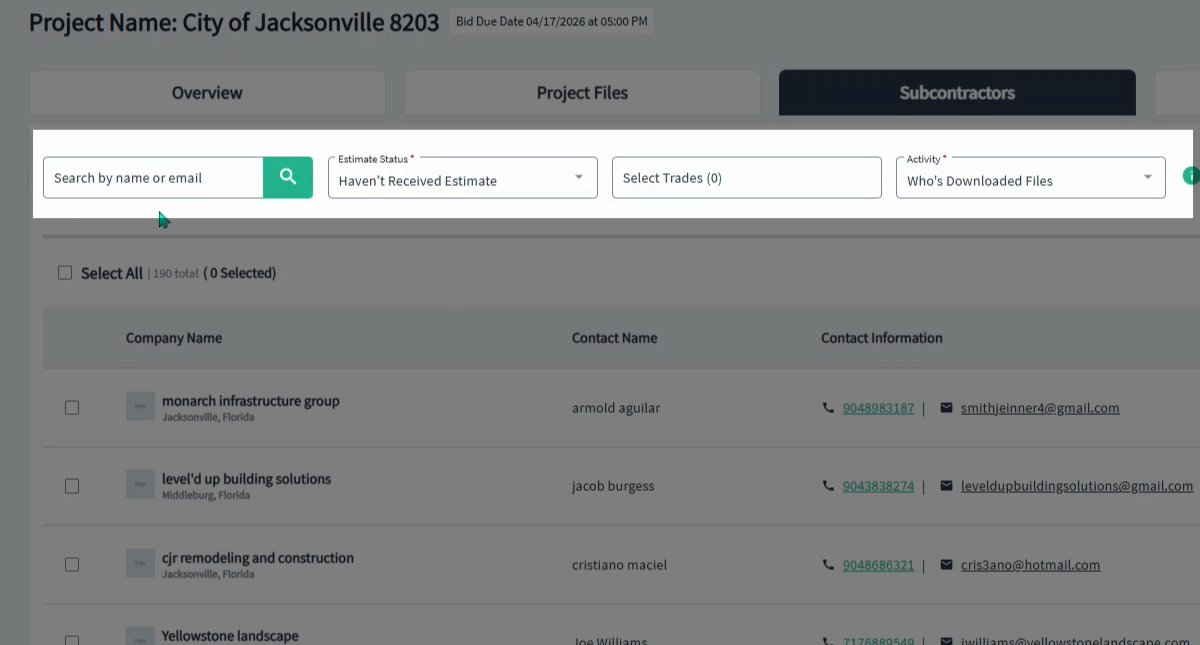
Step 4: Use the filters or search subcontractors by name or email to narrow the list results further.
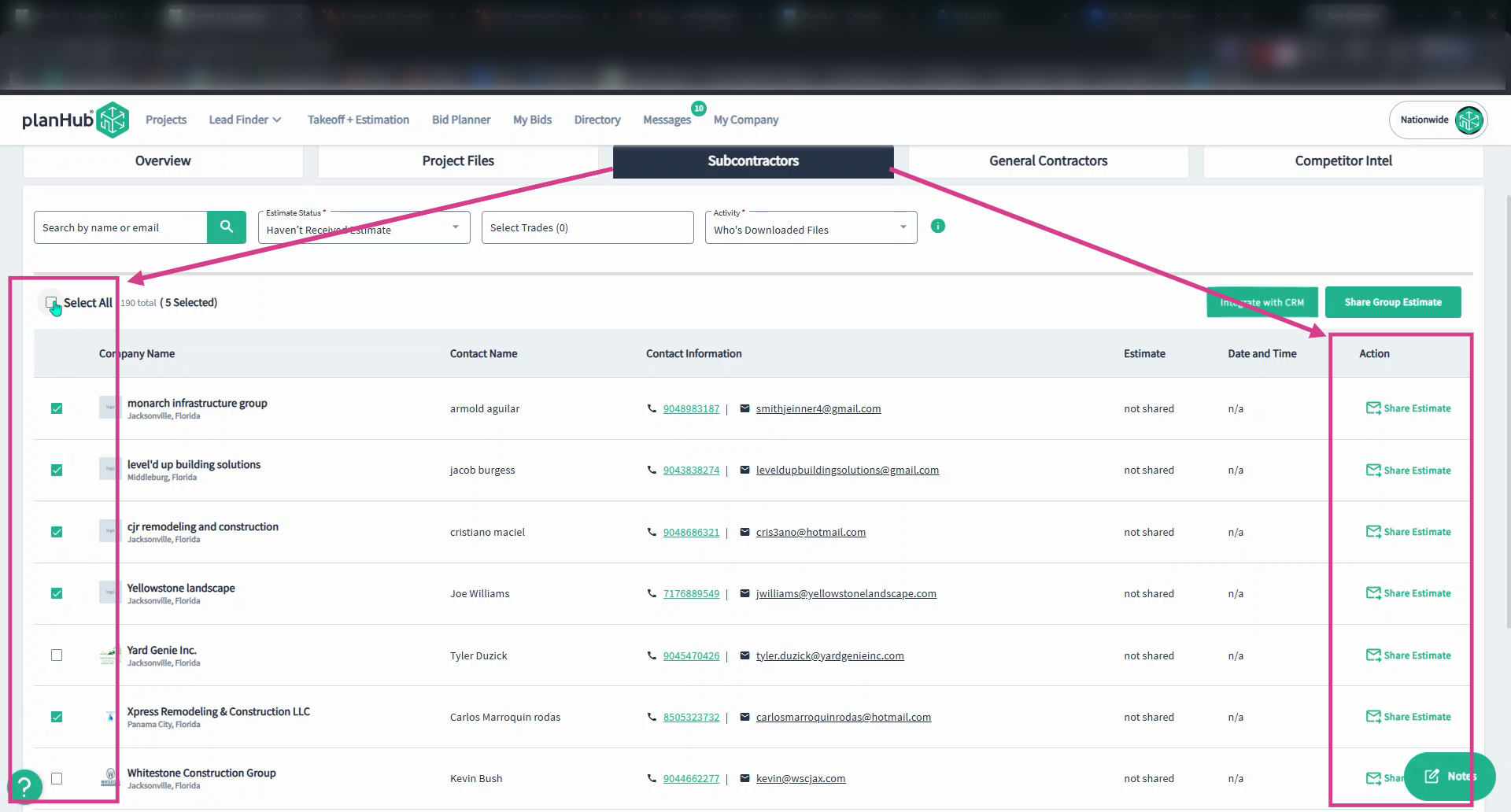
Step 5: In the list, use the action column to share an estimate with a specific subcontractor. Click Share Estimate at the end of the row. For multiple recipients, check the boxes beside each company name or select all at the top of the list.
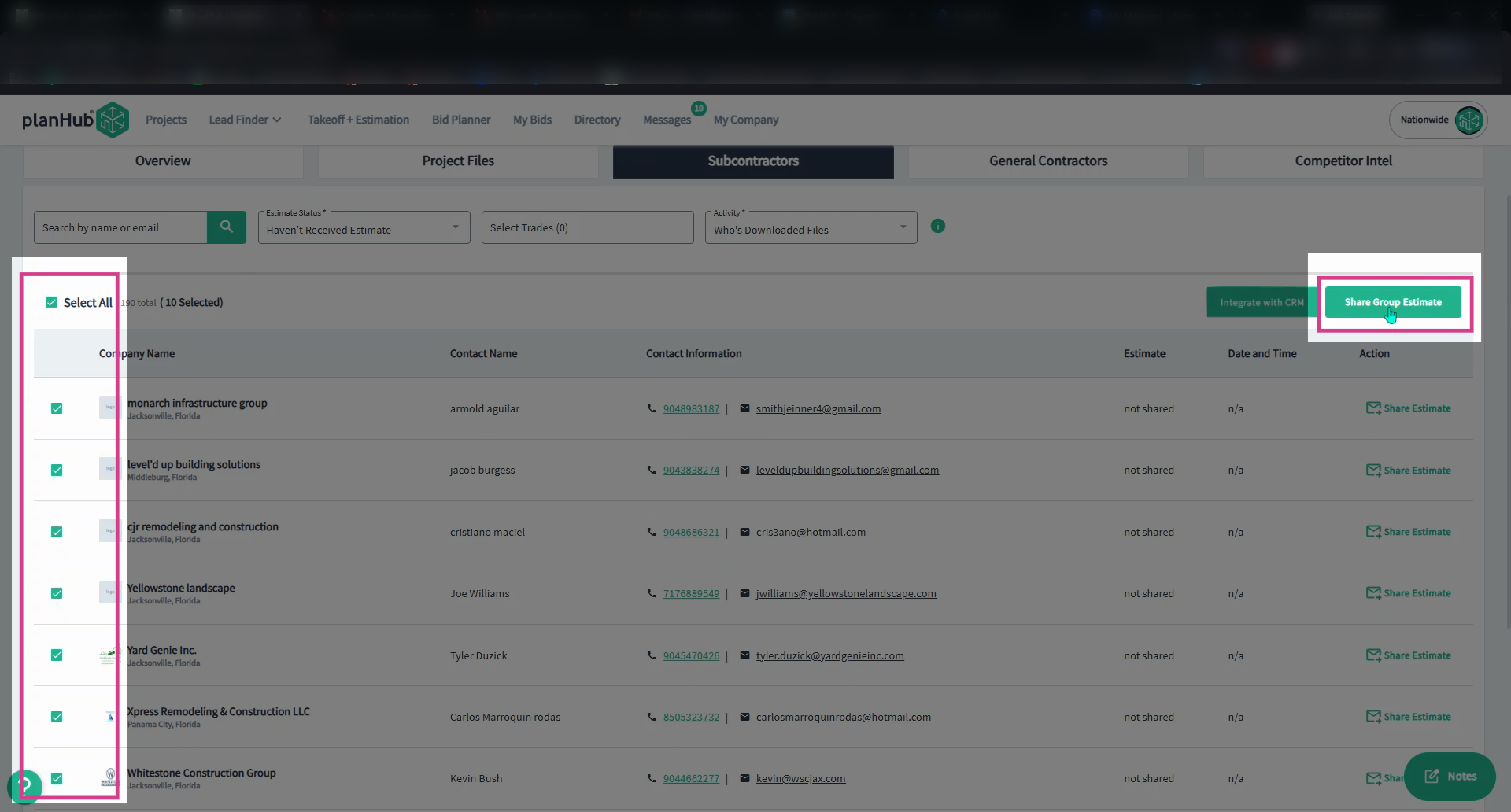
Step 6: With recipients selected, click Share Group Estimate above the list on the right side.
Step 7: In the pop-up window, browse and upload your estimate documents, then type in your message.
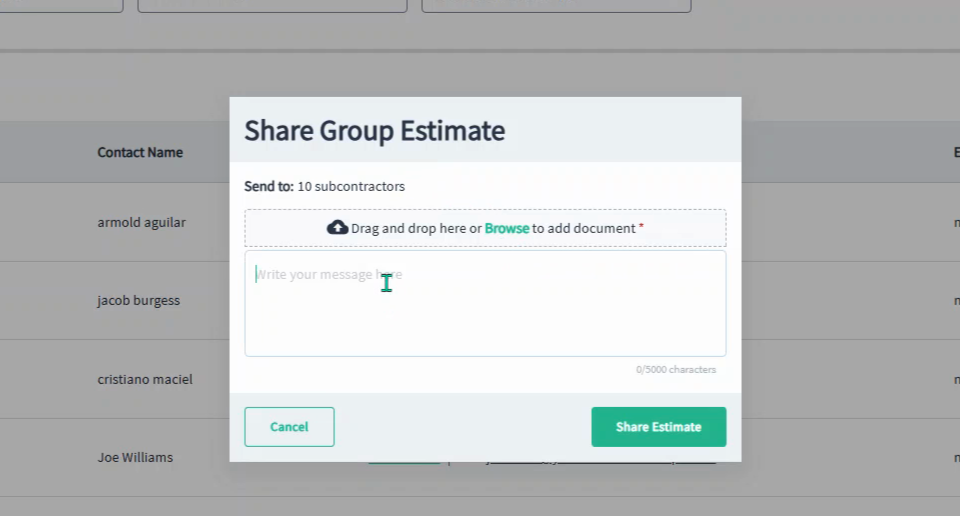
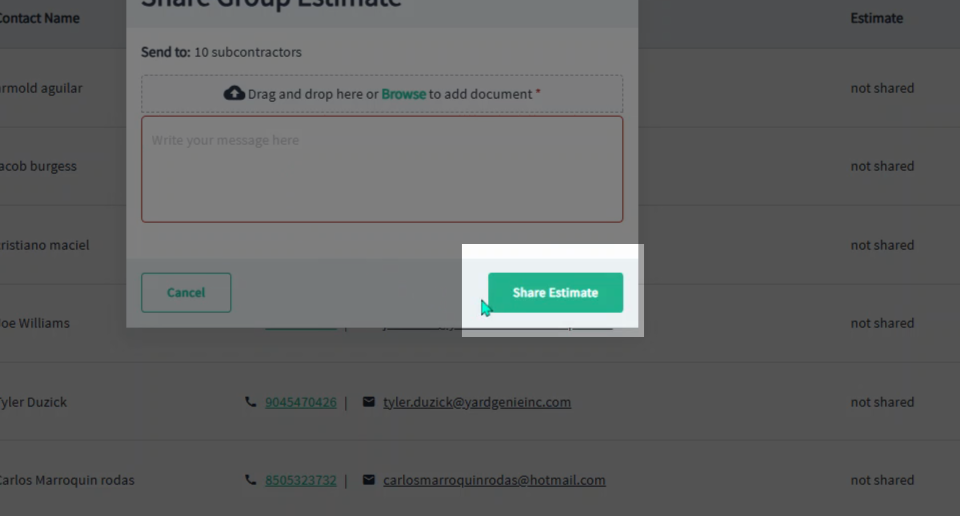
Step 8: Click Share Estimate to send.
Using these tools streamlines your bidding process, improves communication with project stakeholders, and helps ensure your bids and estimates are delivered accurately and on time which allows you to stay organized and take maximum advantage of available opportunities.
Troubleshooting
Contact us if you need assistance or to report an issue:
- PlanHub Contact Page: https://planhub.com/contact/
- Customer Facing Support Ticket Link: https://knowledgebase.planhub.com/knowledge/kb-tickets/new
- Customer Success Team: CustomerSuccess@planhub.com