![NEW_PlanHub_Logo_Navy.png]](https://knowledgebase.planhub.com/hs-fs/hubfs/Design/PH%20Logos/NEW%202024%20PH%20Logos/NEW_PlanHub_Logo_Navy.png?height=40&name=NEW_PlanHub_Logo_Navy.png)
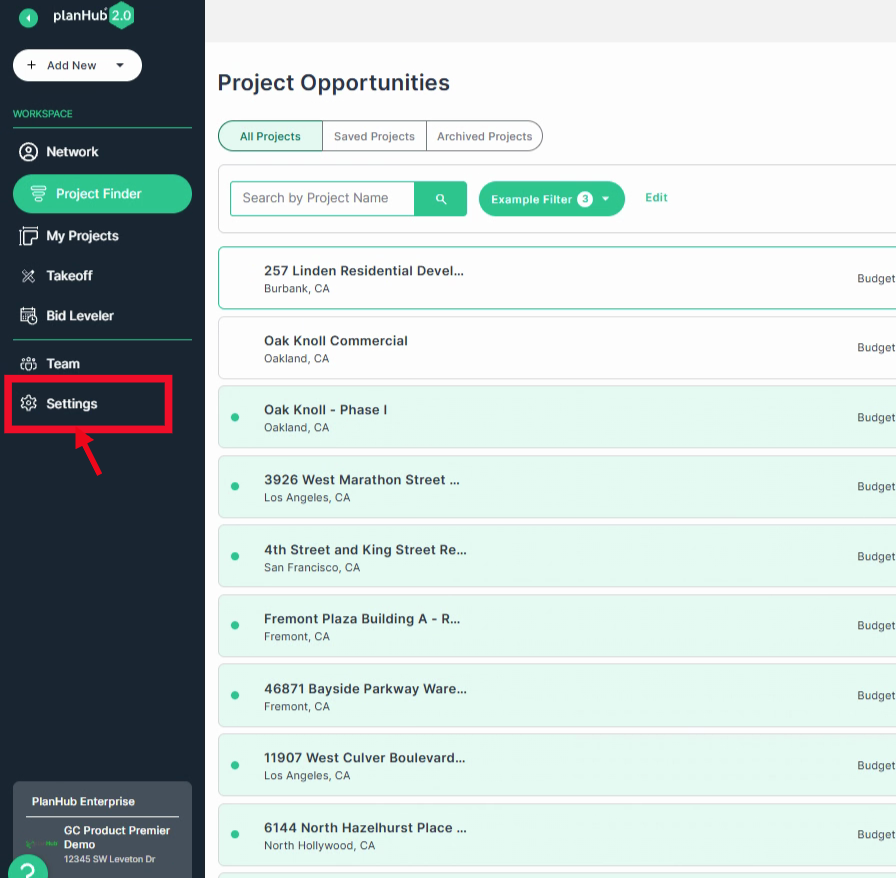
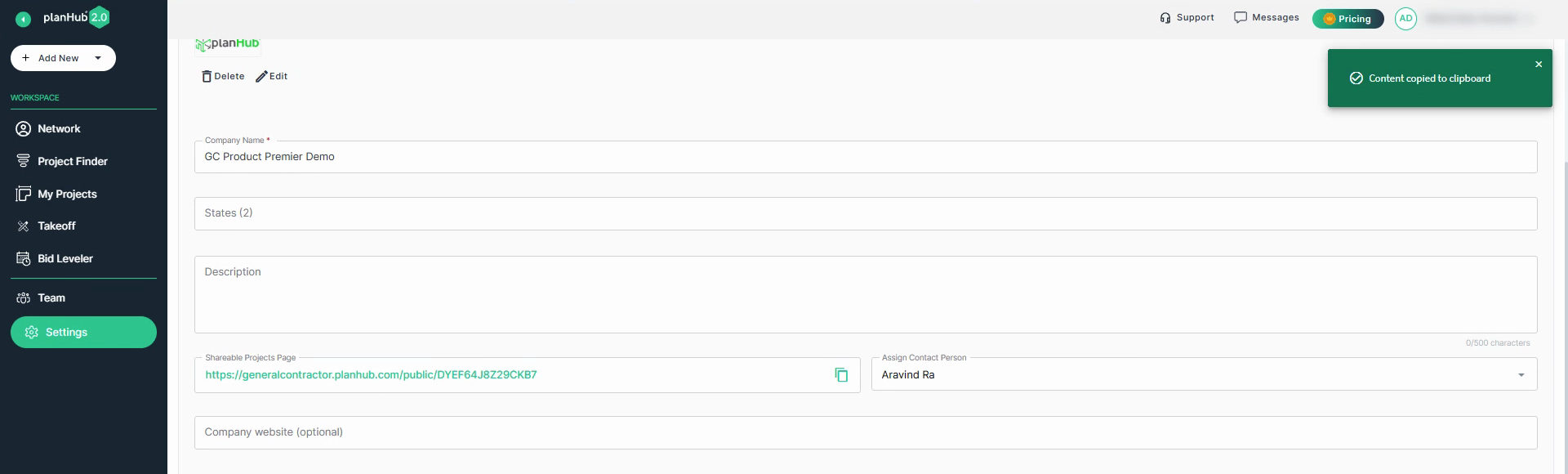
Step 1: Navigate to the Settings option in the main panel on the left side. To learn more about the Settings page, view the Knowledge Base article: General Contractor's Guide to Navigating the Settings Page
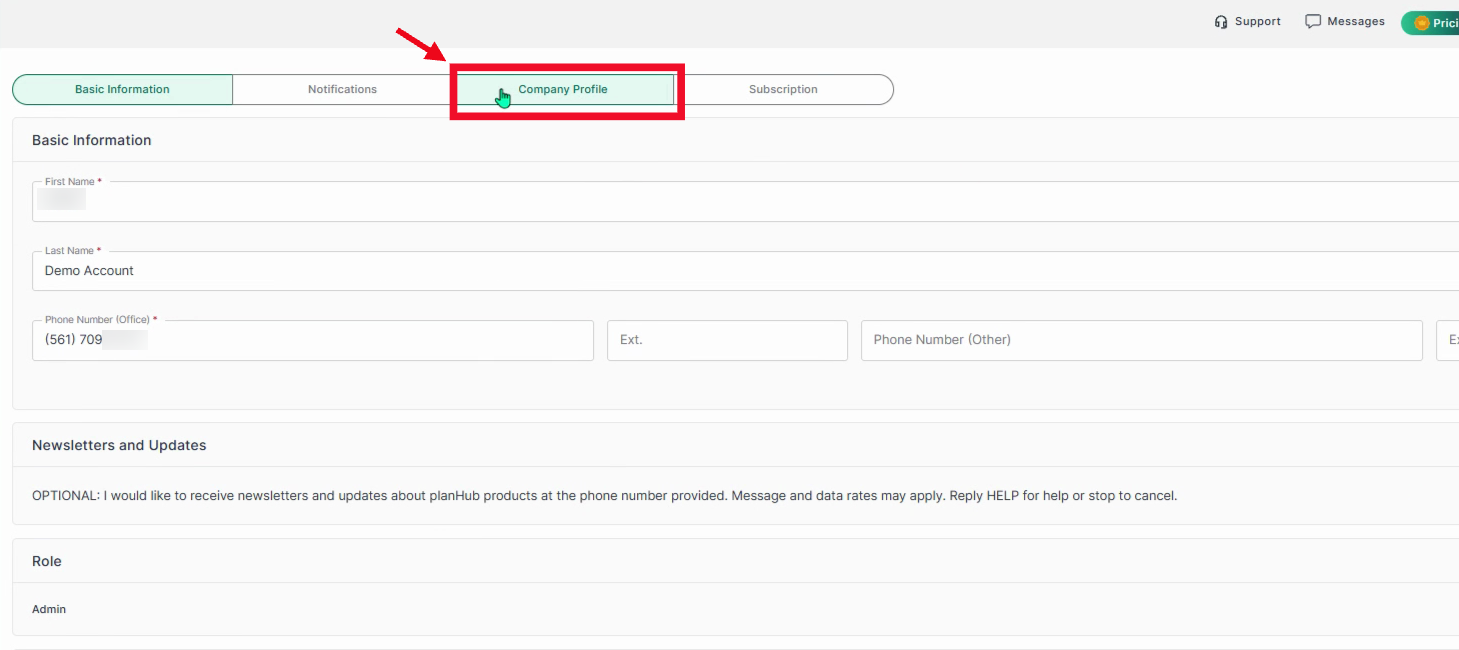
Step 2: At the top of the Settings page, select the Company Profile tab.
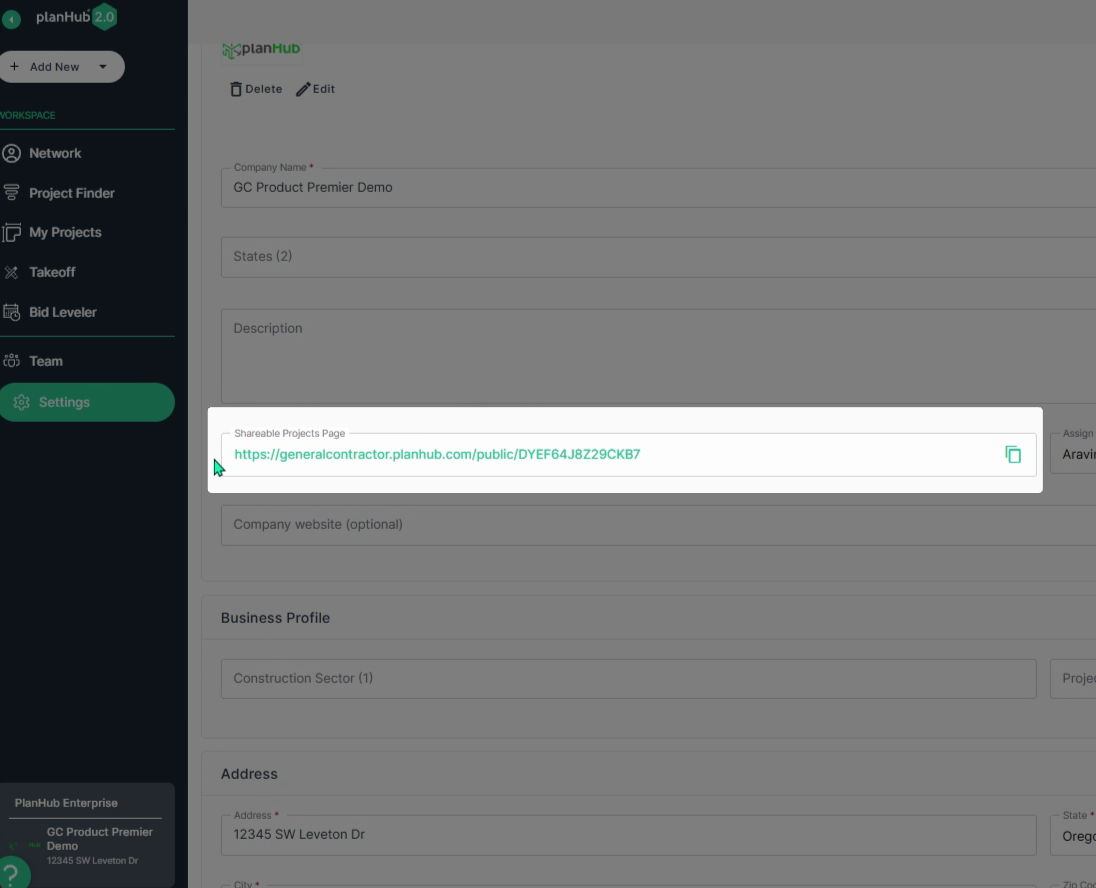
Step 3: Scroll down to the center of the Company Profile page to view your Shareable Projects Page link.
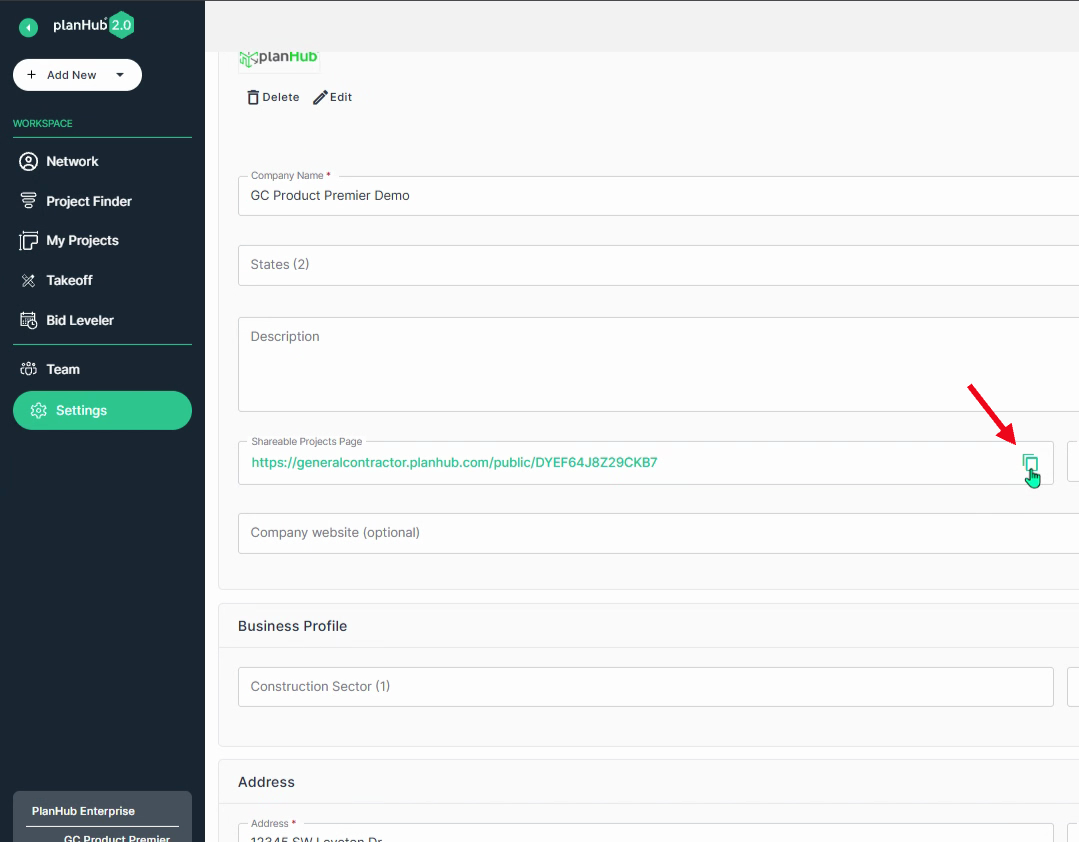
Step 4: Click the Copy option to copy the link to your clipboard.
Step 5: Share this link via text, email, social media, or add it to your website so others can easily access your active project list and start bidding when they are logged into their planHub account.
Step 6: Paste the link in your web browser to view the shareable projects page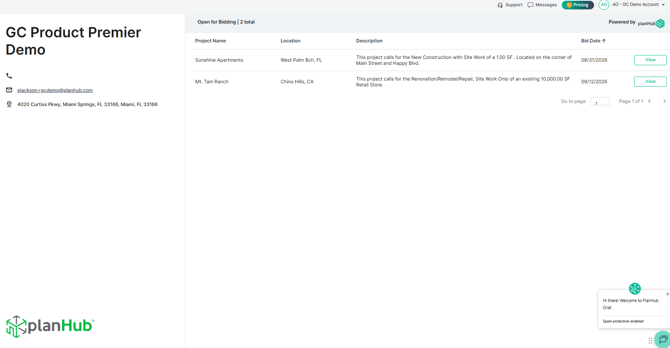
Share all your publicly posted projects with one link to boost visibility and attract more bidders, making it easier to connect with qualified subcontractors and keep your pipeline competitive. To learn how to post a new project, view the Knowledge Base article: How to Post a Project
Troubleshooting
Contact us if you need assistance or to report an issue:
- PlanHub Contact Page: https://planhub.com/contact/
- Customer Facing Support Ticket Link: https://knowledgebase.planhub.com/knowledge/kb-tickets/new
- Customer Success Team: CustomerSuccess@planhub.com