![NEW_PlanHub_Logo_Navy.png]](https://knowledgebase.planhub.com/hs-fs/hubfs/Design/PH%20Logos/NEW%202024%20PH%20Logos/NEW_PlanHub_Logo_Navy.png?height=40&name=NEW_PlanHub_Logo_Navy.png)
Prerequisite:
The Network add-on feature is required to access the Network page and search planHub’s network of subcontractors and suppliers.
Step 1: Log into your general contractor account.
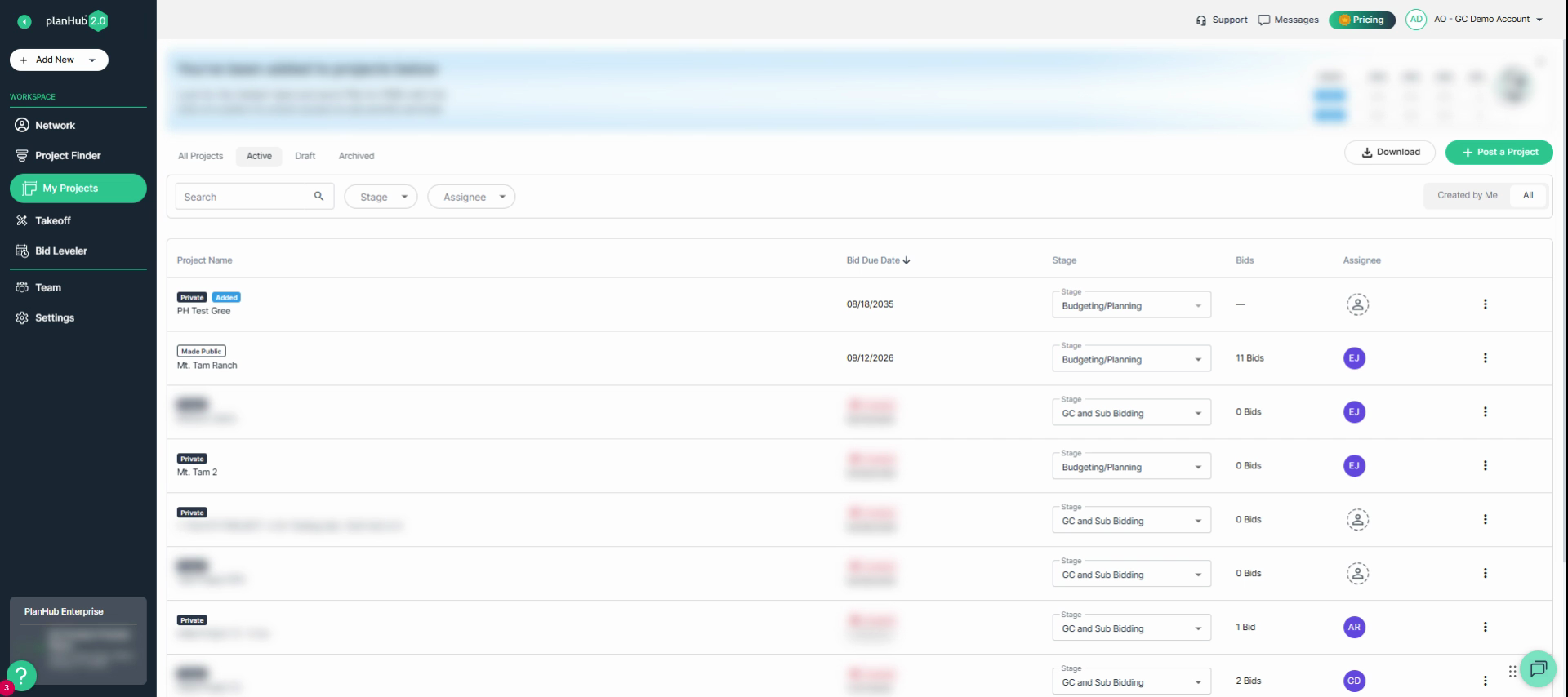
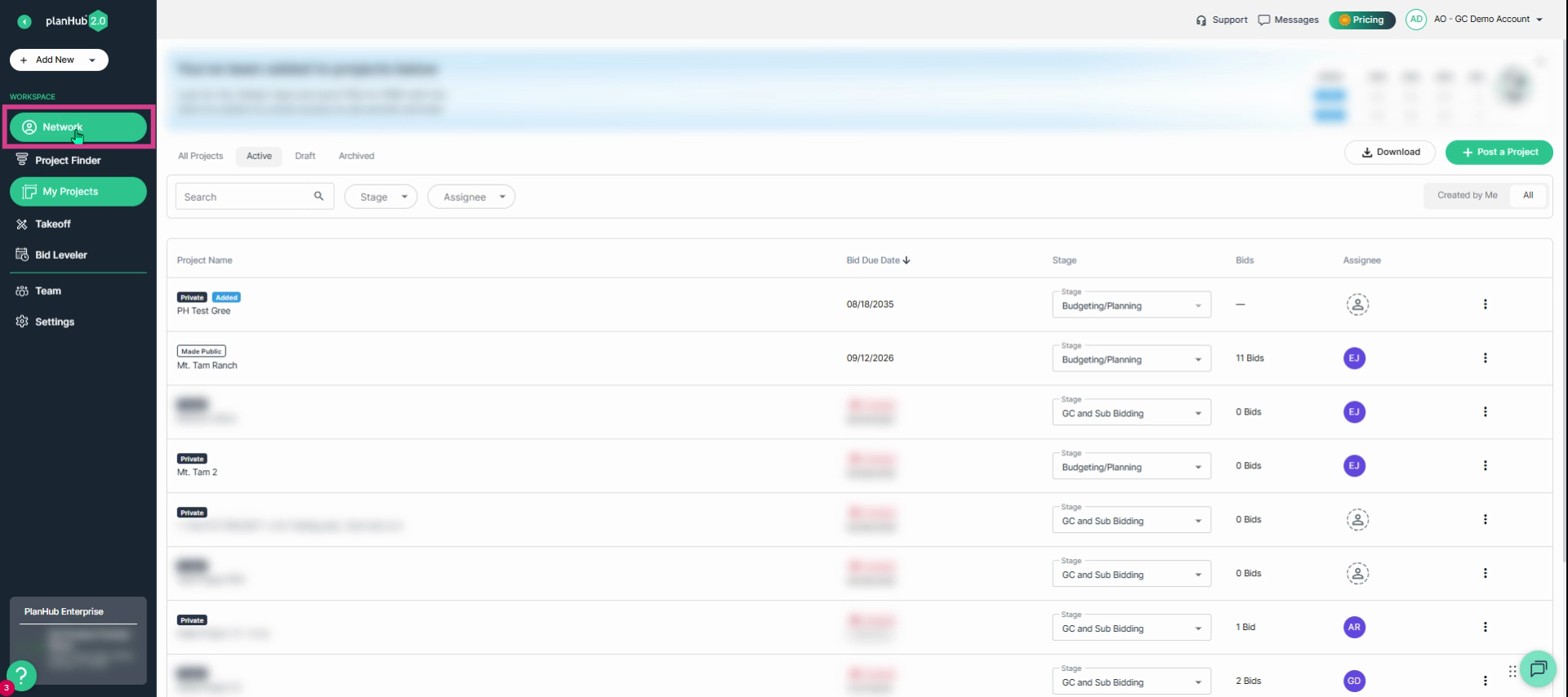
Step 2: Navigate to the left panel and select Network.
Step 3: View the tabs at the top—PlanHub, My Directory, and My Lists.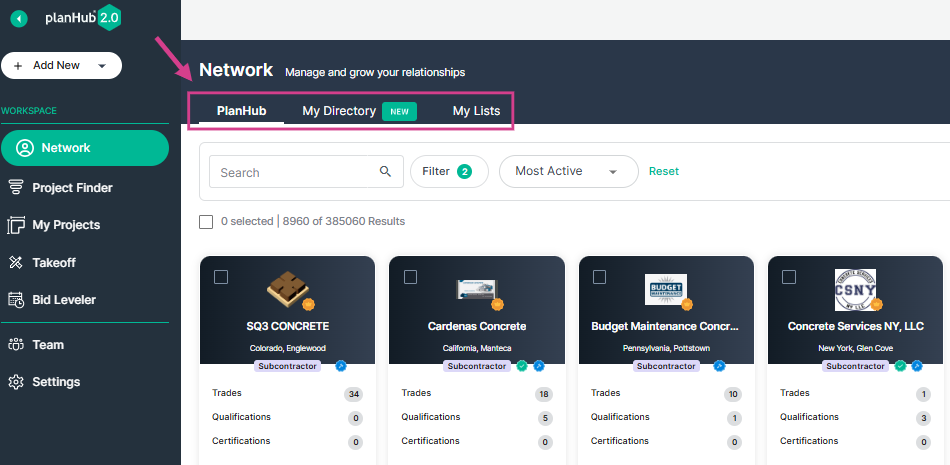
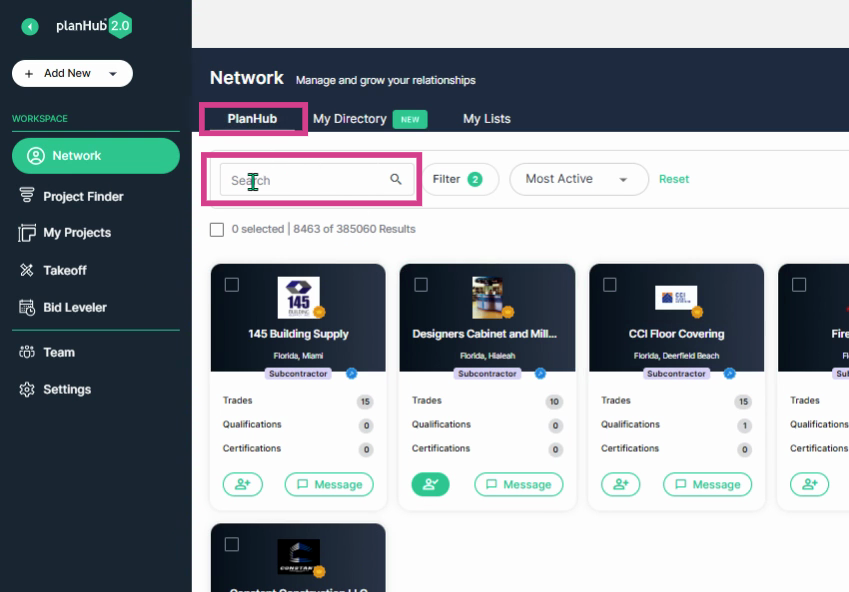
Step 4: From the PlanHub tab, use the keyword search bar to find companies by name.
Step 5: Use advanced filters. Click the Filter button to open a detailed selection window.
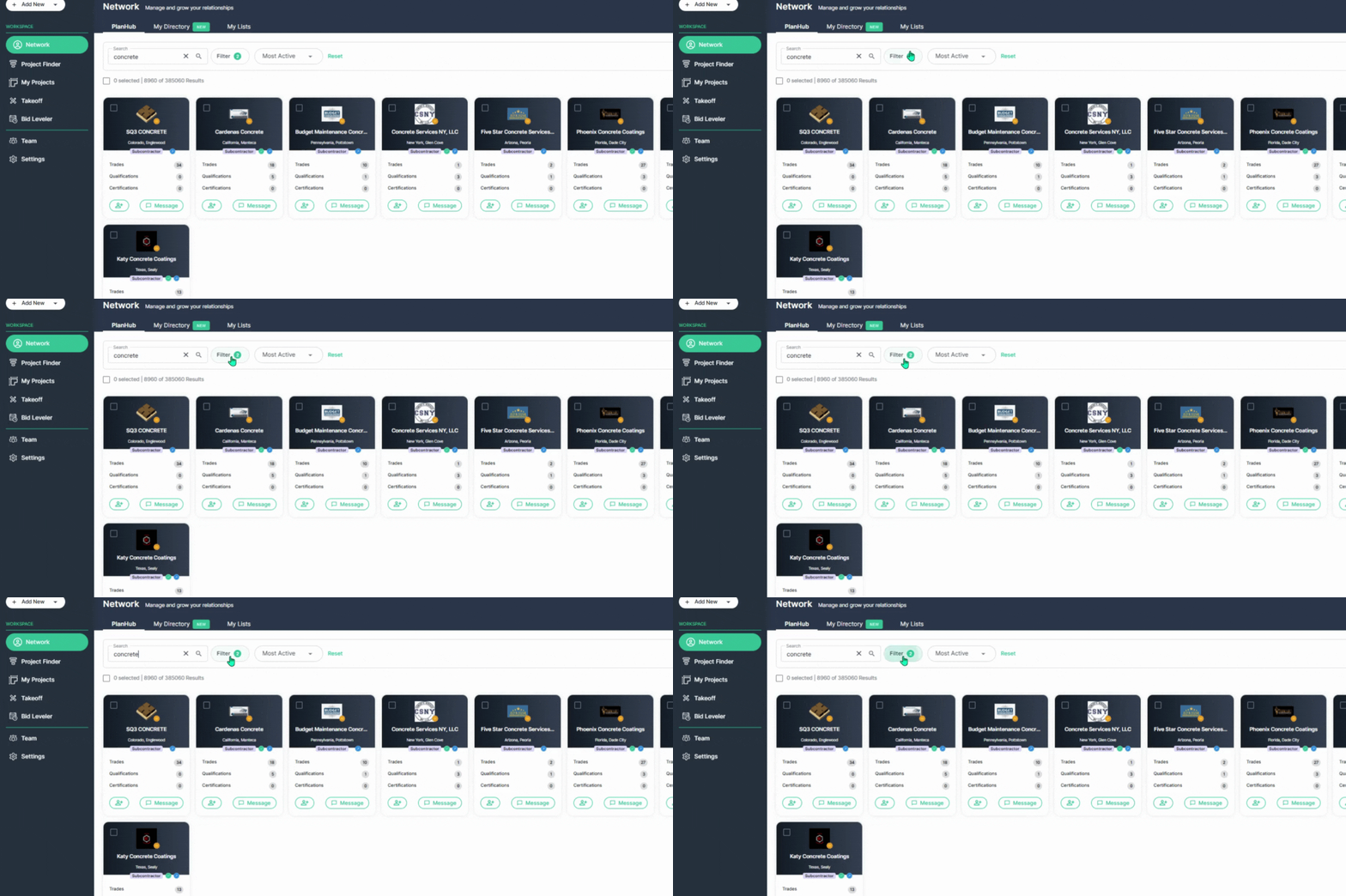
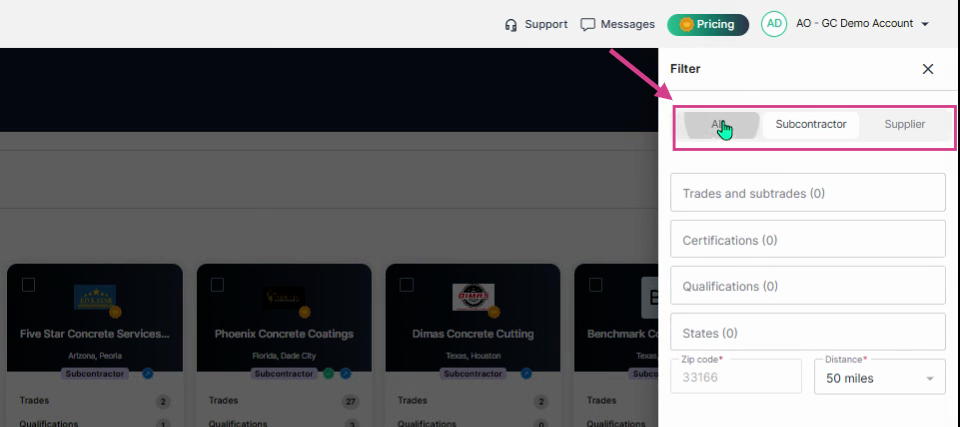
Step 6: Filter by all company types or choose Subcontractor or Supplier to search specific company types.
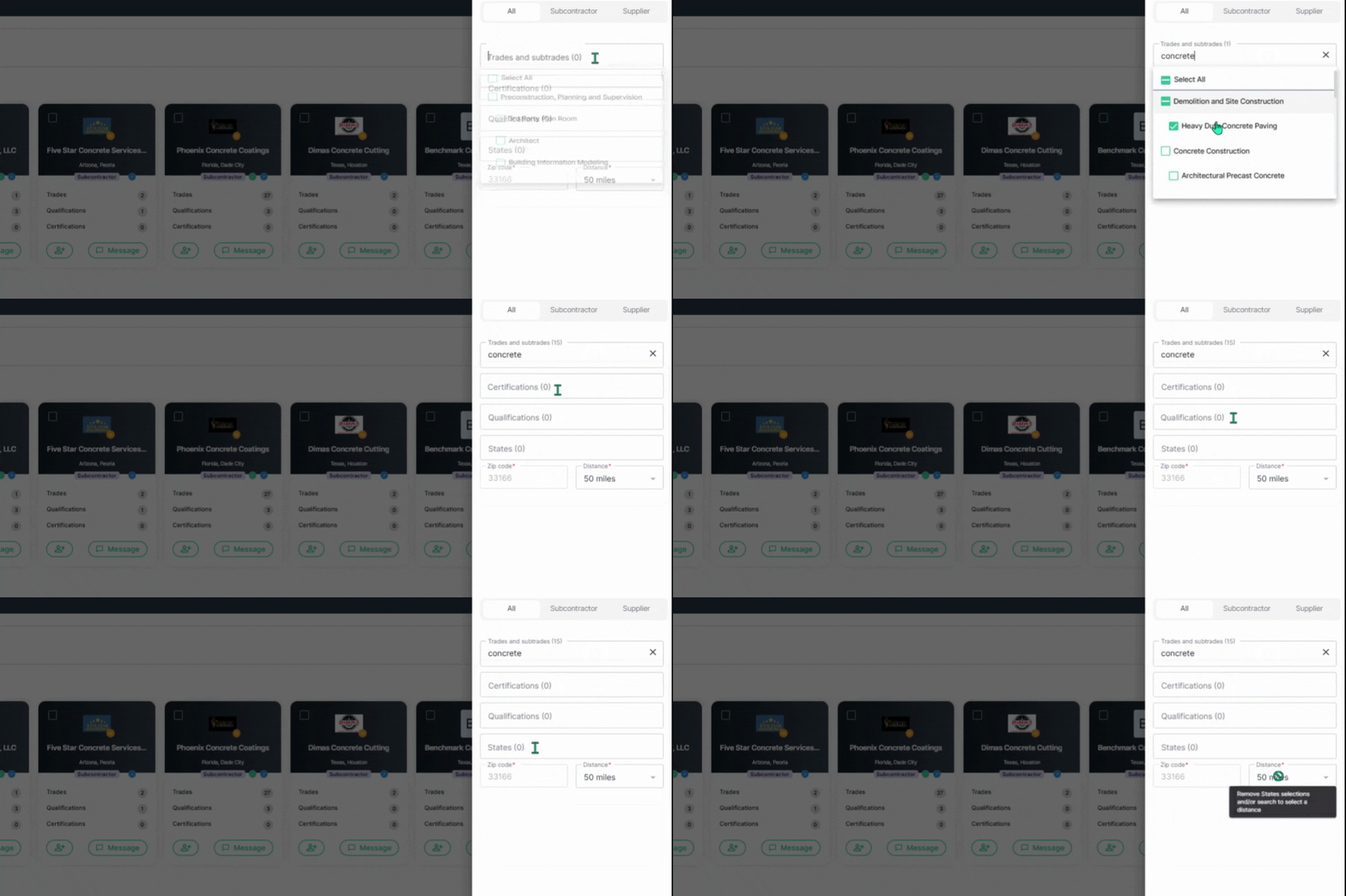
Step 7: Select trades, required certifications, qualifications, and target locations (States or by ZIP code and mileage distance).
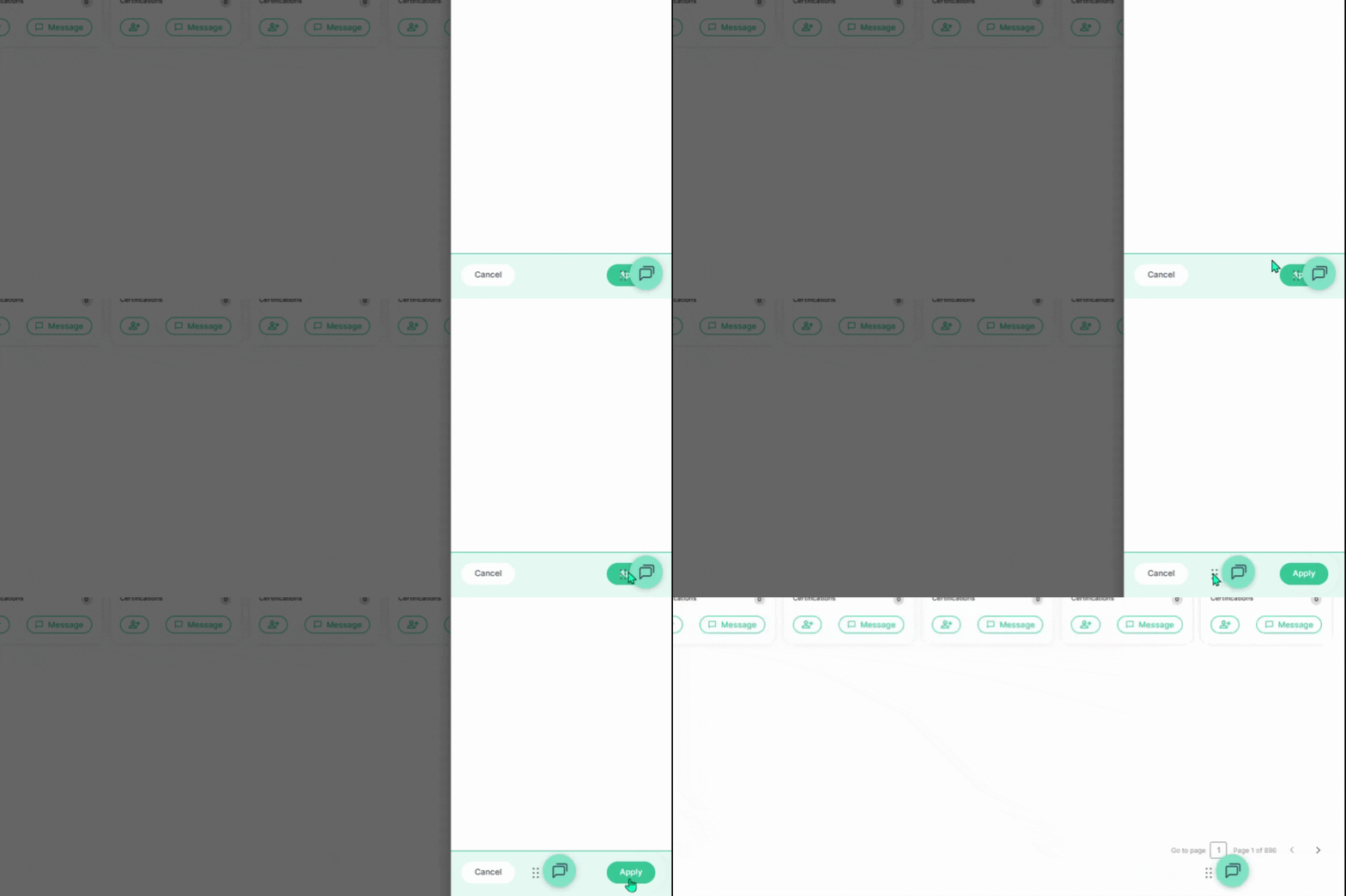
Step 8: Once your filters are set, click Apply in the lower right corner to see companies that match your criteria.
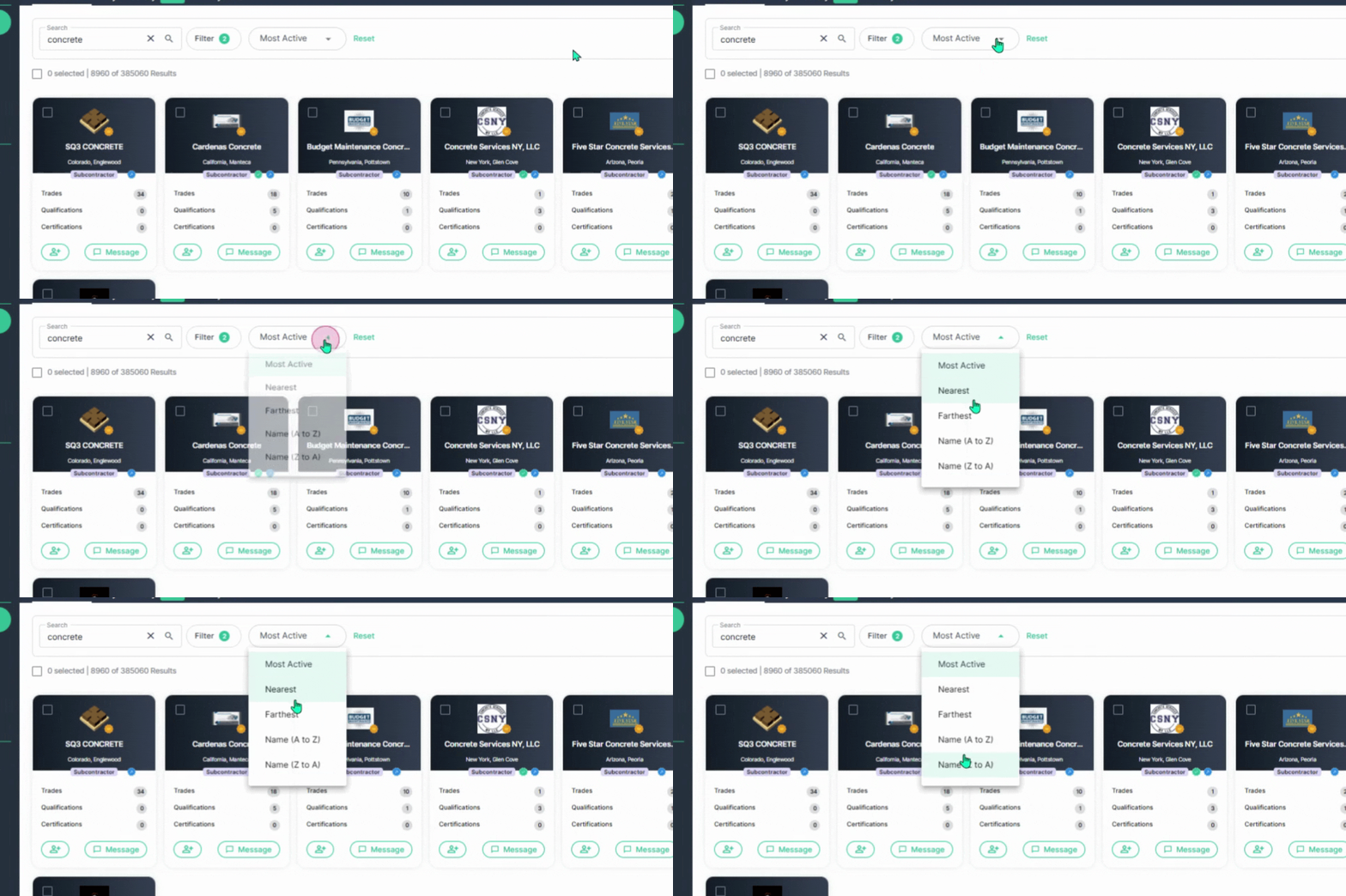
Step 9: Sort results by Most Active, Distance, or Alphabetically.
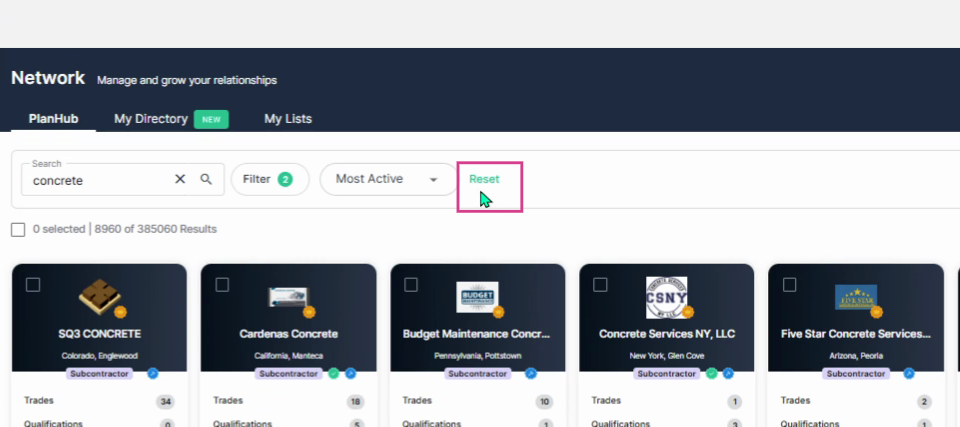
Step 10: To clear your filters, click the Reset button on the right side.
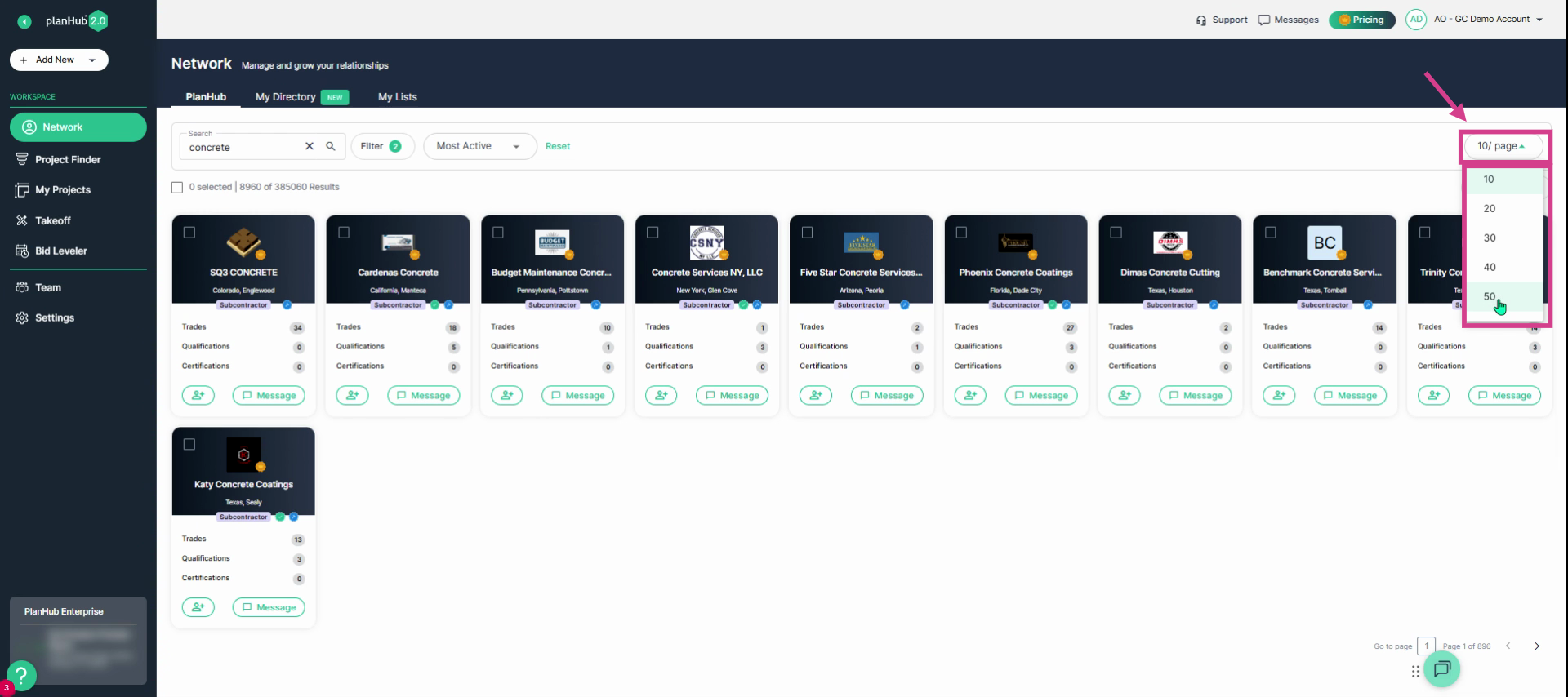
Step 11: Use the drop-down menu, on the right side of the page, to change the number of results displayed on the page.
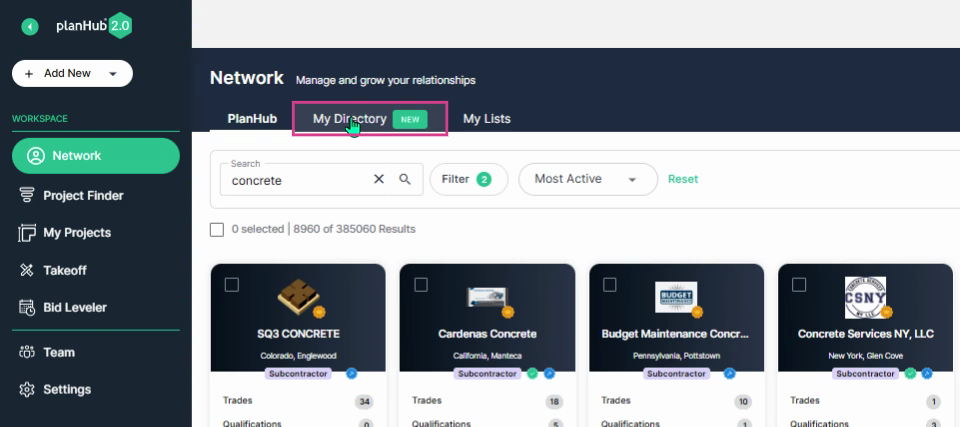
Step 12: Click on the My Directory tab to view your contacts within your network.
Step 13: To add companies from the PlanHub tab, click the person icon with a plus sign on their company cards from the PlanHub Network page.
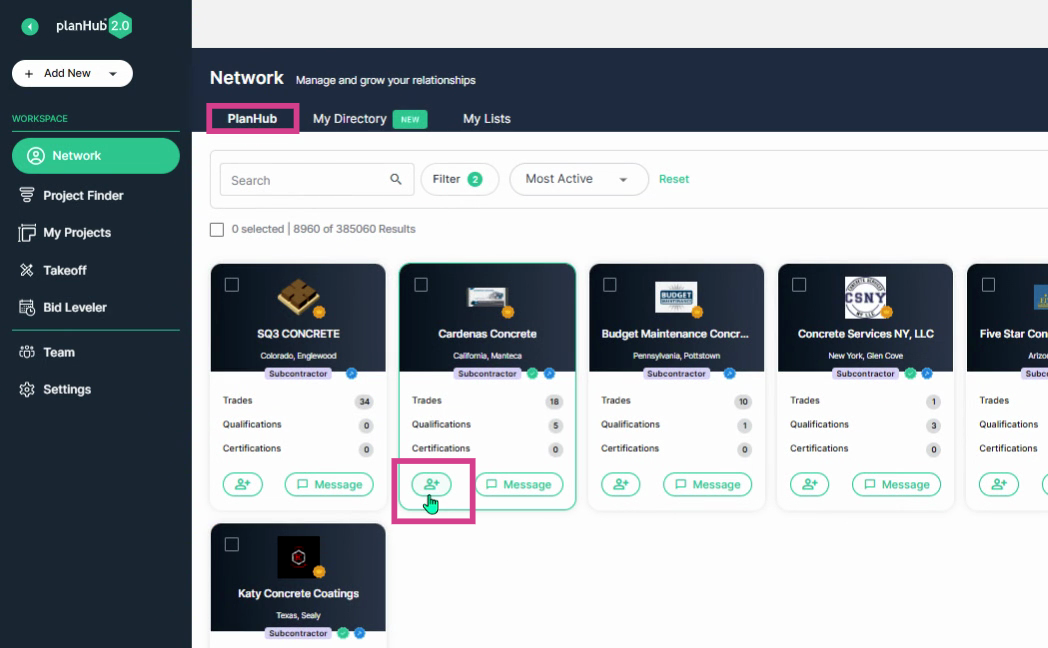
To learn more about company cards and profiles in the Network, view our Knowledge Base article: General Contractors | Company Cards & Profiles in the Network Add-On Feature
Step 14: Review your added contacts under My Directory. Select any contact to review or edit their details and add notes.
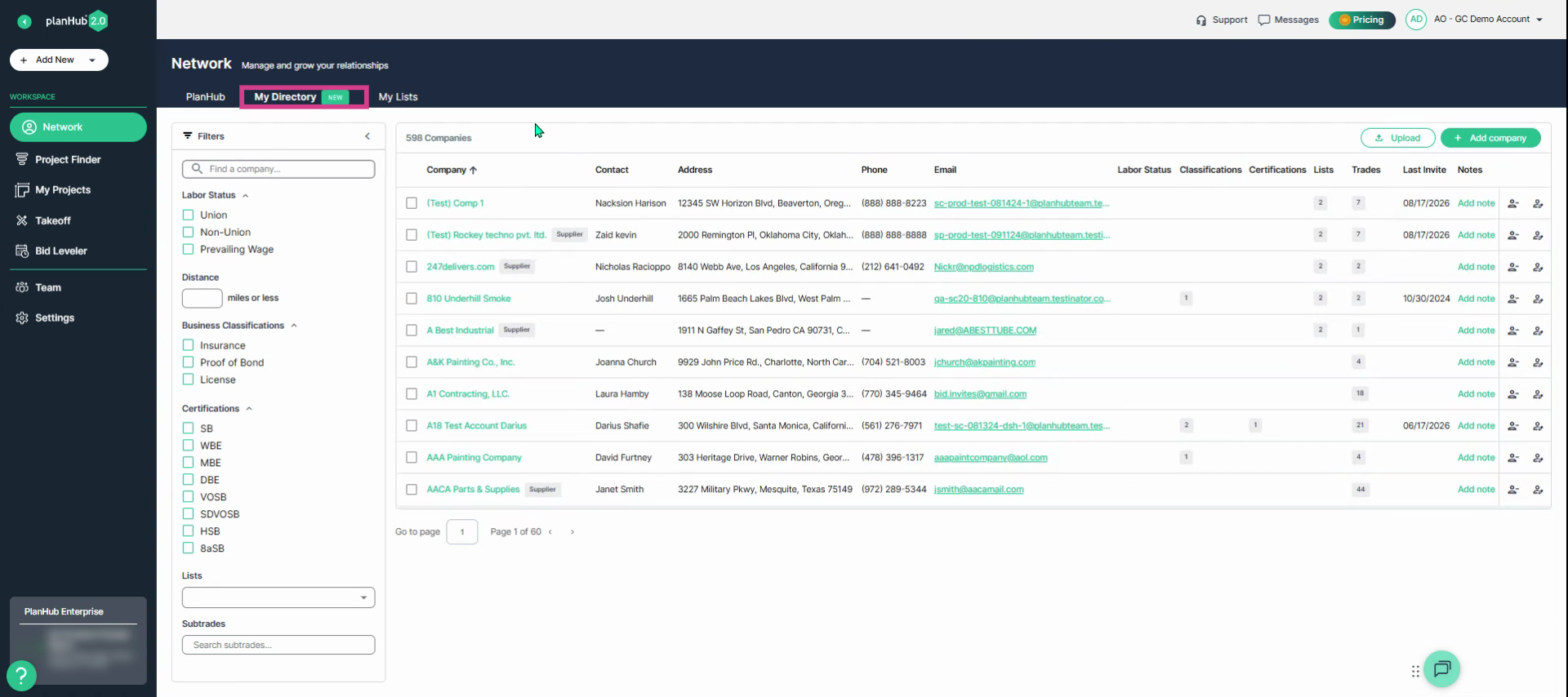
With the planHub Network, you can quickly discover the right subcontractors and suppliers, build your network, and connect with potential bidding partners—all from one place.
Troubleshooting
Contact us if you need assistance or to report an issue:
- PlanHub Contact Page: https://planhub.com/contact/
- Customer Facing Support Ticket Link: https://knowledgebase.planhub.com/knowledge/kb-tickets/new
- Customer Success Team: CustomerSuccess@planhub.com