![NEW_PlanHub_Logo_Navy.png]](https://knowledgebase.planhub.com/hs-fs/hubfs/Design/PH%20Logos/NEW%202024%20PH%20Logos/NEW_PlanHub_Logo_Navy.png?height=40&name=NEW_PlanHub_Logo_Navy.png)
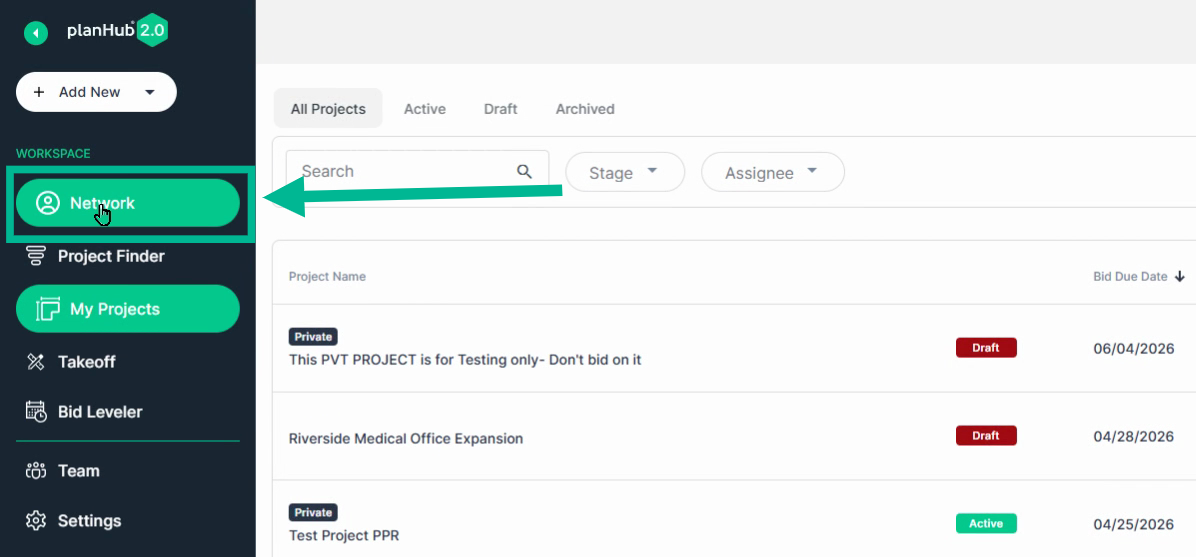
Step 1: Log in to PlanHub and open the Network page.
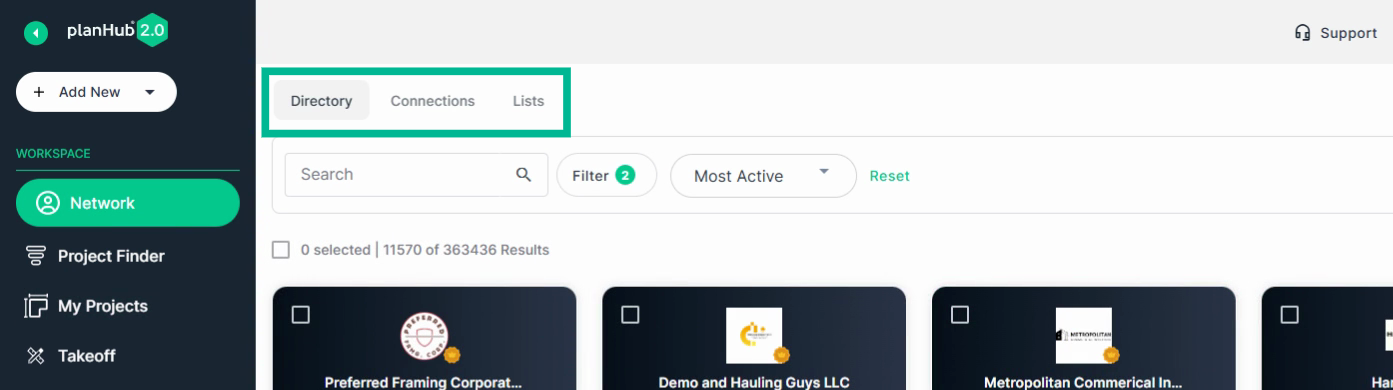
Step 2: Use the tabs at the top—Directory, Connections, or Lists (if available)—to choose where to search.
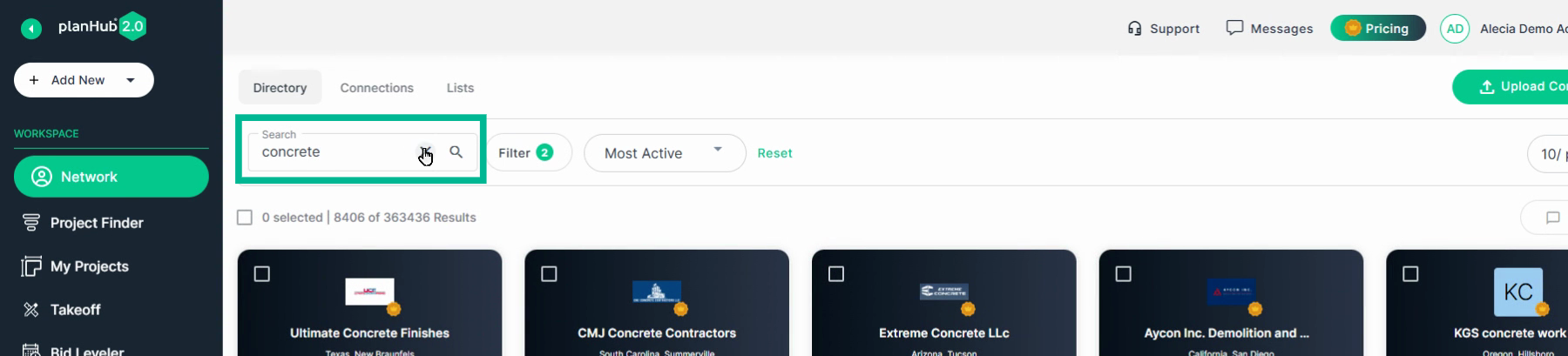
Step 3: In the Directory tab, use the search bar to find companies by name.
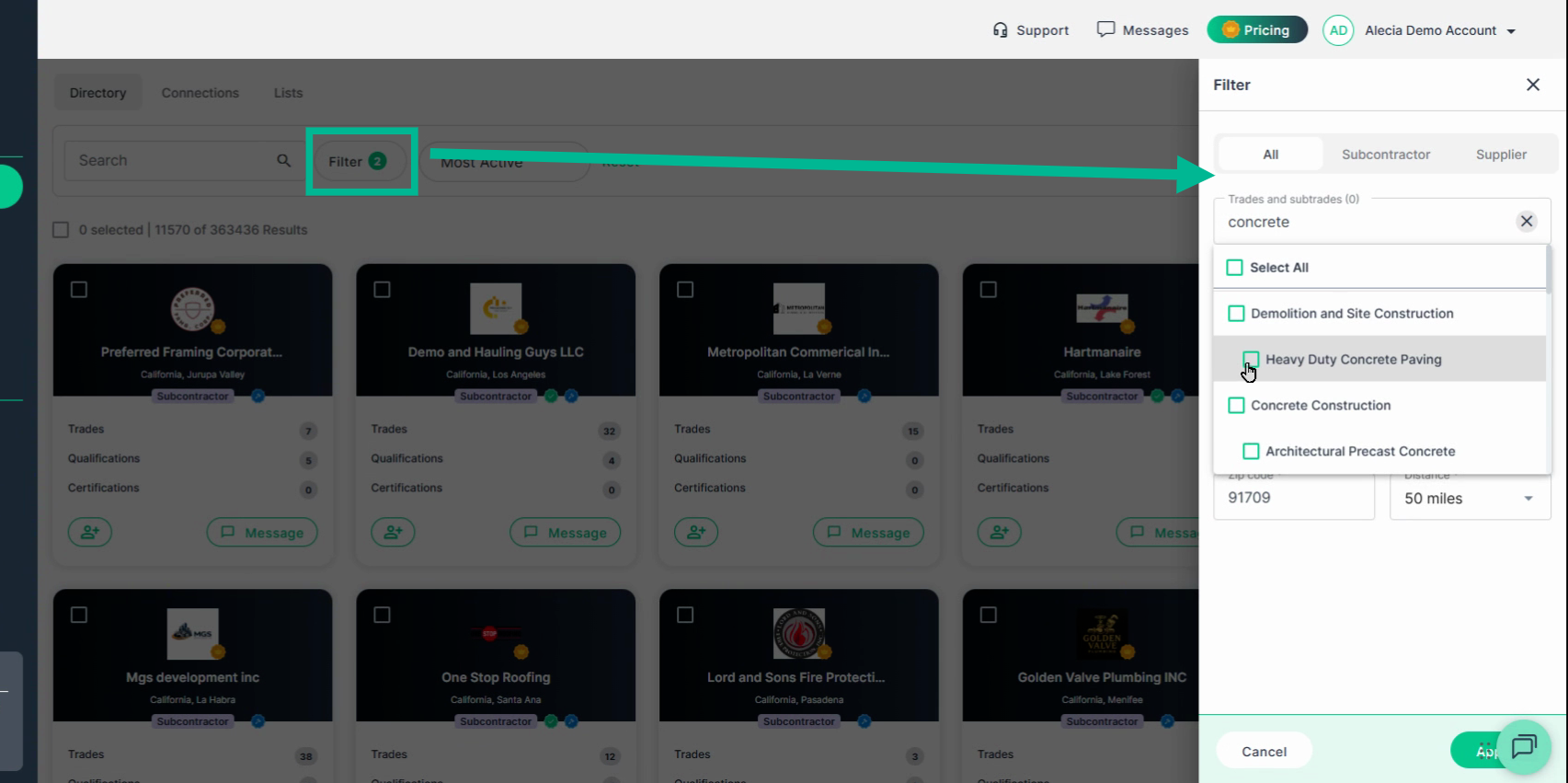
Step 4: Apply filters for company type, trades, certifications (like insured or union), and location (state, region, or zip code).
Click Apply to view matching companies
Step 5: Sort the results as needed (e.g., most active, nearest).
Adjust how many show per page if you like.
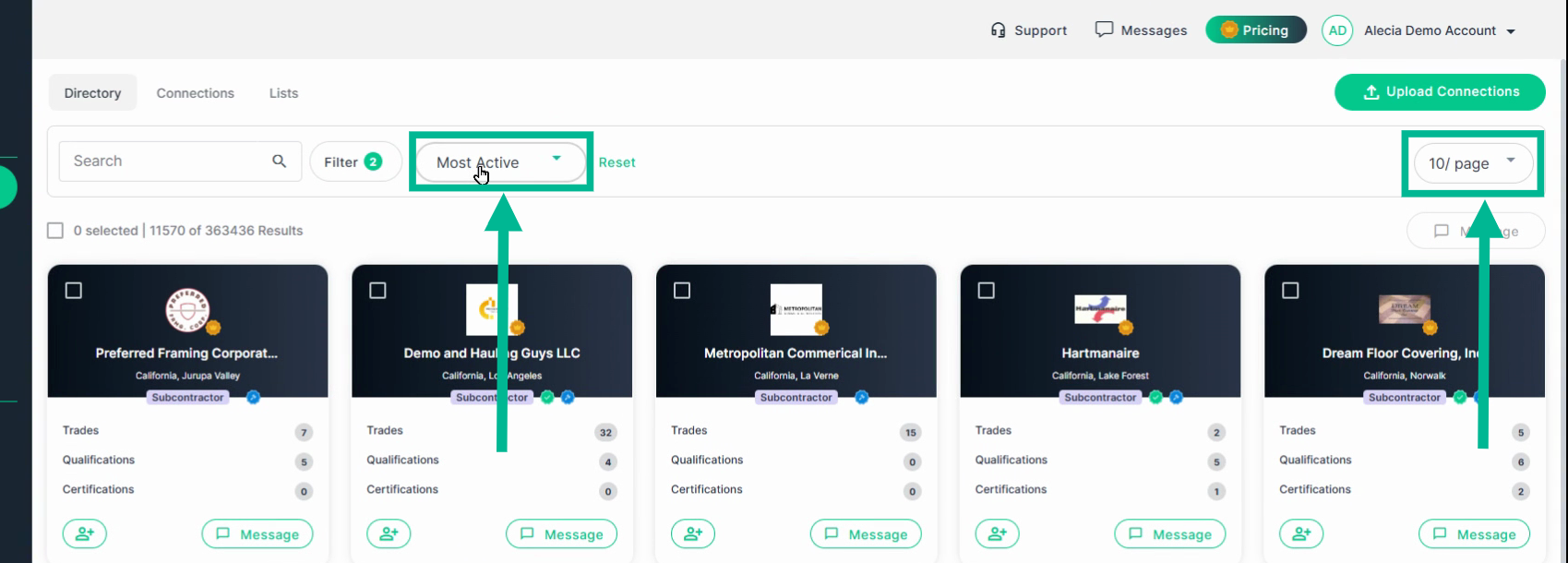
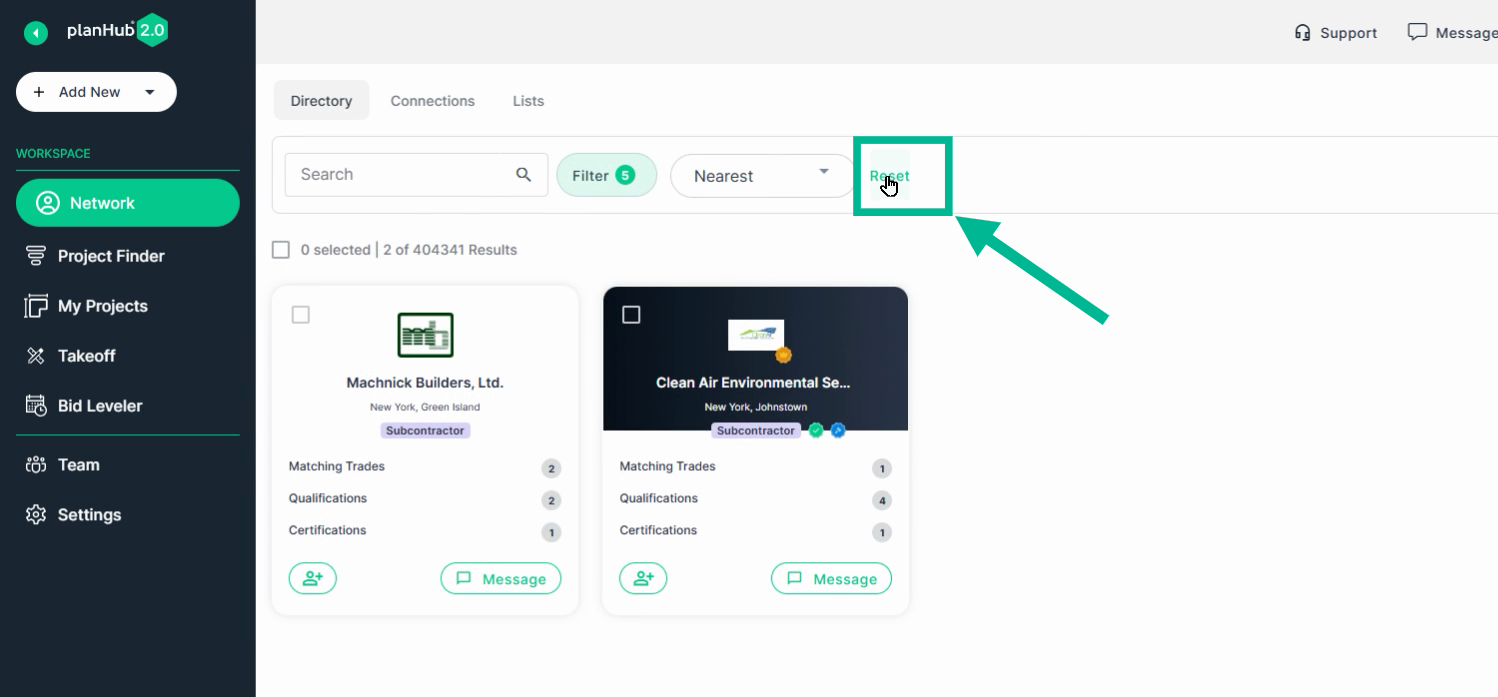
Step 5: To clear filters and restart, use Reset.
Step 6: Switch to the Connections tab to search and filter contacts in your network—either personal or PlanHub contacts.

The Network page helps you quickly discover and connect with the right partners to grow your business, all in one place.
Troubleshooting
Contact us if you need assistance or to report an issue:
- PlanHub Contact Page: https://planhub.com/contact/
- Customer Facing Support Ticket Link: https://knowledgebase.planhub.com/knowledge/kb-tickets/new
- Customer Success Team: CustomerSuccess@planhub.com