![NEW_PlanHub_Logo_Navy.png]](https://knowledgebase.planhub.com/hs-fs/hubfs/Design/PH%20Logos/NEW%202024%20PH%20Logos/NEW_PlanHub_Logo_Navy.png?height=40&name=NEW_PlanHub_Logo_Navy.png)
Before You Begin
- You must have an active planHub subcontractor account with Premier Plan access.
Step 1: Navigate to the upper right corner, click on the username, then select “My Account” from the dropdown menu. 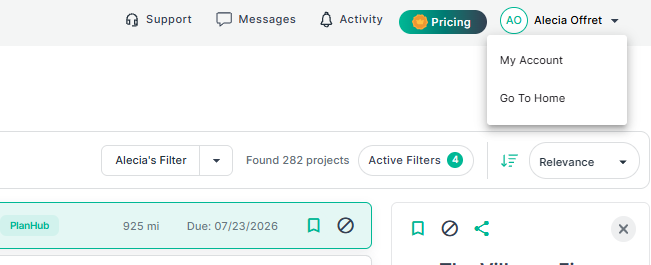
Step 2: On the account page, scroll down until you find the email integration section. Here, connect your Gmail or Outlook account so you can send emails directly from within planHub. Click “Connect My Email” and follow the prompts on the pages to follow. Be sure to enter the email address associated with your planHub account. 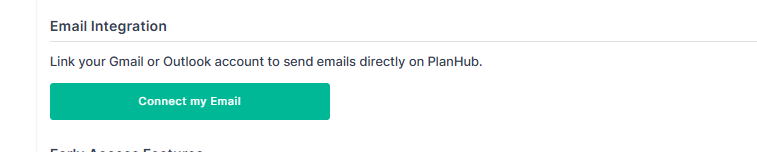
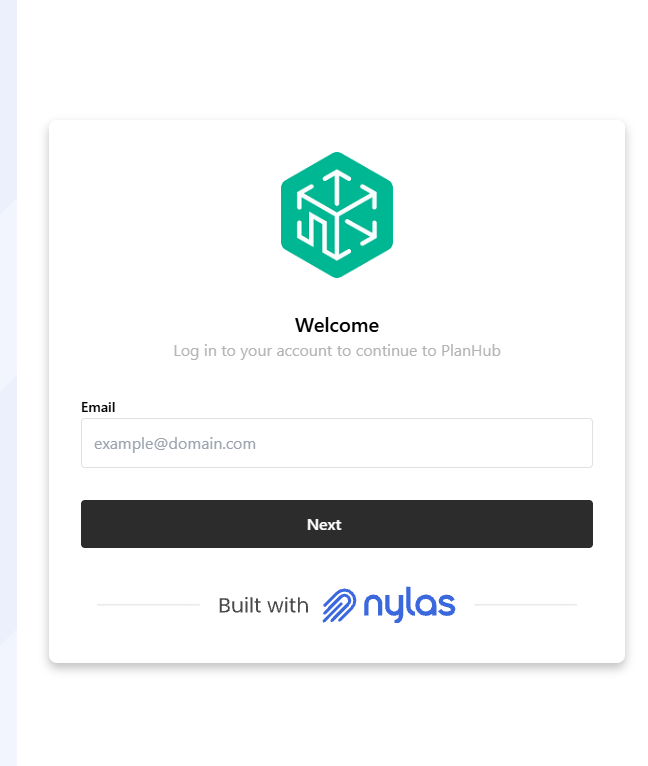
Step 3: Once completed, navigate back to the My Account page to confirm the update. You will then see your connected email address, the provider, and the status listed under the email integration section. If you ever need to disconnect your email account, you can select the "Unlink Account" option below. 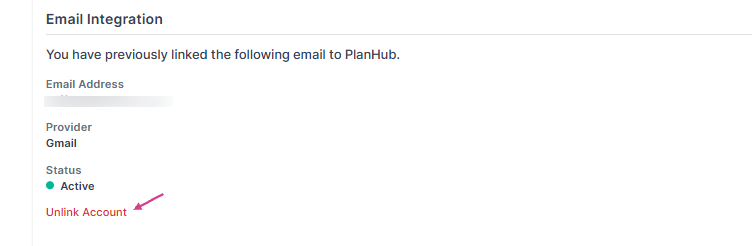
Now, your emails will be sent from your professional email address, and all replies will go straight to your inbox.