![NEW_PlanHub_Logo_Navy.png]](https://knowledgebase.planhub.com/hs-fs/hubfs/Design/PH%20Logos/NEW%202024%20PH%20Logos/NEW_PlanHub_Logo_Navy.png?height=40&name=NEW_PlanHub_Logo_Navy.png)
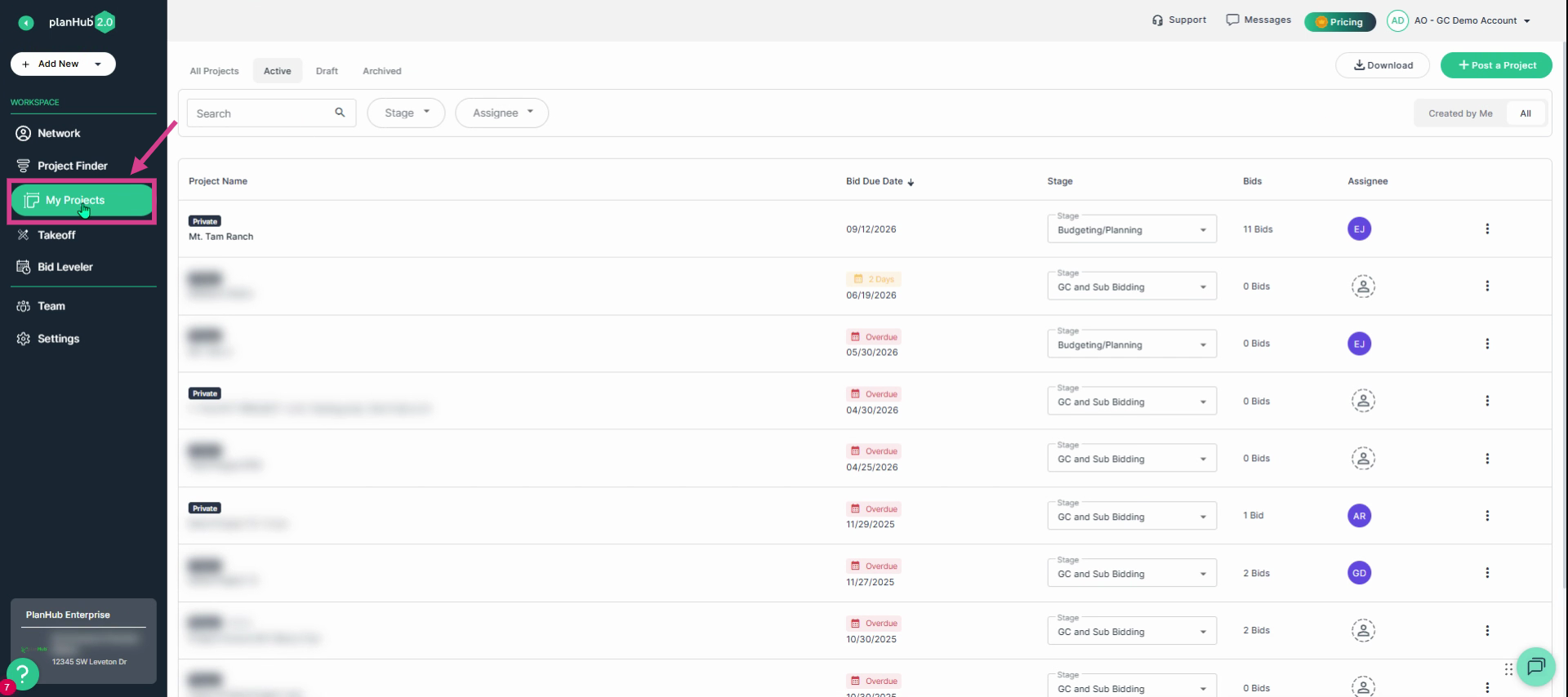
Step 1: Click My Projects, in the main panel on the left side of the page.
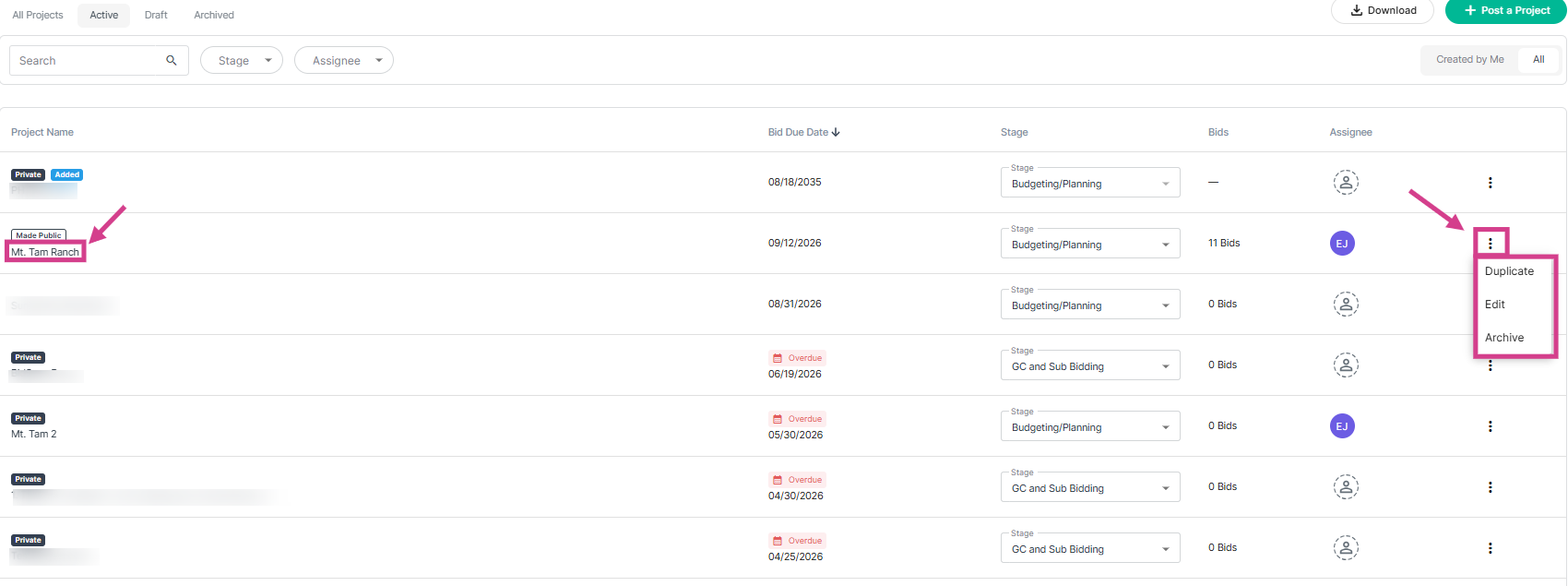
Step 2: Choose one of the 2 options available to Edit your project:
a.) Navigate to the end of the row for the project you want to edit then click on the (3 dots) action menu and select Edit
OR
b.) Click on the project name to view the project page, then, click Edit in the upper right corner.
Step 3: Select the Trades option at the top of the page.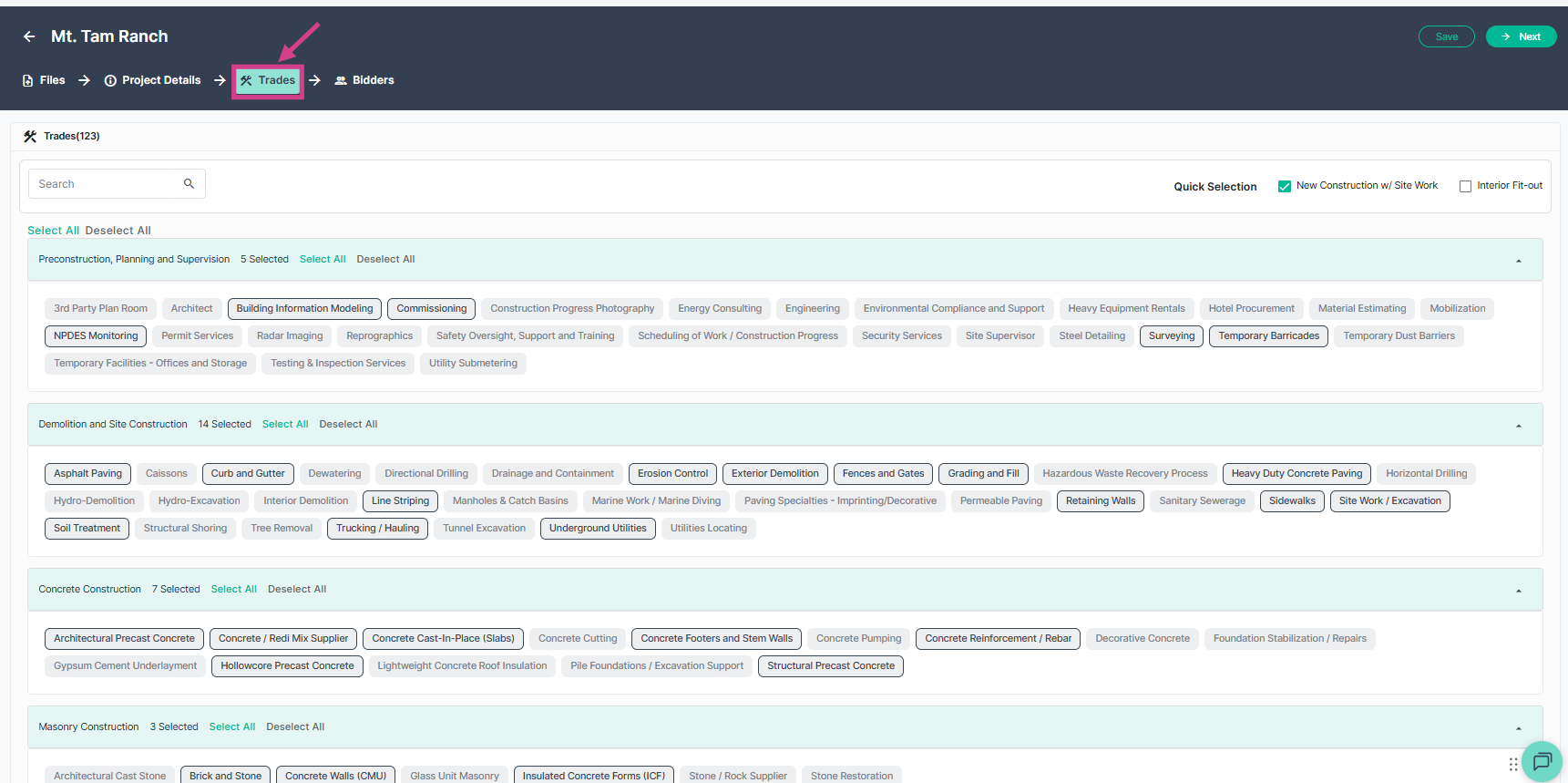
Step 4: For each section, you can add trades individually using the keyword search bar at the top of the page. On the right side, you can choose a Quick Selection. Choose from either new construction with site work or interior fit out. After making a quick selection, it is recommended to review all preselected trades listed for these options to be sure that you have all trades needed. 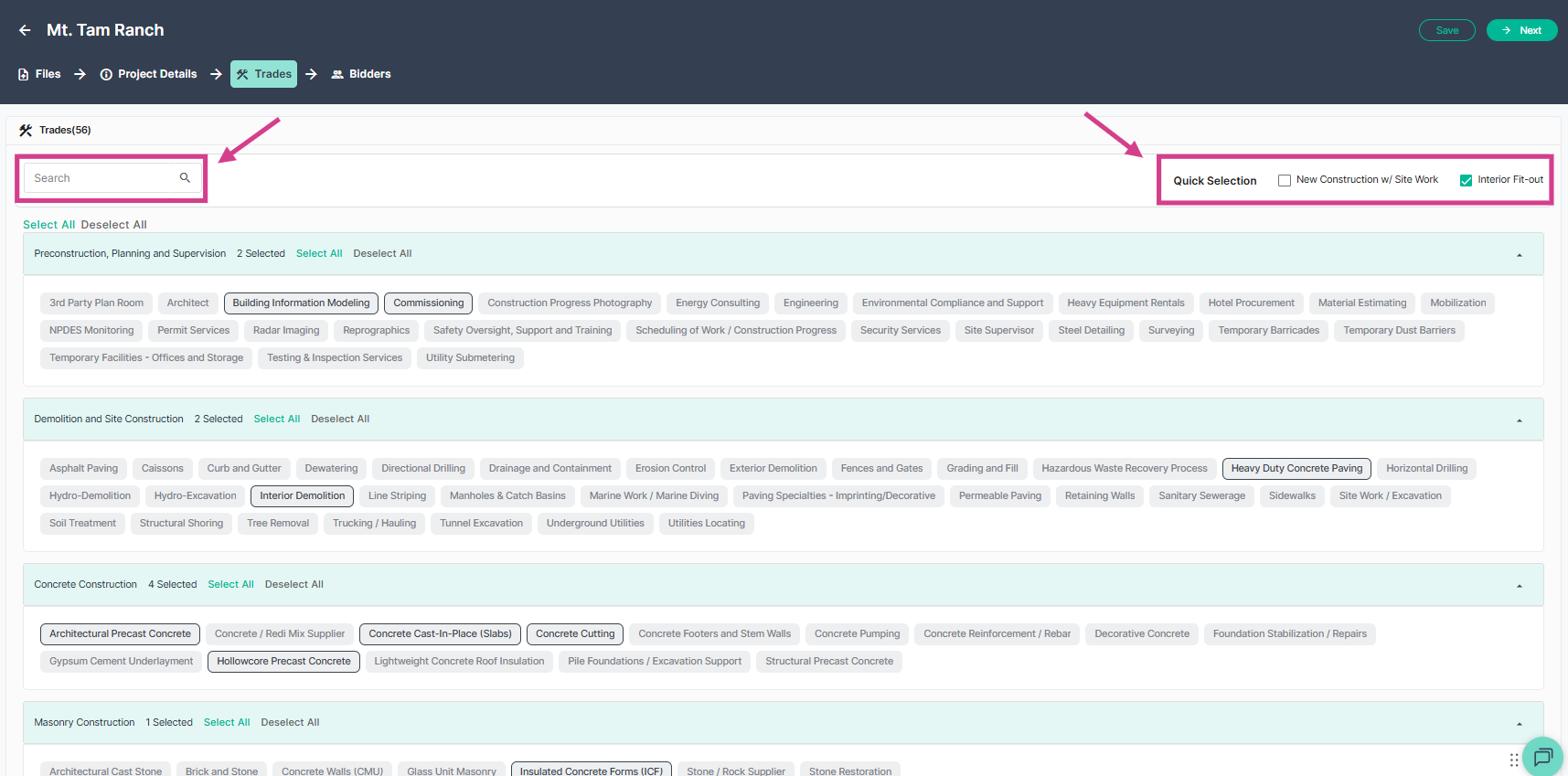
Step 5: Review and finalize project trades. Then click Save or Next to continue.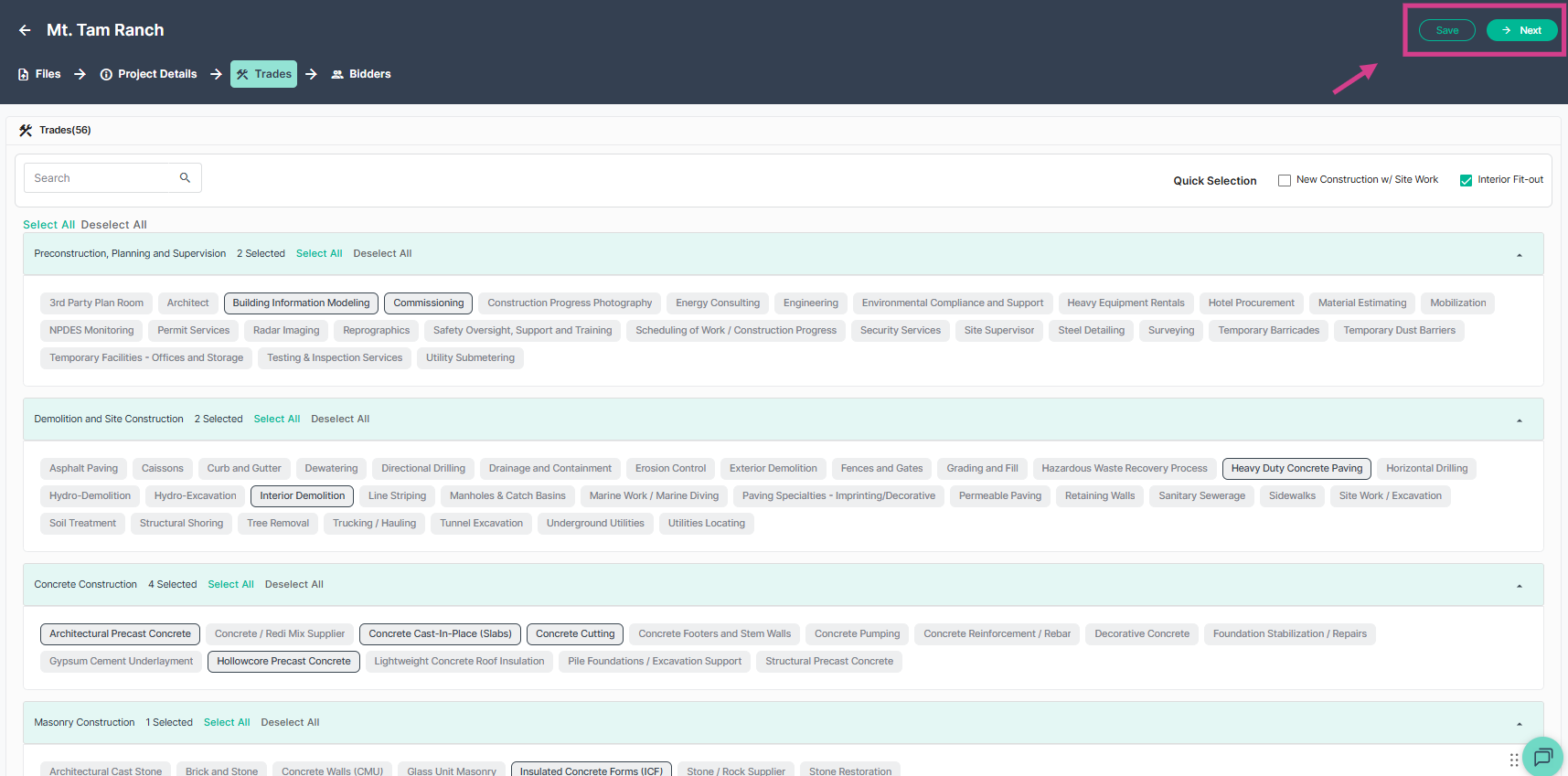
Step 6: On the Invite Bidders page, you can select additional bidders as needed. New invitations will go only to contacts linked to the trades you added—existing invitees will not receive duplicate notifications. Click Publish at the top right corner to send out your new invites.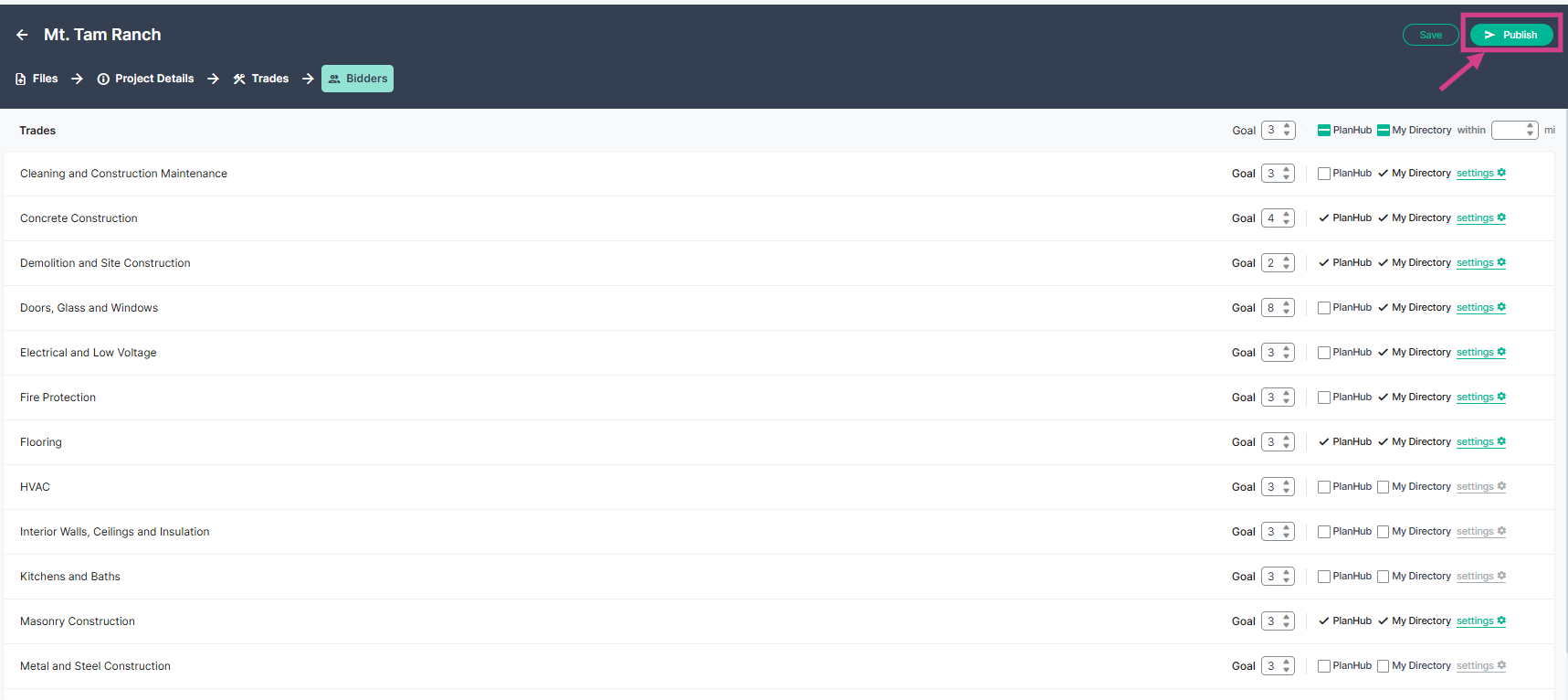
To learn more about posting your projects in planHub, view the Knowledge Base article: How To Post A Project - as a General Contractor
Keeping your project trades updated helps to ensure the right subcontractors and suppliers have the opportunity to bid on your project, increasing your chances of receiving more competitive and comprehensive bid coverage for your project.
Troubleshooting
Contact us if you need assistance or to report an issue:
- PlanHub Contact Page: https://planhub.com/contact/
- Customer Facing Support Ticket Link: https://knowledgebase.planhub.com/knowledge/kb-tickets/new
- Customer Success Team: CustomerSuccess@planhub.com